Guide
Free alternative to Money Manager: Lipi for manual trackers
Lipi is the free alternative to Money Manager for manual trackers: offline entry with no ads, multi-currency accounts, gold, loans and splits in one book. Premium costs USD 3 a month, or USD 2 a month billed yearly (USD 24).
By Bikram LamaPublished Updated 12 min read
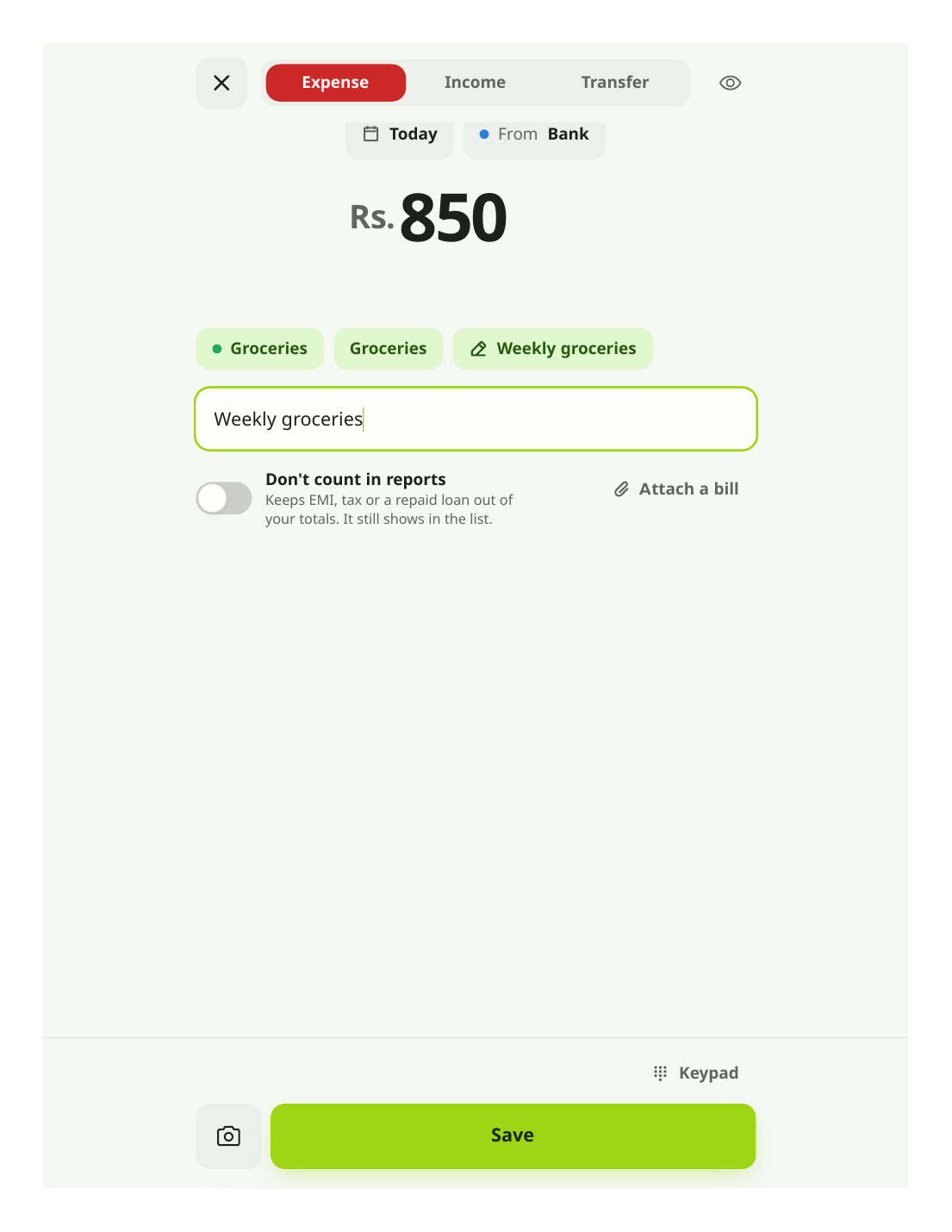
Lipi is a free alternative to Money Manager with no ads and offline manual tracking.
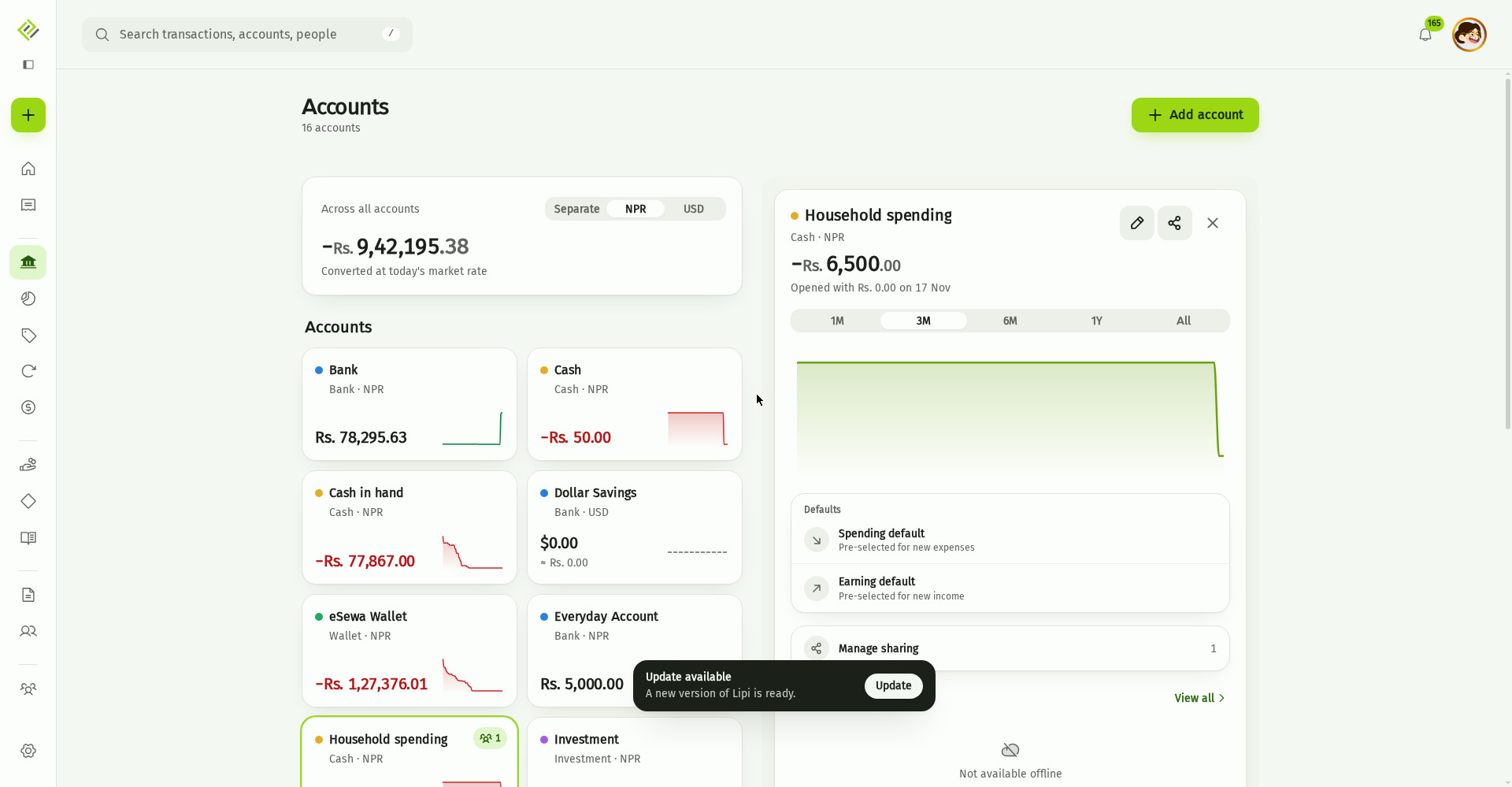
You keep the habit you already have. Every entry is typed by you, no bank login is asked for, and the book works with no connection. What changes is the shape of the book around that habit. One account holds more than a ledger of spending. Gold sits in the same place as your bank balance, a loan carries its EMI schedule, a shared bill splits between the people who owe, and an invoice you sent a client lands as income when it is paid.
Open Lipi and log today's first expense by hand. It takes the same few taps Money Manager taught you, in a book that carries no advertising and asks for no bank credentials.
Why people go looking for a Money Manager alternative
Money Manager by Realbyte is a good app with a long record, and most of its reviews say so. The low ratings repeat a short list of complaints, and the list is worth reading before you decide whether any alternative, Lipi included, actually answers yours.
The loudest complaint is about ads that outstay the payment meant to remove them. Two Google Play reviews quoted in an October 2026 pull of the app's 140 most recent reviews put it plainly:
"Still getting ads months after purchasing app"
"I bought the remove ads feature, but why do ads appear when I use the same account on a different phone? Should I buy it again?"
The second question has a dull technical answer. A store purchase belongs to one store account on one platform, so it stays behind when the phone or the platform changes. Knowing the reason does not make the second purchase feel fair, and the same pull found the pricing itself confusing people. A one-star Play review from November 2026 reads:
"Does require a Subscription, at $35.99 a month. Google play said it has a one time purchase, which is inaccurate."
The $35.99 figure matches nothing Realbyte lists. Read it as a sign of confusion about the pricing. The confusion has a real cause, though. Money Manager splits what you pay into pieces (a free app with ads, a separate paid app to remove them, then a subscription on top for sync), and pieces are harder to hold in your head than one price.
Two further themes run through the one-star reviews analysed between 2021 and 2026. Moving to a new phone means exporting a backup file and importing it at the other end, and reviewers report the restore failing often enough for it to count as a pattern. App Store reviewers add a related one: data lost after an update, in an app where your records live on the phone and the backup habit is yours to keep. A manual sync that finishes by showing you an ad completes the set.
Lipi answers the first three directly. There are no ads to return after an update, because the app carries none. Premium is one price, stated in the price table below. Your book lives in your account and syncs when a connection comes back, so a new phone starts with a sign-in instead of a file import.
One mined complaint gets no promise from this page. Reviewers also ask Money Manager for leftover budget to roll into the next month, and this page makes no rollover claim for Lipi either. If rollover is the feature you are shopping for, neither app settles it on the evidence gathered here, and you should test any candidate with one month of real spending before you move years of records.
Money Manager and Lipi, side by side
Both apps ask you to type your spending, and both leave your bank login alone. The differences sit in what the book holds and how the paid parts are shaped. Money Manager facts are from Realbyte's own store listings, checked on 17 November 2026. For the head-to-head, Money Manager vs Lipi compares the two as manual trackers.
| Feature | Money Manager | Lipi |
|---|---|---|
| Entry | Manual, typed, with bookmarks for frequent expenses | Manual, typed, with a scan option on the entry screen |
| Bank login | Never asked for | Never asked for |
| Ads | Yes, on the free app | None |
| Bookkeeping model | Double-entry ledger | Income, expenses and transfers between accounts |
| Accounts on the free plan | 15 assets on Android, 10 accounts on iPhone | 2 accounts, of any type, side by side |
| More than one currency | Yes, per entry and per account | Yes, accounts in different currencies in one book |
| Budgets | Weekly, monthly and annual, per category | Monthly budgets, 3 active on the free plan |
| Loans | Recurring transfers can stand in for a loan | A loan book with an EMI schedule and prepayment that moves the payoff date |
| Gold | Nothing in either store listing | Weight in tola, lal or gram, with a live value |
| Splitting a bill | Nothing in either store listing | Yes, free, one bill per split |
| Invoices and clients | Nothing in either store listing | Yes, free |
| Working offline | Yes | Yes |
| Editing on a computer | PC manager over Wi-Fi, in the paid version | The same account in a browser |
Manual entry in Lipi will feel familiar if Money Manager trained you. Pick expense, income or transfer, type the amount, choose the category and the account it came from, save. The entry screen also carries a camera, so a paper bill can be scanned or attached instead of described from memory later.
What the wider book does to a daily habit
A ledger answers one question well: where did the money go. The accounts around the ledger usually live somewhere else, in a notes app, a spreadsheet, or your head. Lipi puts four of them in the same book, and each one removes a side record.
Accounts in different currencies stop being separate books. A salary account, cash, a wallet and a card sit in one list, each in its own currency, and transfers move money between them without pretending a transfer was spending. People who hold money in two currencies feel this first, because a per-entry currency choice inside one-currency accounts is where totals start to drift.
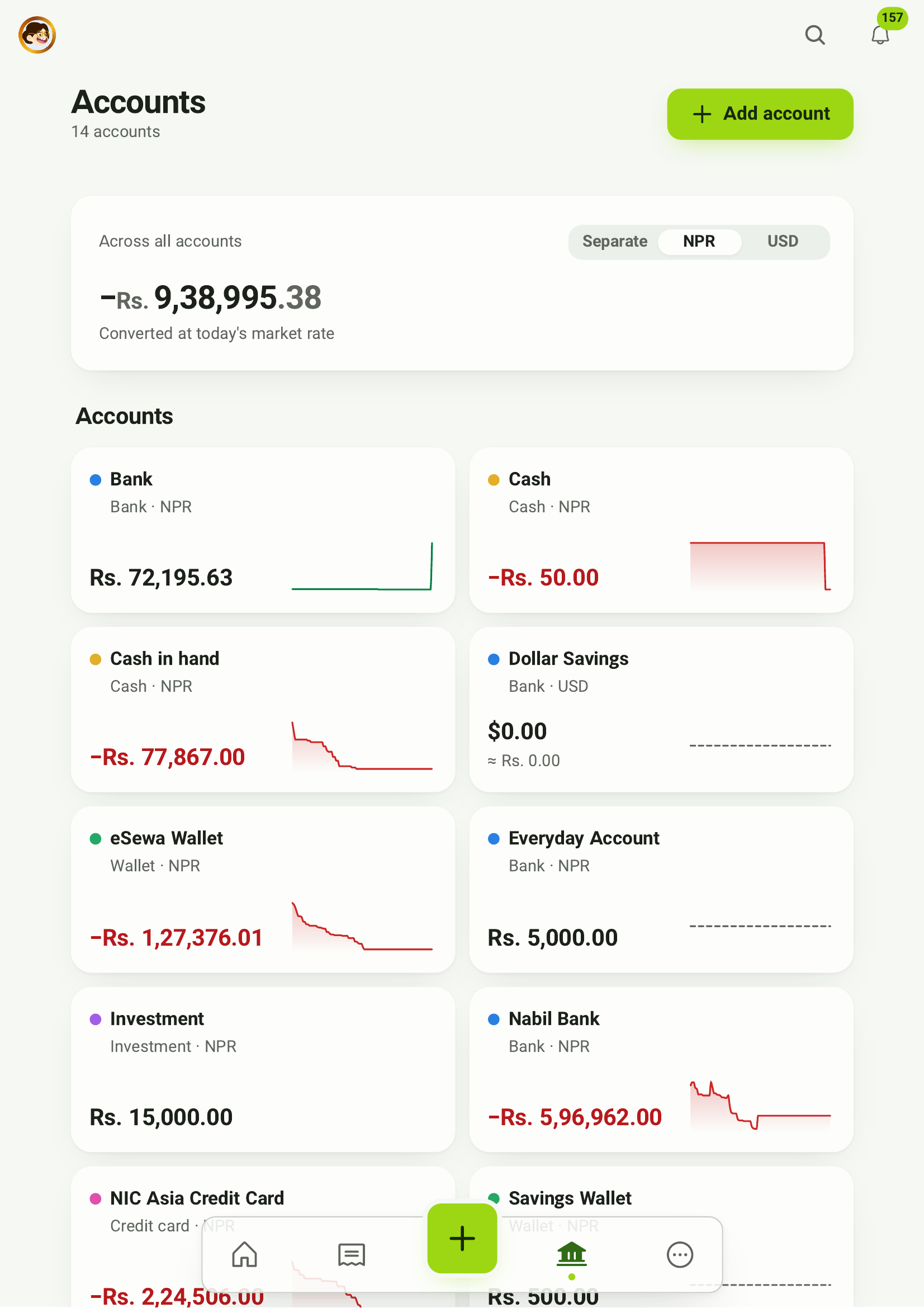
Gold gets a holding rather than a note. You record the weight in tola, lal or gram and, if you want, the price you paid per tola. The app follows the live value from there. Following your own gold in detail, with its 30-day chart and price history, sits in Premium, and the gold tracking guide walks through the units before you record anything.
A loan gets its schedule instead of a recurring reminder. The EMI lands on its dates, and a prepayment shows you the choice Money Manager leaves you to work out alone: lower EMI, or a shorter tenure, with the interest saved stated before you commit. The loans and EMI guide works a full example. Loans are a Premium feature in Lipi, and the free loan calculator still lets you test a prepayment before you pay for anything.
Shared spending gets a split. One bill, the people on it, equal or custom shares, and a breakdown of who owes whom until everyone has marked paid. Splits cost nothing in Lipi. The splits guide shows the settle flow, and the monthly money routine shows where splits and budgets meet at the end of a month.
What each one costs
Prices for Money Manager are the US store listing prices, checked on 17 November 2026. Regional store prices vary. Lipi prices are the standing Premium prices for this comparison.
| Cost | Money Manager | Lipi |
|---|---|---|
| Start | Free, with ads | Free, no ads |
| Lose the ads, gain the full app | $5.99 once, per platform, as a separate Remove Ads app | Premium at USD 3 a month, or USD 2 a month billed yearly (USD 24) |
| Sync between devices | $2.49 a month or $19.99 a year, a separate subscription | Part of the account, no separate sync charge |
| Five years, ad-free with sync, one platform | $5.99 + 5 x $19.99 = $105.94 | Premium for five years: $120 |
Two honest readings of that table. If ads leave you alone, Money Manager free costs nothing and its ledger is deep, and no alternative beats free. And Money Manager's one-time $5.99 is cheaper than any subscription if you stay on one platform and skip sync. Lipi's case starts where the complaints started: one price, no ads at any tier, and nothing extra to pay when the phone changes. Premium unlocks the wider book (more accounts, assets and gold history, loans, statement import, data export, more budgets), and the free plan keeps daily tracking, splits and invoices open. If you are still weighing an app against a spreadsheet rather than against Money Manager, the expense tracker vs spreadsheet comparison runs that test honestly.
Where Money Manager is still the better pick
Money Manager does double-entry bookkeeping properly, with a PC manager for editing on a big screen, and it has been refined in public for well over a decade. If your accounts need to balance like books, or your routine already runs through that PC view, Lipi changes the shape of the book without deepening the accounting, and staying costs you nothing.
The switch makes sense for a narrower reader. You track by hand and want to keep it that way. The ads, the split pricing or the backup file routine are the friction you actually feel. And at least one item in the wider book (a second currency, gold, a loan schedule, shared bills, client invoices) is a side record you are tired of keeping elsewhere.
Moving your history across
Money Manager backs up to an Excel file from inside the app, so your history can leave with you. In Lipi, bringing records in works two ways. Statement import takes a bank statement file and turns it into entries, and it is a Premium feature. Or you start the Lipi book on a clean date with opening balances that match your Money Manager totals, keep the old app installed as the archive, and log forward. For a manual tracker, the clean start is often the calmer move, because years of categories rarely map one to one.
Give the new book a fair trial either way. Run Lipi beside Money Manager for two weeks of real spending, then compare totals on the same day in both apps. The one you still open without being reminded is your answer.
Questions people ask before switching
Is Lipi free?
Yes, to start and to keep using for daily tracking. Manual entry, accounts, budgets up to 3 active budgets, splits and invoices are free. Premium, at USD 3 a month, or USD 2 a month billed yearly (USD 24), unlocks more accounts, assets and gold history, loans, statement import, data export and more budgets.
Does Lipi work offline?
Yes. Entries are recorded on the device with no connection and sync to your account when you are back online. A flight or a shop with no signal leaves the habit untouched.
Does Lipi show ads?
No. Lipi carries no advertising on the free plan or on Premium. The app is paid for by Premium, which is why the price is stated plainly wherever this page mentions it.
I track money in two currencies. Will Lipi cope?
Yes. Accounts hold their own currencies inside one book, and transfers between them record the move without counting it as spending. This was one of the mined questions for this page, and it is the case where a single-currency ledger strains first.
Does Lipi do double-entry bookkeeping?
Lipi records income, expenses and transfers between accounts, and your balances follow from the entries. Balanced double-entry books are Money Manager's model. Readers who need their accounts to balance in the accounting sense are the readers the section above sends back to Money Manager.
What does Premium cost, exactly?
USD 3 a month, or USD 2 a month billed yearly (USD 24). One price for the whole book, no separate sync subscription, no second app to install, and no per-platform purchase to repeat when you change phones.
The short version
Lipi is a free alternative to Money Manager with no ads and offline manual tracking, and that sentence is the whole pitch. Everything after it is about whether the wider book earns the switch for you.
Comparing other apps too? Lipi as a free alternative to Spendee and a free alternative to YNAB covers the same switch from different starting points, and the best expense tracker apps round-up puts all three side by side.
Open Lipi if the wider book sounds like your side records. Your first week costs nothing, the entries feel like the ones you already type, and the book you build holds the loan, the gold and the shared bills alongside the spending.
Sources
- Lipi editorial standards, Lipi (read 17 November 2026)
Keep reading
Guide
Free alternative to Money Lover: Lipi for budgets that span every account
Lipi is the free alternative to Money Lover for budgets that span every account: per-category budgets across cash and card, shared accounts and splits free, multi-currency accounts, gold, loans and invoices in one book. Premium costs USD 3 a month, or USD 2 a month billed yearly (USD 24).
16 min read
Guide
Free alternative to Wallet by BudgetBakers: Lipi for manual tracking
Lipi is the free alternative to Wallet by BudgetBakers for manual tracking: entries typed by hand with no bank login to break, 2 accounts and 3 budgets free, custom categories, multi-currency accounts, gold and loans in one book. Premium costs USD 3 a month, or USD 2 a month billed yearly (USD 24).
16 min read1 view
Guide
Free alternative to Spendee: Lipi for shared budgets and manual tracking
Lipi is the free alternative to Spendee for shared budgets and manual tracking: shared accounts and splits without a paid tier, multi-currency accounts, gold, loans and invoices in one book. Premium costs USD 3 a month, or USD 2 a month billed yearly (USD 24).
15 min read2 views
Guide
Spendee vs Lipi: which tracker wins for shared budgets and manual tracking?
Spendee vs Lipi for shared budgets and manual tracking: Lipi wins. Sharing and splits are free in Lipi where Spendee puts them behind Plus, and the wider book holds gold, loans and invoices in the same place. Premium costs USD 3 a month, or USD 2 a month billed yearly (USD 24).
17 min read1 view