Guide
How to track expenses without linking your bank account
Yes, you can track expenses without linking your bank account. This page shows how manual tracking works in Lipi, what a week of hand-logged spending looks like, what bank-sync apps cost, and where manual tracking falls short. Free to start with 2 accounts and 3 budgets, no bank login, no ads. Premium USD 3 a month, or USD 2 a month billed yearly (USD 24).
By Bikram LamaPublished Updated 11 min read1 view
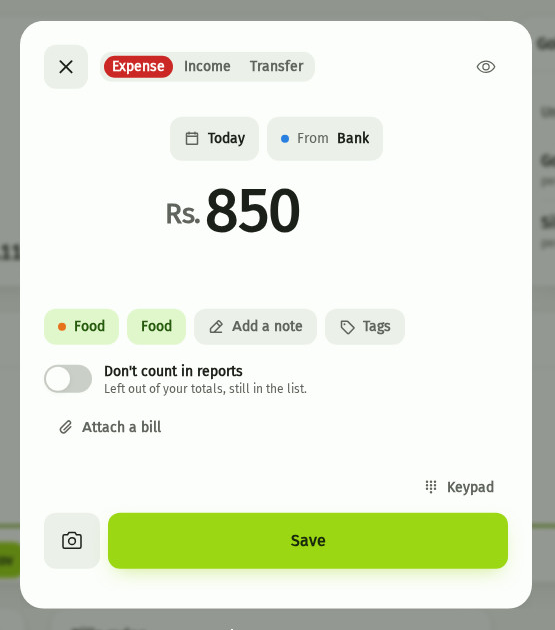
Yes, you can track expenses without linking your bank account. Type each purchase into a manual tracker as you spend it, and the app adds it up against your budget.
Open Lipi and log your next purchase by hand. Lipi never asks for a bank login, so the question of who holds your credentials never comes up.
Why people stop linking their bank
A bank feed sounds like the easy option. You link the account once, and the transactions arrive by themselves. The reviews say it rarely works out that way. CashJot coded 1,586 one and two star App Store reviews across nine budgeting apps and found bank sync broken or unsupported in 331 of them, 21 percent, the single largest complaint category. In the bank-linked apps the share was higher still.
A Monarch reviewer put the cost in plain terms:
"80% of my time goes to keeping the app working and only about 20% looking at my actual finances."
A Rocket Money reviewer found the app would not work at all without a link that then did nothing:
"Requires you to link bank account, so I linked my bank account and nothing happens, lol. Unable to use the app at all. Update: Tried again, still can't connect. They say it's my bank's fault. Yes...I'm sure Chase is just too obscure a company. At this point I've changed all my p..."
The pattern repeats across the apps that depend on a feed. The link breaks, the totals go wrong, and the user ends up typing the missing entries by hand anyway. That is the case for doing it by hand from the start, in an app built for it.
Three ways to track without a bank link
| Method | How it works | Cost | Weak spot |
|---|---|---|---|
| Spreadsheet | You type each expense into rows and add them up yourself | Free | Fiddly on a phone at the till, and the charts are yours to build |
| Manual tracker app | You type each expense into the app, and it sorts the totals and the budgets for you | Free to start | You still have to type every purchase |
| Bank-sync app | The app pulls transactions from your bank feed | $75 to $109 a year for the apps in the cost table below | The feed breaks, duplicates appear, and cash never shows up |
A spreadsheet is honest and free, and it is the slowest of the three once the month gets going. A manual tracker keeps the same habit and does the adding up for you. A bank-sync app removes the typing and replaces it with a feed you have to maintain.
What goes wrong when a feed breaks
The complaints fall into four kinds, and each one shows up in the reviews quoted here.
First, accounts disconnect. A Monarch reviewer wrote:
"Monarch Money sucks. It does nothing worth the outragous price tag. Add accounts is a very painful process and then they disconnect very 3-4 weeks. The accounts that are connected lose connection. I spend more time reconnecting accounts. The transactions are never correct and always delayed in syncing."
Second, sync stops and the user becomes the feed. Another Monarch reviewer, after more than two years on the app, wrote:
"...The only way forward now is to manually input 1/2 of the transactions that should be synced by their (highly paid) service."
Third, transactions go missing without a word. A Monarch reviewer who could not give the app more than one star wrote:
"...when you check the receipts, you frequently find transactions that were never recorded. I would love to give it 5 stars, but due to the lack of data fidelity, I cannot give it more than 1. The whole point of financial software is having actionable data you can trust. I cannot trust their data. And for several years, support just blames the connectors and says manually update your records."
Fourth, the feed stops entirely and the repair is worse than the problem. A Wallet by BudgetBakers reviewer, a premium user since 2019, wrote:
"I'm a premium user of Wallet since 2019. I was very satisfied until dec. 2024 with Wallet. Unfortunately since it getting very difficult to work with, as no Bank sync is working anylonger... i can not correct it unless to manually retype all the 481 entries!..."
A YNAB reviewer caught the same trap from the other side. When the bank will not link, the app still expects the work, and the work is tedious:
"Categorizing transactions is so tedious especially when you cannot link your bank account. I was able to connect my cred..."
Cash has its own blind spot, and it has nothing to do with a broken feed. A $200 ATM withdrawal arrives on a bank feed as one line, one withdrawal, with no record of what the cash became. A manual tracker records what you actually bought, because you write it down at the time.
One week of spending, logged by hand
Here is a week of ordinary spending, logged by hand as it happened. Ten entries, each one typed in at the till or on the walk home.
| Day | What I spent | Amount | Paid from | Category |
|---|---|---|---|---|
| Monday | Groceries | $42 | Cash | Food |
| Tuesday | Bus fare | $3 | Card | Transport |
| Tuesday | Coffee | $4 | Cash | Food |
| Wednesday | Lunch | $9 | Card | Food |
| Wednesday | Phone top-up | $15 | Card | Bills |
| Thursday | Groceries | $38 | Card | Food |
| Friday | Dinner with friends | $27 | Card | Food |
| Saturday | Fuel | $30 | Card | Transport |
| Saturday | Cinema | $16 | Card | Fun |
| Sunday | Market vegetables | $22 | Cash | Food |
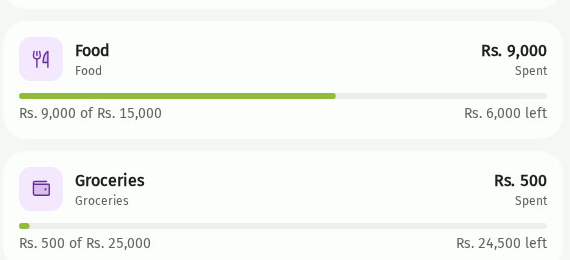
The week came to $206 against a $235 budget, so $29 was left over. Food took $142 of a $150 budget, with $8 left. Transport took $33 of $40. Bills took $15 of $20, and fun took $16 of $25. The cash spending came to $68, which is the part a bank feed would have missed entirely. It would have shown up as cash withdrawals, with no category and no record of what was bought.
The Friday dinner went on a split, so the $27 in the table is my share, and the friends' shares sit in the split rather than in my spending. The split guide shows how that settle flow works. The budget guide shows how a monthly budget is set from a salary, and the same shape works for a week.
What a week of manual entry looks like in Lipi
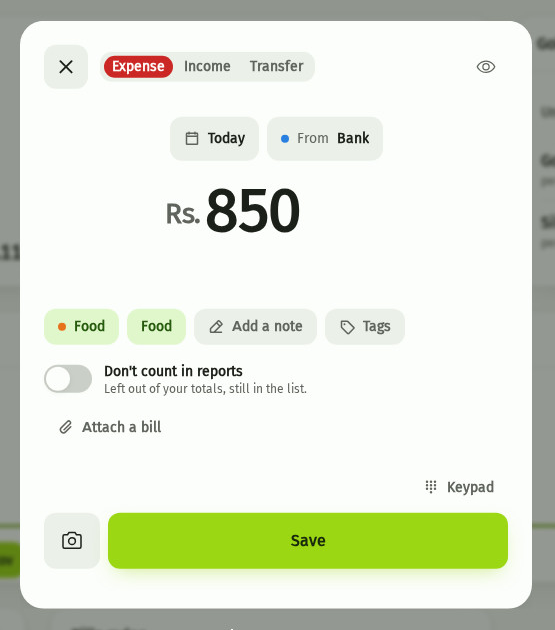
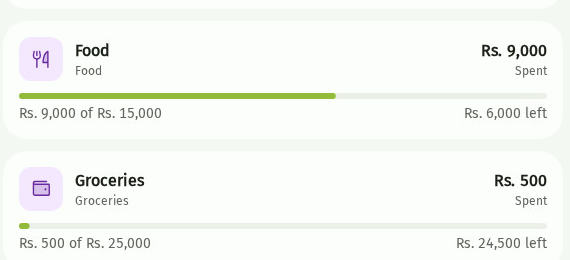
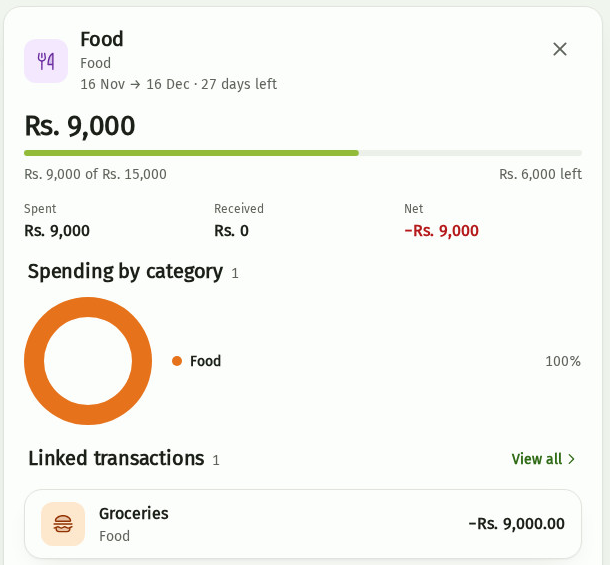
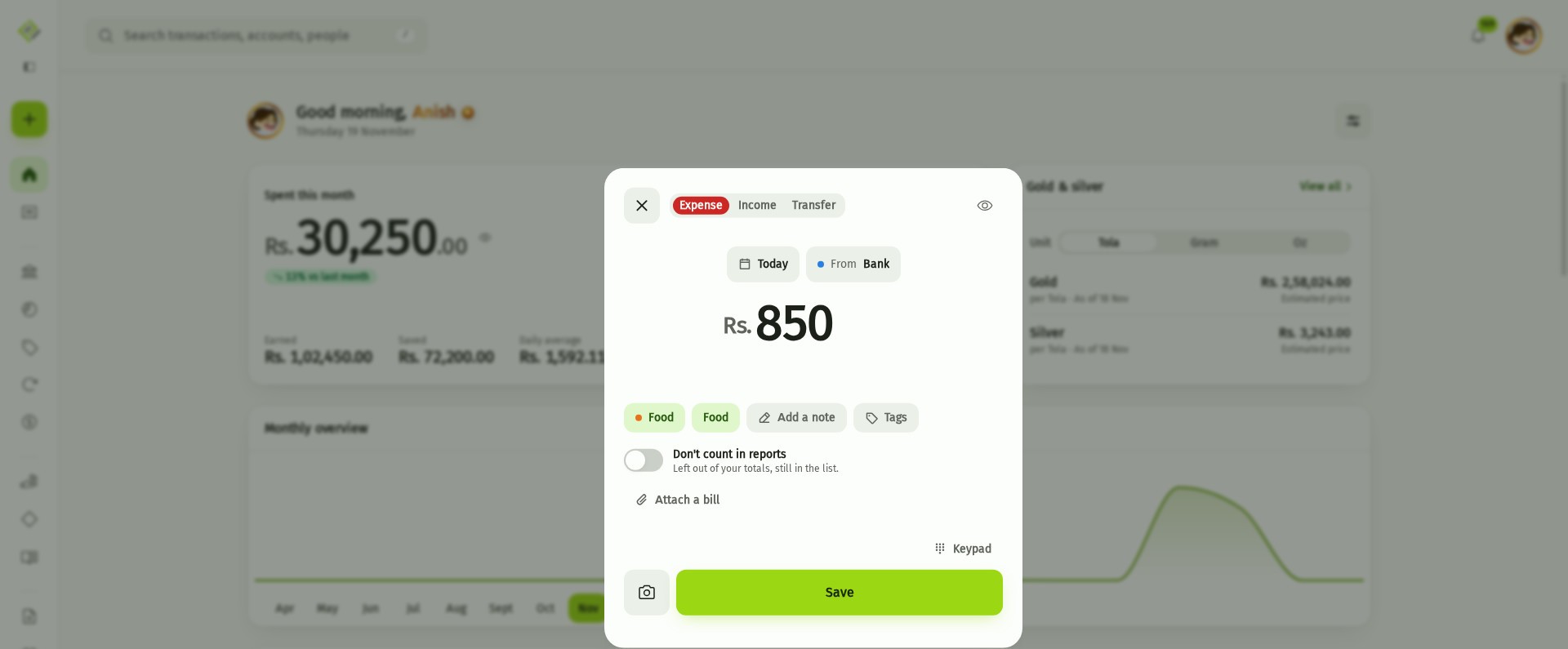
The routine is the same every time. Open the app, add an expense, type the amount, pick the category and the account it came from, save it. The budget view then shows each category with what is spent against what was planned, so the week above reads as four numbers with four balances.
Two shortcuts cut the typing further. Photograph a bill and the receipt scan reads the vendor, the amount, the date and the category for you. Free accounts get 5 smart scans a month, and after that a bill saves as an attachment instead. The receipt scanning guide walks through it.
The other shortcut is Auto Sync. If your bank sends an SMS for each transaction, Lipi can post the entry from the SMS on your phone. No login changes hands and no feed is involved. The Auto Sync guide explains the setup.
The free plan holds 2 accounts and 3 active budgets, which covers the week above, with cash and card side by side in one book. Shared accounts are free too, so a partner's grocery run lands in the same book.
What it costs
Prices below are as of 19 November 2026, from secondary sources. The reviewer re-verifies each one before publishing.
| App | Cost | Bank sync |
|---|---|---|
| YNAB | $109 a year after a 34-day trial | Yes |
| EveryDollar Premium | $79.99 a year or $17.99 a month | Yes, in Premium |
| Monarch | $99.99 a year | Yes |
| PocketGuard Plus | $74.99 a year | Yes |
| Lipi Premium | USD 3 a month, USD 24 a year | No, by design |
The bank-sync apps charge $75 to $109 a year for the feed, and the feed is the part their reviewers complain about most. Lipi is free to start, with no ads, and Premium costs USD 3 a month, or USD 2 a month billed yearly (USD 24). Premium lifts the account cap and unlocks assets, loans, statement import and data export. The What is Lipi page covers the full book in one place.
The honest limit
Manual tracking has one limit, and it is worth stating plainly. Nothing arrives by itself. A purchase you forget to log stays unlogged, and the budget only knows what you typed. Lipi will not catch it for you, it will not show a live bank balance, and it will not spot subscriptions from a feed, because there is no feed.
My view is that the trade is worth it for most people. A budget you type yourself is a budget you actually look at, and the entries take seconds at the till. The bank-sync apps charge $75 to $109 a year for a feed that still needs the same hand-checking when it breaks, duplicates a transaction or misses a card. Paying for automation that leaves you typing anyway is the worse deal.
That said, if you want transactions to appear by themselves and will not give that up, Lipi is the wrong app. Pick one of the bank-sync apps above and accept the upkeep that comes with it. Lipi suits the reader who would rather type for a few seconds a day than spend the weekend reconnecting accounts and deleting duplicates.
Questions people ask
Can you use a budget app without linking your bank account?
Yes. A budgeting app does not need bank access to add up spending or to hold a budget. You type each expense in, and the app sorts it into categories and counts it against the budget you set.
What is the best expense tracker app without linking a bank account?
Lipi, for the reader this page is written for. It never asks for a bank login, the free plan holds 2 accounts and 3 active budgets, and the same book carries splits, shared accounts, gold, loans and invoices. If you want a feed, the honest pick is one of the bank-sync apps in the cost table above.
Is it safe to connect your bank to a budgeting app?
That is a trust question, and only you can answer it for yourself. Linking means handing a third party access to your account, and the reviews above show what happens when that access breaks or misreads a transaction. A manual tracker takes the question off the table entirely, because there is nothing to hand over.
Is there a free expense tracker that does not need my bank login?
Yes, Lipi. Manual entry, 2 accounts, 3 active budgets, shared accounts, splits and invoices are free, with no ads. Premium costs USD 3 a month, or USD 2 a month billed yearly (USD 24), and lifts the account cap.
Can you keep a budget without connecting your bank?
Yes. A budget is a plan for money you record, and the recording is the whole job. Type each purchase in, check the category totals against the plan at the end of the week, and adjust the plan for the next week. The week in this page ran $29 under a $235 budget, and every figure in it came from entries typed by hand.
Open Lipi and start with today. Type the next purchase in as you make it, check the budget at the end of the week, and see whether the habit holds. Lipi asks for no bank login, so there is nothing to link, nothing to reconnect, and nothing to clean up after a feed.
Sources
Lipi articles linked in this piece: Split expenses with friends, Budget on a salary, Scan receipt in Lipi, Auto Sync setup, What is Lipi.
Competitor facts in this piece, including the review quotes and the prices in the cost table, were verified against the sources in the mining file research/track-without-bank-mining-2026-11-19.md, read on 19 November 2026. Prices are from secondary sources as of 19 November 2026 and the reviewer re-verifies them before publishing. No competitor property is linked anywhere in this piece.
Sources
- How to split expenses with friends in Lipi, Lipi (read 19 November 2026)
- How to budget on a salary in Lipi, Lipi (read 19 November 2026)
- How to scan a receipt in Lipi, Lipi (read 19 November 2026)
- Auto Sync: set up automatic bank SMS tracking in Lipi, Lipi (read 19 November 2026)
- What is Lipi, Lipi (read 19 November 2026)
An AI assistant helped write this article.
Keep reading
Guide
Free alternative to PocketGuard: Lipi for manual tracking without the subscription
Lipi is the free alternative to PocketGuard: manual tracking with no bank link, budgets and splits free, and no subscription to see your own money. Premium costs USD 3 a month, or USD 2 a month billed yearly (USD 24).
18 min read1 view
Guide
Money Manager vs Lipi: which manual tracker wins?
Lipi wins Money Manager vs Lipi for most people who track by hand: no ads, Premium at USD 3 a month, or USD 2 a month billed yearly (USD 24), and loans, splits, gold and invoices in the same book. Money Manager keeps the edge on double-entry depth and its PC manager. Prices and features checked against the store listings on 19 November 2026.
17 min read1 view
Guide
Free alternative to Money Lover: Lipi for budgets that span every account
Lipi is the free alternative to Money Lover for budgets that span every account: per-category budgets across cash and card, shared accounts and splits free, multi-currency accounts, gold, loans and invoices in one book. Premium costs USD 3 a month, or USD 2 a month billed yearly (USD 24).
16 min read
Guide
Free alternative to Rocket Money: Lipi for tracking subscriptions without the monthly fee
Lipi is the free alternative to Rocket Money for people who want to see what their subscriptions cost without paying a monthly fee to manage them: free to start, subscriptions tracked by hand with no bank link, budgets and splits free, and Premium costs USD 3 a month, or USD 2 a month billed yearly (USD 24).
20 min read