Free
Transactions: expense and income tracker
Lipi's Transactions page is a ledger of every expense, income and transfer, by month, with totals, filters and offline entry. Free and unlimited.
Problems it solves
- I spend from cash, a bank and a wallet, and I cannot see where it all went.
- I want one list of money in and money out for the month, with totals.
- I need to log a payment when I have no internet, and have it sync later.
- Insurance or EMI principal should not inflate my monthly spending number.
What it is
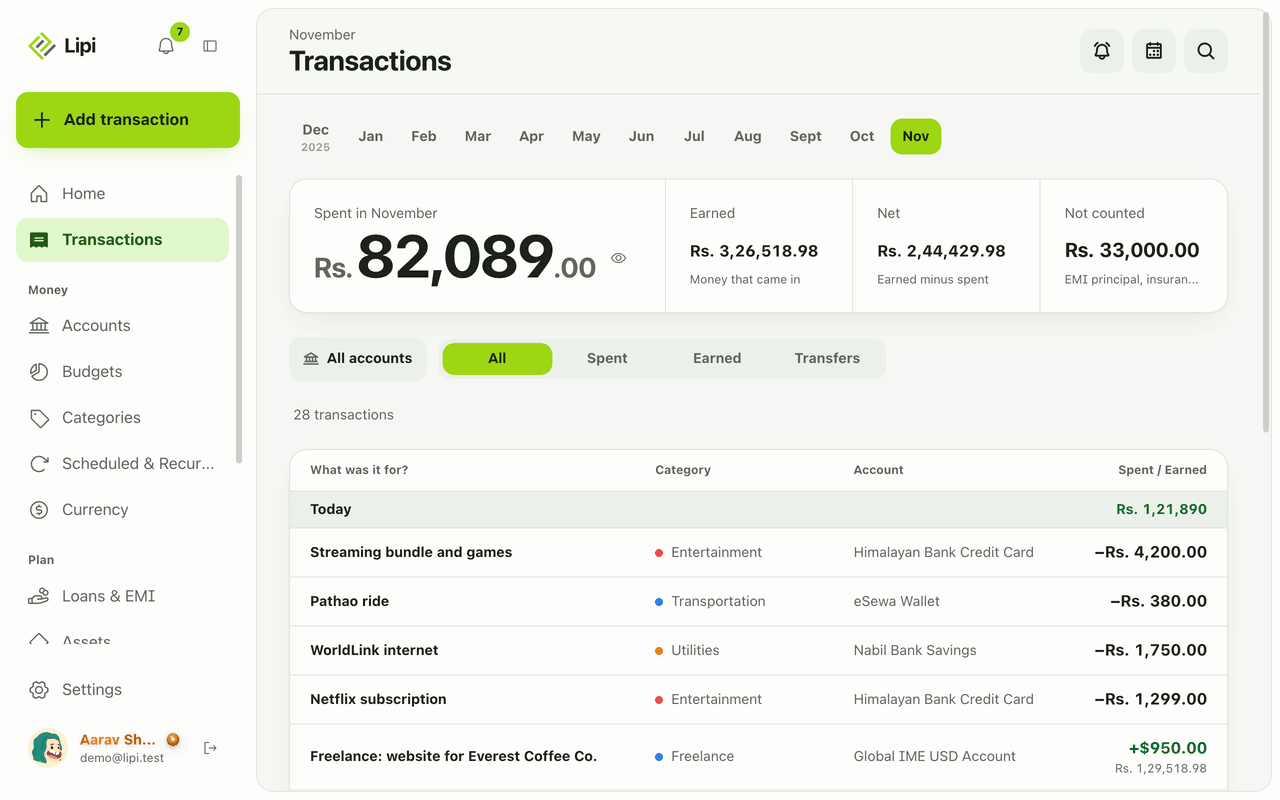
Transactions is the ledger in Lipi, a simple expense tracker and income tracker. It lists everything that moved: expenses, income and transfers between your accounts. A month strip sits on top, four totals sit under it, and the list below is grouped by day. Every entry is saved on your device first and synced when you are online.
What problem it solves
Money leaves from cash, a bank account, a wallet and a card. Without one list, you guess at the month. Transactions puts all of it in one place, in one list, with the day total beside each date. It also keeps non-spending outflows such as insurance or EMI principal out of the spending number, so the total means something.
How it works
- Open Transactions from the sidebar. Pick a month from the strip. The cards show Spent, Earned, Net (earned minus spent) and Not counted.
- Narrow the list. Use the account picker, the All / Spent / Earned / Transfers switch, the search box or Choose date range.
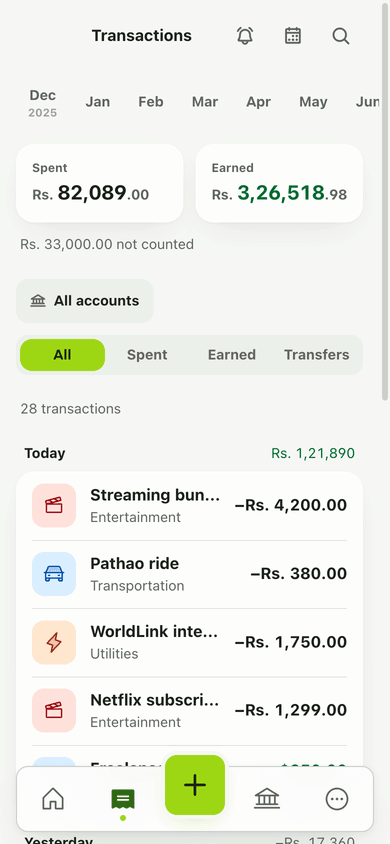
- Add an entry with Add transaction (the green + on a phone). See Quick add.
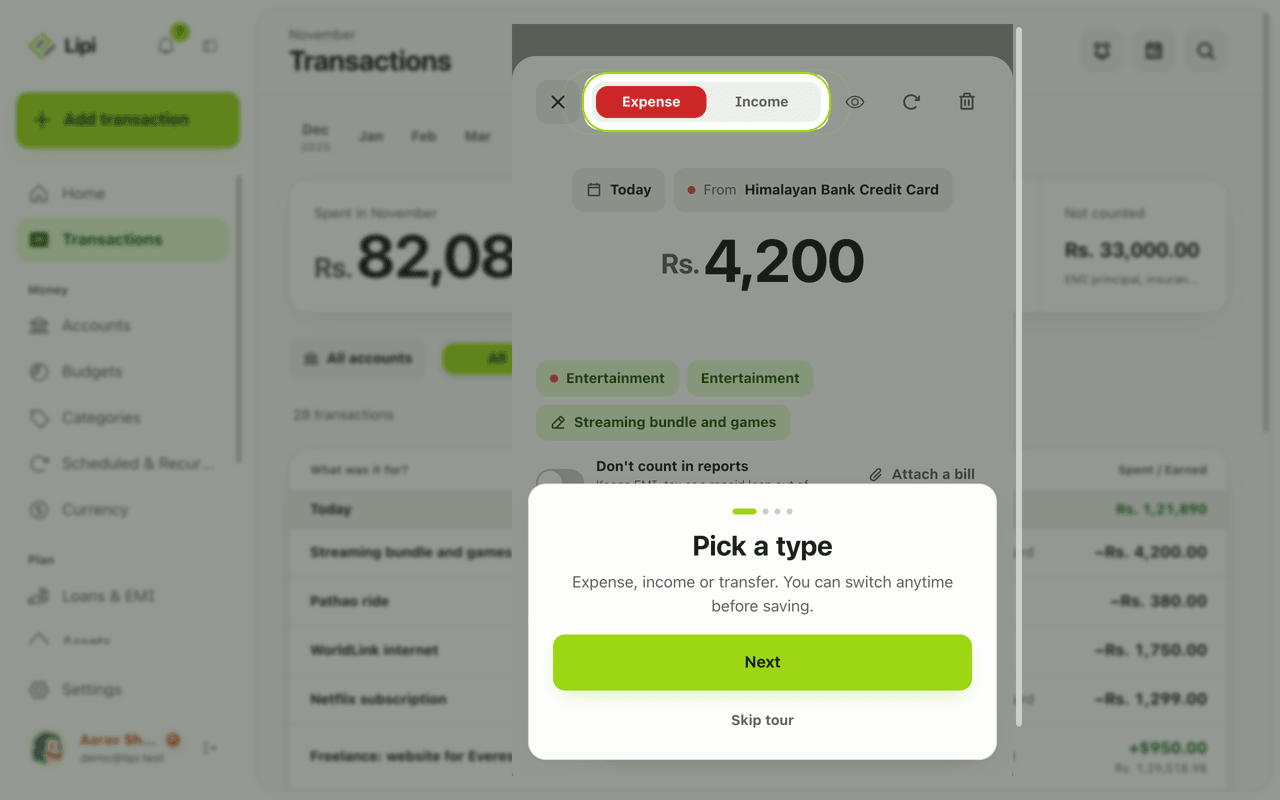
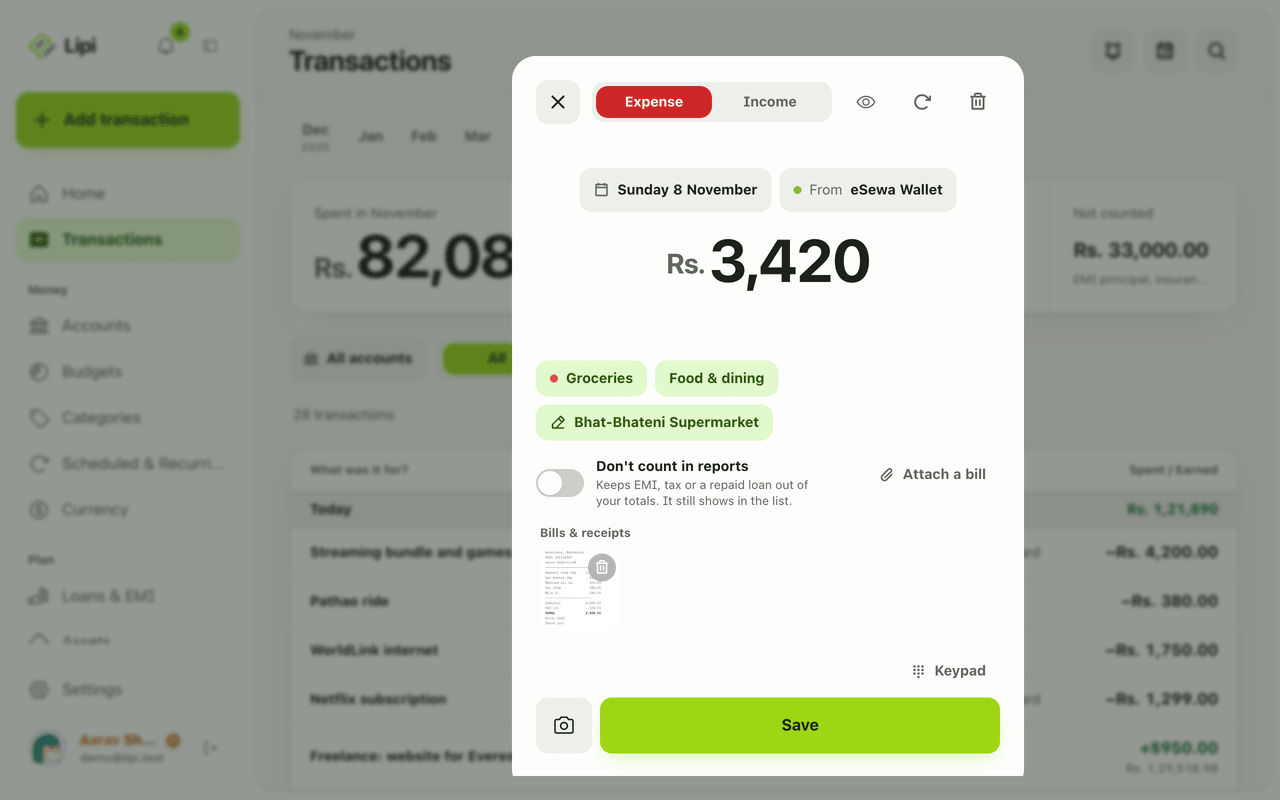
- Tap any row to open it. The editor opens with the amount, account, category, note and any bill you attached. Change what you need and Save, or Delete the row after confirming.
Details and rules
- Free plan: unlimited transactions. Only accounts (2) and custom categories (5) are limited. A locked account is read-only.
- Three buckets: spending (the default), excluded and tax. The editor switch Don’t count in reports puts a row in the excluded bucket. The API and AI assistants can also set tax.
- Offline: rows show Sync pending until uploaded. If the same row was changed on two devices you see Needs review. A failed upload shows Sync failed.
- Foreign currency: on a other account in another currency the editor shows Rate to your default currency. If no rate is saved for that day, you enter the rate you got, and Lipi keeps it on the row.
- Shared accounts: rows show who owns the account.
- Numbers: amounts are exact decimals, grouped in lakh and crore, for example Rs. 1,45,76,804.70.
- Dates: stored as normal calendar dates.
- Tags: the API accepts tags, but the app has no tag picker yet.
Example. In November you earn Rs. 85,000, spend Rs. 52,300 and pay Rs. 18,000 of loan principal marked as not counted. The cards read Earned 85,000, Spent 52,300, Net 32,700 and Not counted 18,000, so the spending figure is not inflated by the loan.
Works with
- Quick add: the fast entry sheet.
- Categories and spending intent: group spending.
- Search: find a transaction fast.
- Attachments and receipts: keep the bill with the row.
- Transfers: move money between accounts.
- CSV import: bring old data in.
Ask an AI assistant
Connect Lipi to an AI assistant and ask: “Add Rs. 450 for momo today from my cash account” or “How much did I spend on food last month?” The assistant uses the tools listed on this page.
For AI assistants
Lipi’s MCP server gives an assistant these tools for this feature:
create_transactioncreate_transactionslist_transactionsget_transactionupdate_transactiondelete_transactionget_transaction_summary
Questions and answers
Does Lipi track expenses and income?
Yes. The Transactions page lists every expense, income and transfer, grouped by day, with a month strip and four totals: Spent, Earned, Net and Not counted. There is no limit on the number of transactions on the Free plan.
Can I add transactions without internet?
Yes. Lipi is offline-first. A transaction is saved on your device straight away, shows a Sync pending tag, and uploads when you are back online.
Can I edit or delete a transaction later?
Yes. Tap any row to open it, change the amount, category, account, date or note and save. Delete asks you to confirm first. Balances update right away.
What does Not counted mean?
Not counted holds money you marked Don't count in reports, such as EMI principal, insurance or a repaid loan. These rows still appear in the list and still change your account balance, but they stay out of your spending total.
Can Lipi track expenses like other expense tracker apps?
Yes. You log expenses and income by account, category and date, see monthly totals and search the list. Lipi also works offline, keeps your amounts in each account's currency, and needs no bank login.
Does Lipi block duplicate transactions?
Not when you type them in by hand, since two identical purchases on one day are often real. Duplicate checks run when you import a CSV file.
Last updated:
More in Money in and out
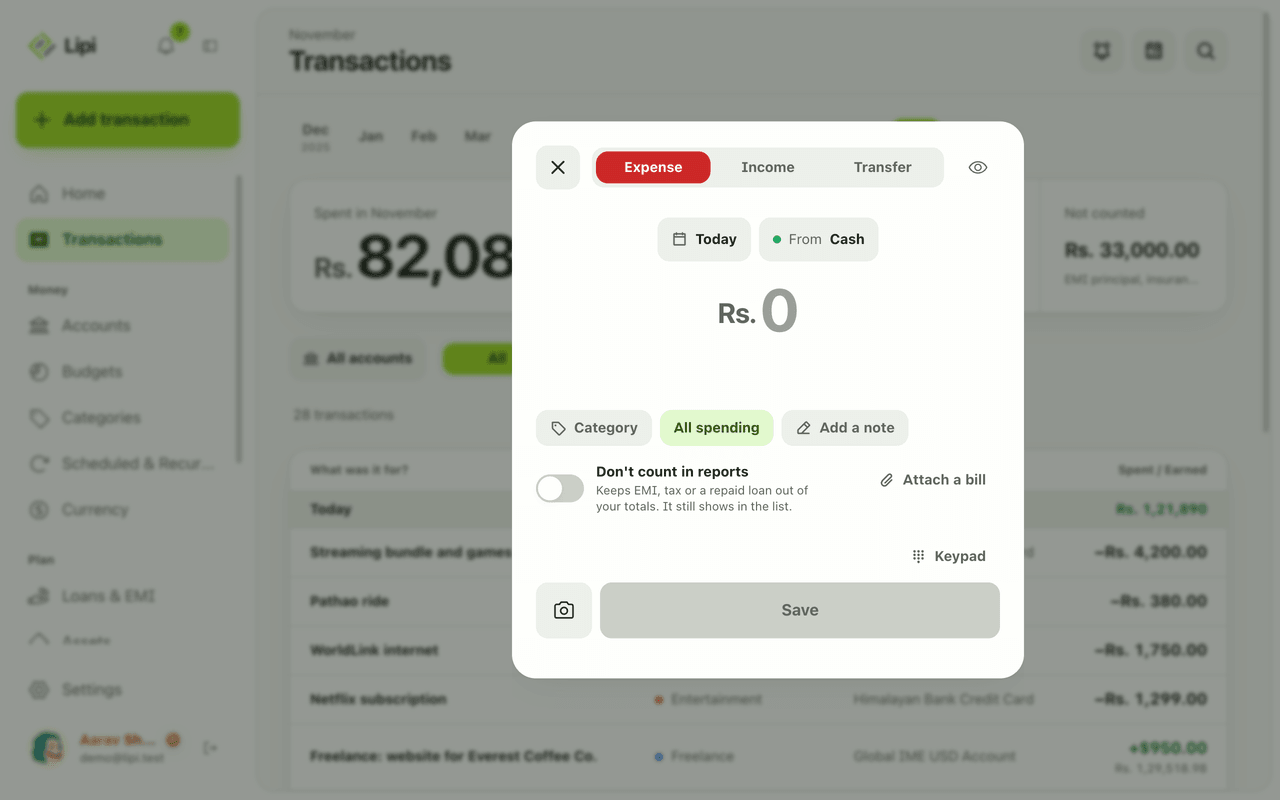
Quick add: log an expense in a few taps
Yes, Lipi has quick entry: one sheet with a keypad, Expense, Income and Transfer tabs, and chips for day and account, so most entries take a few taps. Free, no limit.
Categories and spending intent
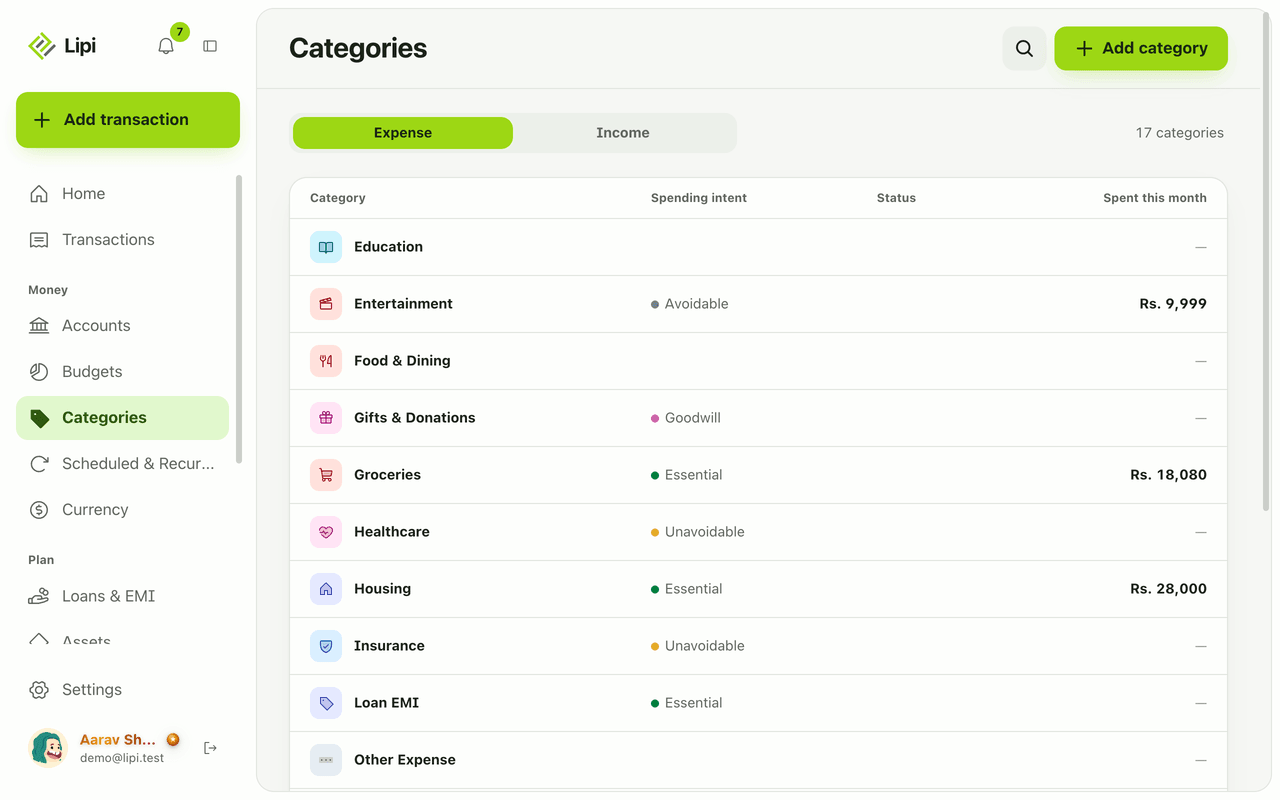
Yes, Lipi has expense and income categories, plus a spending intent on expense categories (essential, unavoidable, avoidable, goodwill) so reports show what you could cut. Free allows 5 custom categories, Premium unlimited.
Attachments and receipts for expenses
Yes, Lipi lets you attach a photo or PDF bill (up to 10 MB) to a transaction. Free allows 5 attachments a month, Premium is unlimited.