Gratuit + Premium
Auto Sync
Auto Sync adds transactions to Lipi by itself from the bank SMS your phone forwards. Free for 10 posts a month, unlimited on Premium.
Cette page n’existe qu’en anglais pour le moment.
Problèmes résolus
- I forget to log small payments, so my books are always behind.
- My bank already sends an SMS for every payment, and I type the same thing again.
- I do not want an app to read my messages or keep them.
What it is
Auto Sync turns the bank SMS on your phone into transactions in Lipi. A forwarder app on your phone sends each bank SMS to a private web address that belongs to you. Lipi reads the message, finds the amount and whether money came in or went out, and posts a transaction. It is free for 10 posts a month. Premium has no limit.
What problem it solves
Most people stop logging because it is one more thing to do after every payment. Your bank already sent a message for it. Auto Sync uses that message, so the small payments are in your books without typing them.
How it works
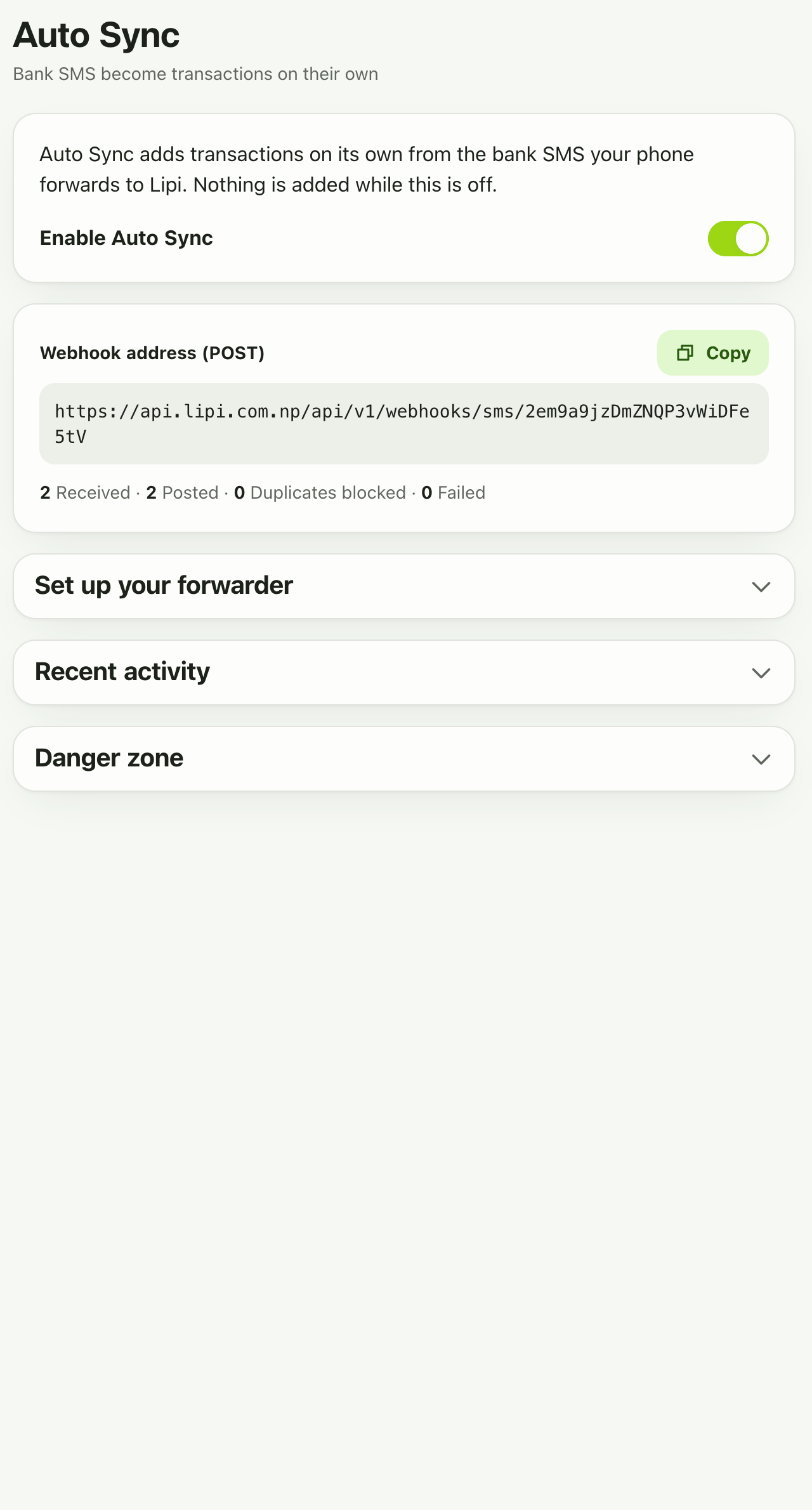
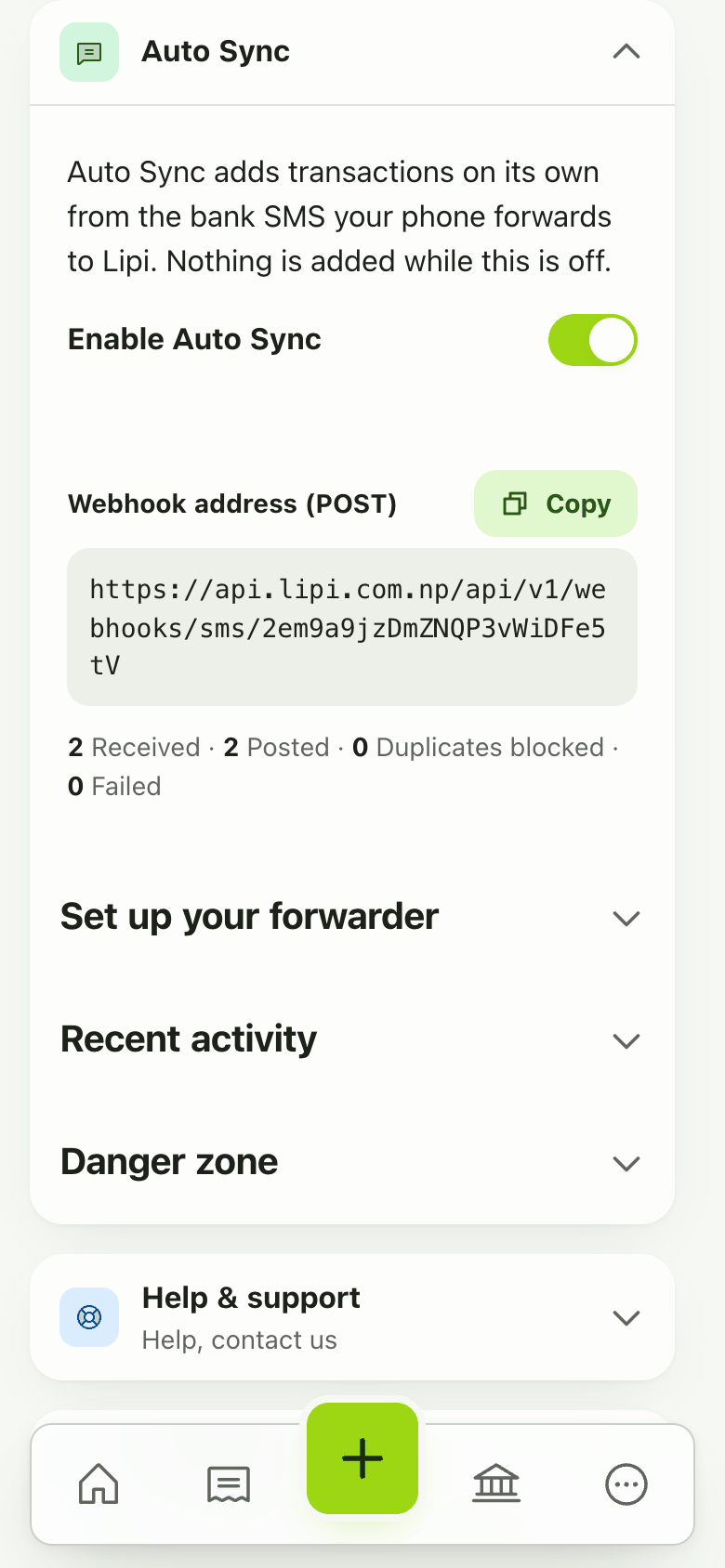
- Open Settings and choose Auto Sync. Turn on Enable Auto Sync. Nothing is added while it is off.
- Under Webhook address (POST), tap Copy. This is your private address. Open Set up your forwarder and copy the Header line too. It holds your secret.
- On your phone, install an SMS forwarder app that can send each message to a web address. Add a rule that forwards your bank’s messages. Set the method to POST, paste the address, and paste the header line into the app’s Headers field. Send the message as JSON with a text field. The step by step setup guide is at the Auto Sync setup guide, and the panel links to it with Read the setup guide.
- Forward a bank SMS. It shows up under Recent activity as Posted, Duplicate or Failed, with the reason when it failed. The counts above the list show Received, Posted, Duplicates blocked and Failed.
- Open Transactions. The new transaction carries the tag Auto Sync. Change its category or amount there if needed.
Details and rules
- Free: 10 Auto Sync posts a month. Premium: no limit. The panel shows how many of your posts are used this month. At the limit, new messages are not processed and Lipi tells you once that the limit was reached.
- The merchant from the SMS becomes the transaction’s remark. Money going out gets a category only when Lipi has learned one for that merchant from your own earlier transactions. Otherwise it stays uncategorised. Money coming in is not categorised.
- The transaction date is the date in the SMS, or the day Lipi received it.
- The account is chosen from the SMS first, then the account you spend from most. See the FAQ.
- A message that has no amount, that does not say whether money came in or went out, or that is in another currency than the account is logged as Failed, with the reason. It is not posted.
- Privacy: the SMS text is never stored. The record of each message keeps a fingerprint for duplicate blocking and basic details, not the text and not the sender.
- The address works only while Auto Sync is on. If you turn it off, a forwarder that still sends is ignored.
- Rotate address and secret is under Danger zone. Do it if they leak, or when you change forwarder apps. Update the forwarder after you rotate.
- Auto Sync is for signed-in accounts. It is not available in guest mode.
Works with
Questions et réponses
What is Lipi Auto Sync?
Auto Sync adds transactions on its own from the bank SMS your phone forwards to Lipi. You set up a forwarder app on your phone once. After that every forwarded bank SMS is read, and if it holds an amount, it is posted as a transaction tagged Auto Sync.
Does Lipi read my SMS inbox?
No. Lipi never reads your inbox. Only the messages your forwarder app sends to your private address reach Lipi. You choose which ones the forwarder sends, for example only messages from your bank.
Does Lipi store my SMS text?
No. The SMS text is read to find the amount, the direction and the merchant, and it is not stored. Lipi keeps only a fingerprint (a hash) of the message so the same SMS is not posted twice. The sender is not stored either.
How many Auto Sync posts are free?
Free accounts get 10 Auto Sync posts a month. Premium accounts have no limit. When a free account reaches 10, new messages are not processed and show as not processed in the activity list. Posting starts again next month.
Which account does an SMS go to?
Lipi first tries to match the SMS to one of your accounts, using the last four digits of a card or account number in the account name, or the bank name. If there is no match it uses the account you spend from most. If that fails too, the SMS is logged as failed and nothing is posted.
What if the same SMS arrives twice?
Lipi blocks it. The activity list counts it under Duplicates blocked and the transaction is posted once.
What if my SMS is in a different currency from the account?
Lipi does not convert it. The SMS is logged as failed with the reason that its currency does not match the account.
What if someone gets my webhook address and secret?
Anyone who has both can add transactions to your books. In Settings, Auto Sync, Danger zone, choose Rotate address and secret. The old address and secret stop working at once.
Dernière mise à jour:
Plus dans Import, scan et sauvegarde
Scanner de reçus et de factures
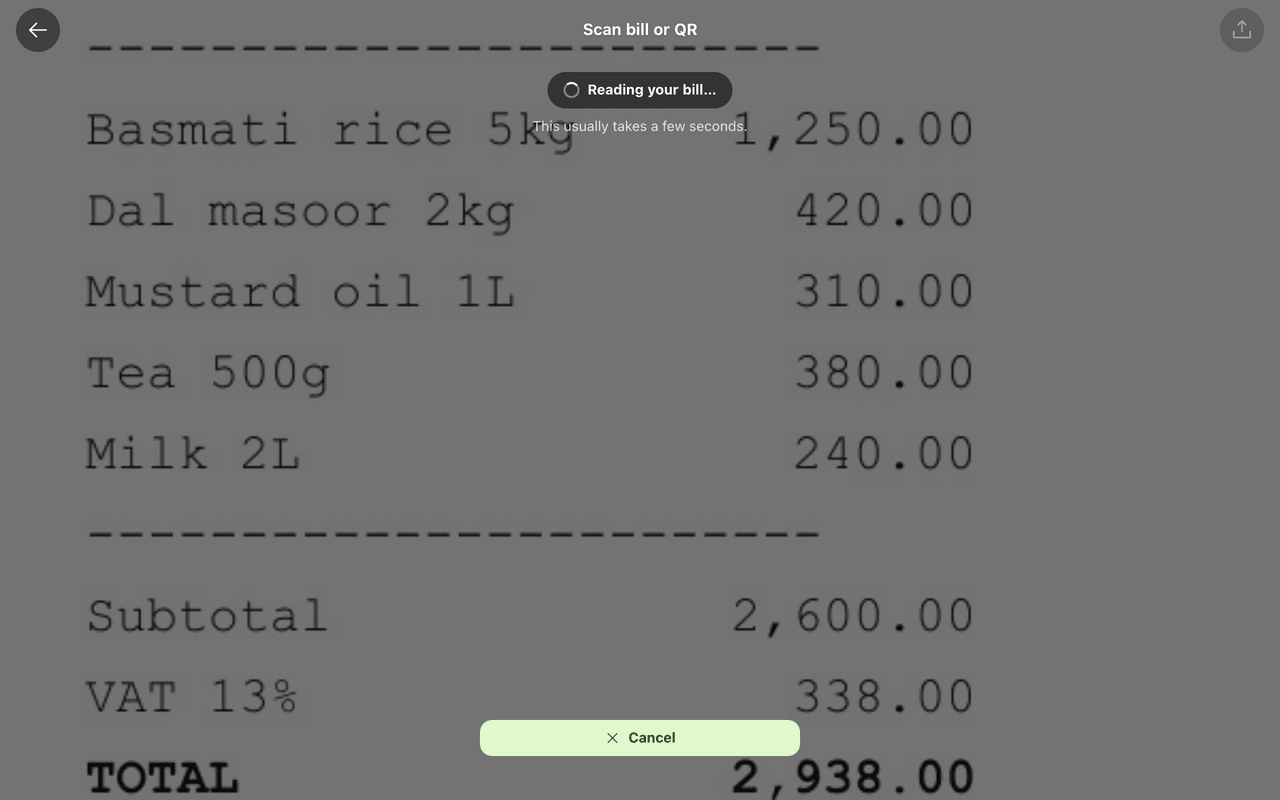
Oui, Lipi scanne les reçus et les factures : il lit le commerçant, le montant, la date et une catégorie suggérée depuis une photo ou un PDF, et propose une transaction à vérifier. 5 scans par mois en Gratuit, 100 par jour avec Premium.
Importer des transactions depuis un CSV
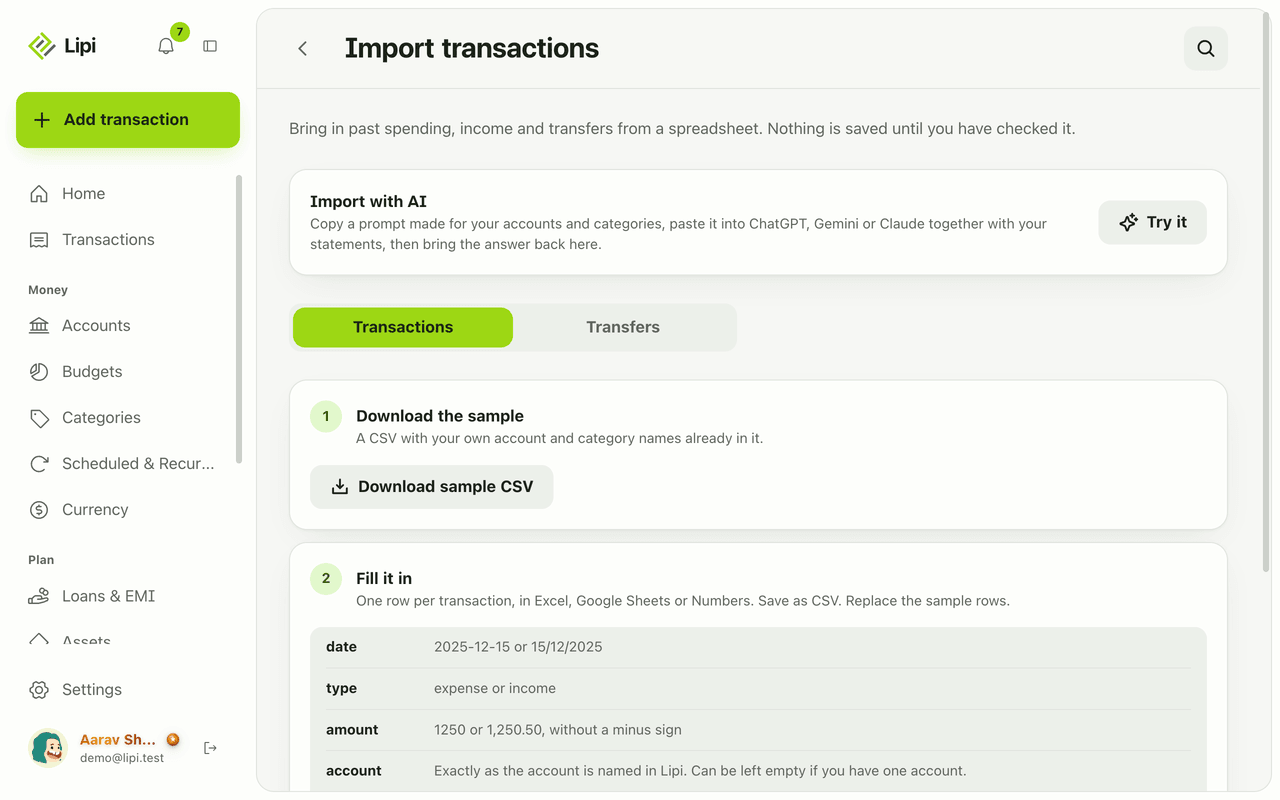
Oui, Lipi importe des transactions et des virements depuis un fichier CSV, avec aperçu, rapport d'erreurs et doublons ignorés avant toute sauvegarde. L'import est une fonctionnalité Premium.
Export, sauvegarde et restauration
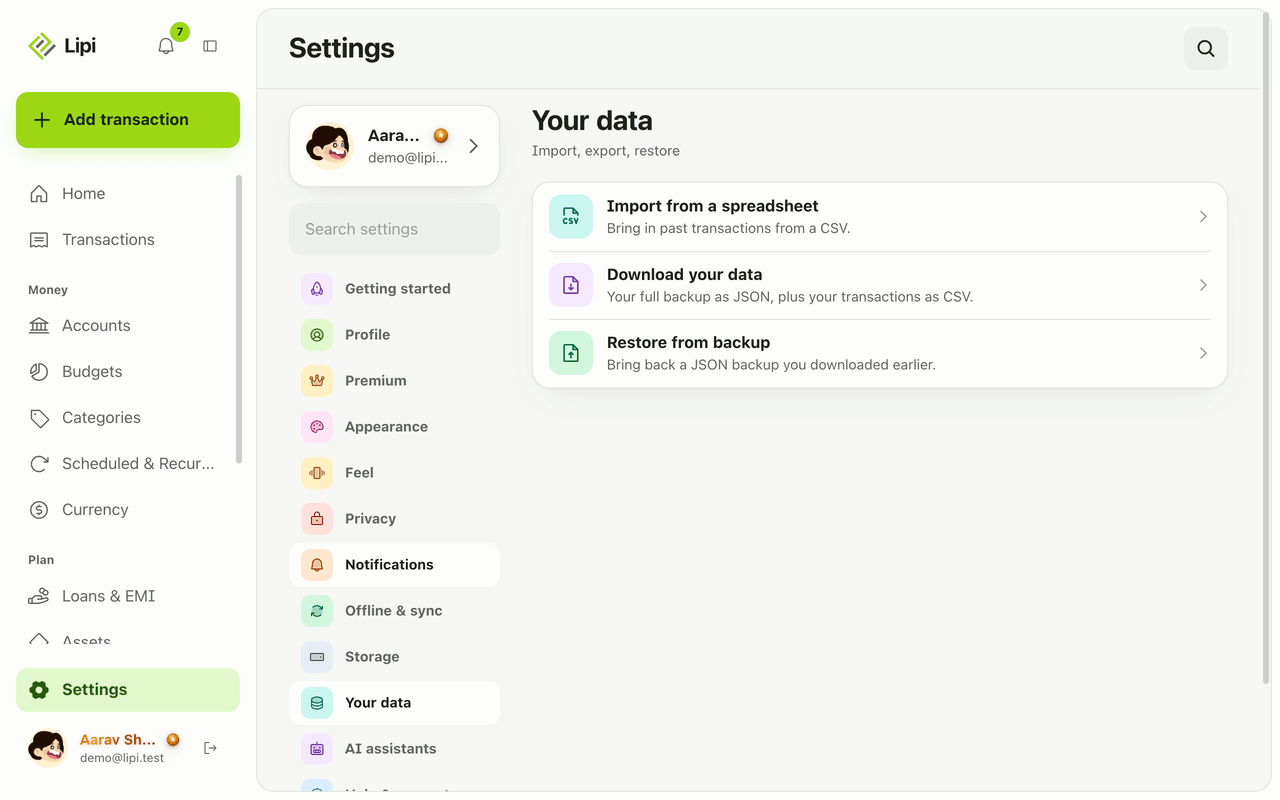
Oui, Lipi exporte vos données : une sauvegarde JSON complète du compte et un CSV de chaque transaction, plus la restauration depuis une sauvegarde. Export, sauvegarde et restauration sont des fonctions Premium.