Premium
Recurring transactions
Set up monthly recurring expenses in Lipi, like rent, internet or Netflix. They post on their own each month, so your books stay right without typing.
This page is English only for now.
Problems it solves
- I type my room rent and internet bill into the app every single month.
- I forget which subscriptions I pay for and when they are charged.
- My monthly numbers look wrong in the weeks I forget to enter the usual bills.
What it is
Recurring transactions in Lipi are monthly expenses that post themselves. You set one up once, for example room rent, a WorldLink internet bill, Netflix or a gym membership. Lipi then adds the expense to your account on the chosen day of every month. It is a Premium feature, and it works for monthly expenses only.
What problem it solves
Most of your spending repeats. Rent, internet, school fees, subscriptions and loan-like payments come back every month, and typing them in is the first thing people stop doing. When entries go missing, your monthly totals, budgets and cash-flow numbers are wrong.
A recurring series removes the typing. The same expense lands on its day, in the right account and category, and it counts in your reports like any other transaction.
How it works
- Open Scheduled & Recurring from the side menu.
- Stay on the Recurring tab and tap New recurring series.
- Fill in Amount, Currency, Account and Category. Add a Budget if you want it to count against one, and a Note such as “Monthly rent”.
- Set Repeat on day each month and the First charge date.
- Choose when it ends: Never, On date, or After N occurrences. Turn on Do not count in reports if the payment should stay out of your spending totals.
- Tap Start recurring. You see “Recurring expense started”.
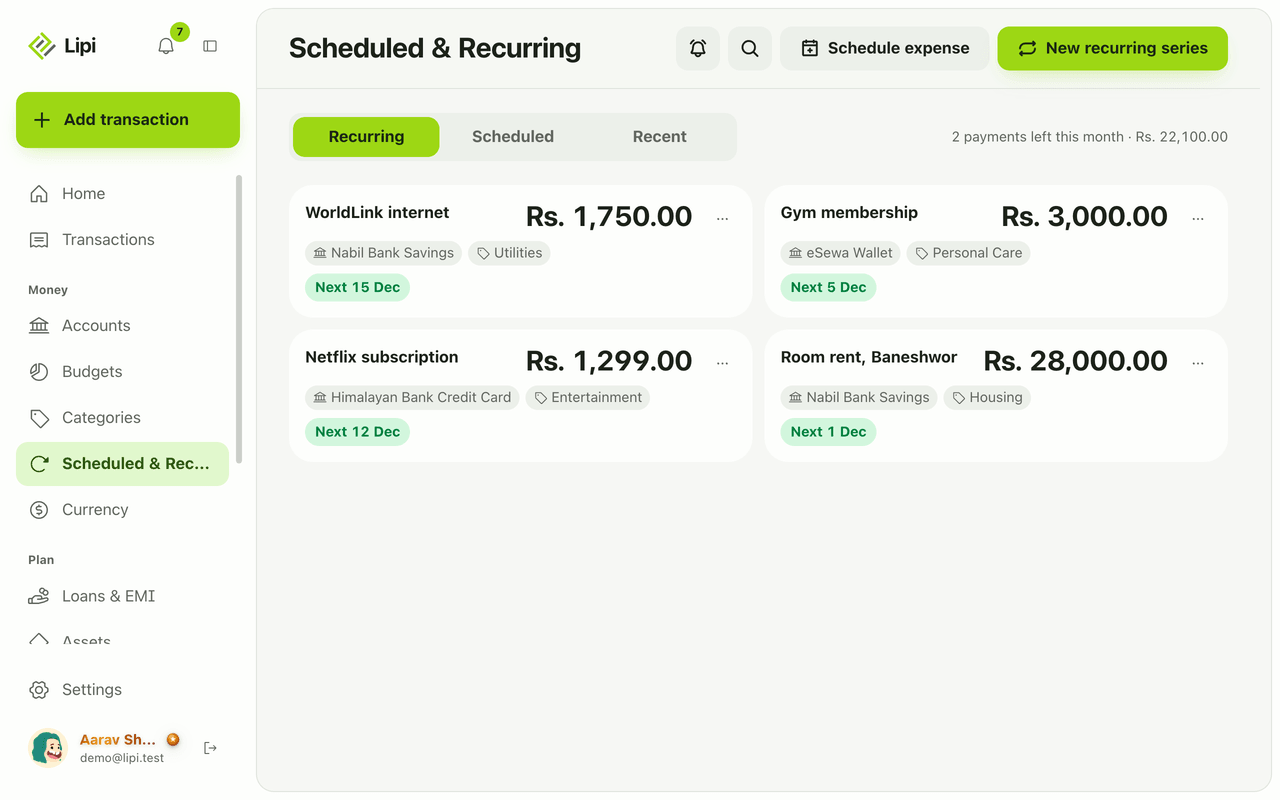
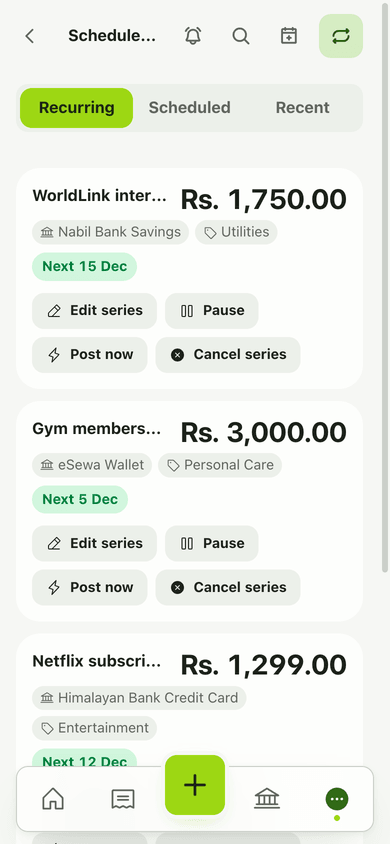
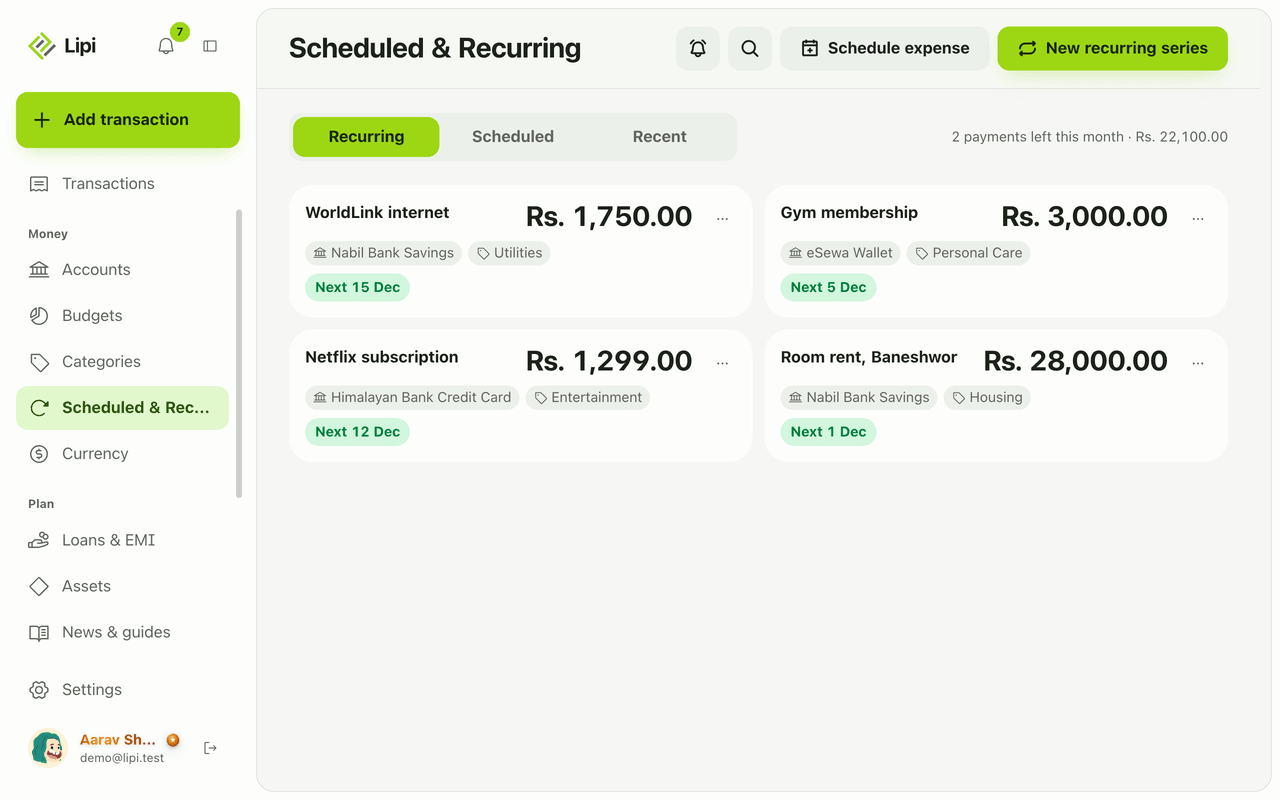
Each card in the list shows the description, amount, account, category and the next date, such as “Next 1 Dec”. The page header adds up what is still to come, for example “2 payments left this month”.
Use the More actions menu on a card to Edit series, Pause or Resume, Post now, or Cancel series. Post now posts the next occurrence today.
Details and rules
- Plan: Creating a series is Premium. Existing series keep running if Premium ends.
- Monthly expenses only. Income, and daily, weekly or yearly repeats, are not available today.
- How it posts: an hourly background job posts every occurrence that is due as a normal transaction linked to its series. You get a “Recurring posted” notification (see Notifications).
- Ends: a series can run until you stop it, until a date, or for a set number of times (up to 1,200).
- States: a series can be Paused, Completed (see Show completed), or Needs attention if occurrences were missed.
- Currency: each series has its own currency. Amounts convert to your main currency for totals.
- Reports: a series marked Do not count in reports stays out of spending totals.
Works with
- Scheduled transactions for one-time future expenses
- Bills radar to see what is due in the next 30 days
- Notifications for the posted alerts
- Recurring expenses widget
Ask an AI assistant
Connect Lipi to ChatGPT or Claude and ask: “Add my room rent of Rs 28,000 on the 1st of every month from Nabil Bank Savings” or “Which recurring payments do I have, and pause Netflix.” The assistant uses create_recurring, list_recurring and toggle_recurring.
For AI assistants
Lipi’s MCP server gives an assistant these tools for this feature:
create_recurringlist_recurringupdate_recurringtoggle_recurringpost_recurring_nowdelete_recurring
Questions and answers
Does Lipi support recurring transactions?
Yes. Lipi has recurring series that post the same expense automatically on a chosen day every month, such as rent, internet, Netflix or a gym fee. Creating a series needs Premium.
Can I make a recurring income, like a salary?
Not today. Recurring series are monthly expenses only. Income is entered as a normal transaction. Daily, weekly and yearly repeats are also not available yet.
What happens if I cancel a series?
Future charges stop. Transactions that were already posted stay in your books. You can also pause a series and resume it later instead of cancelling.
Do recurring series stop if my Premium ends?
Existing series keep running. Without Premium you cannot create new series.
Can Lipi do recurring expenses like other expense tracker apps?
For monthly bills, yes. You choose the day of the month, an end (never, on a date, or after a number of times) and the account and category. Lipi posts each one as a normal transaction and sends a notification. Other repeat patterns are not available yet.
Last updated:
More in Planning ahead
Scheduled transactions
Yes, Lipi can schedule a one-time expense for a future date, such as tuition or a bluebook renewal, and posts it that day. Premium, expenses only.
Bills radar
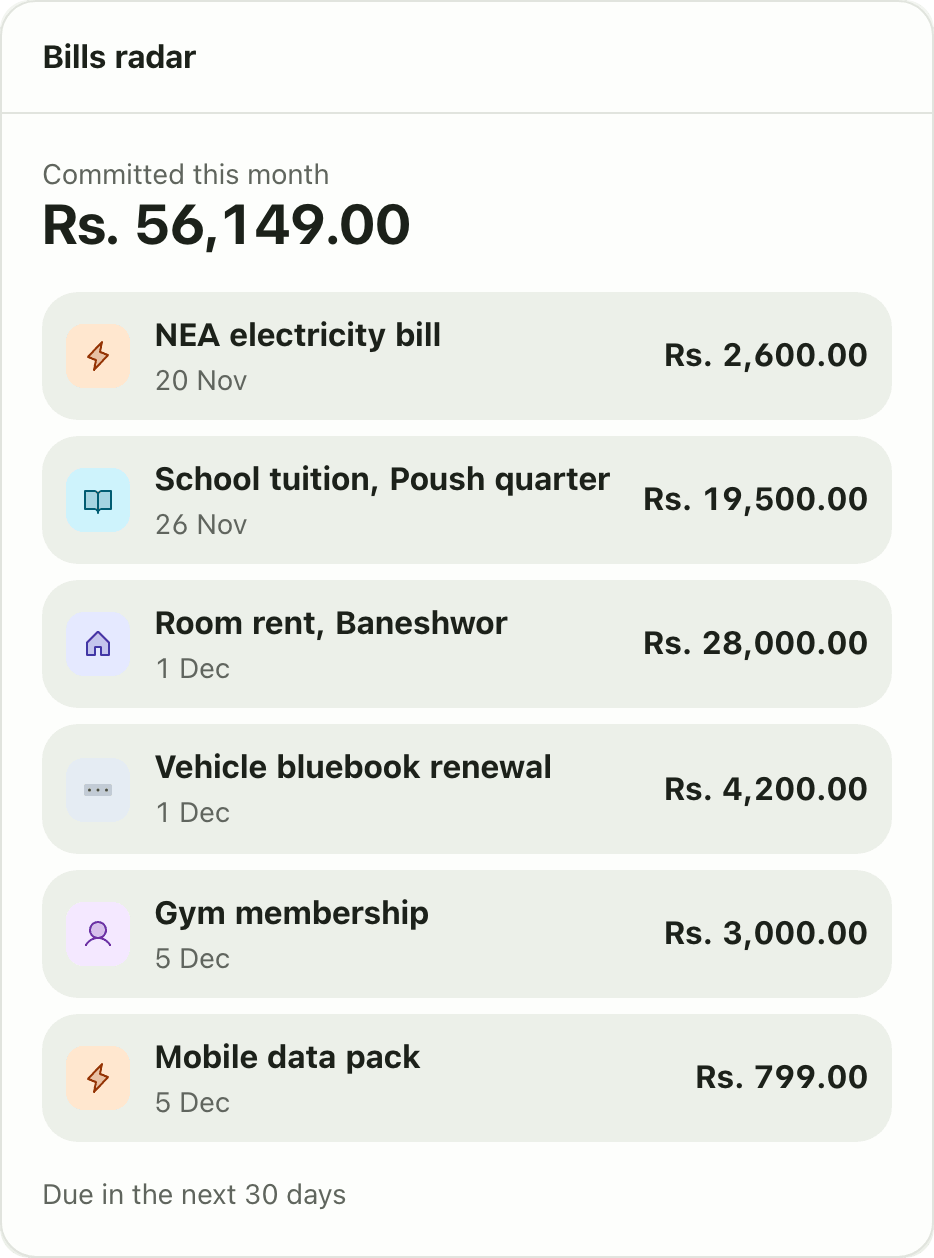
Yes, Lipi shows upcoming bills: Bills radar lists everything due in the next 30 days and the amount committed this month, from recurring series and scheduled expenses. It is a Premium widget.
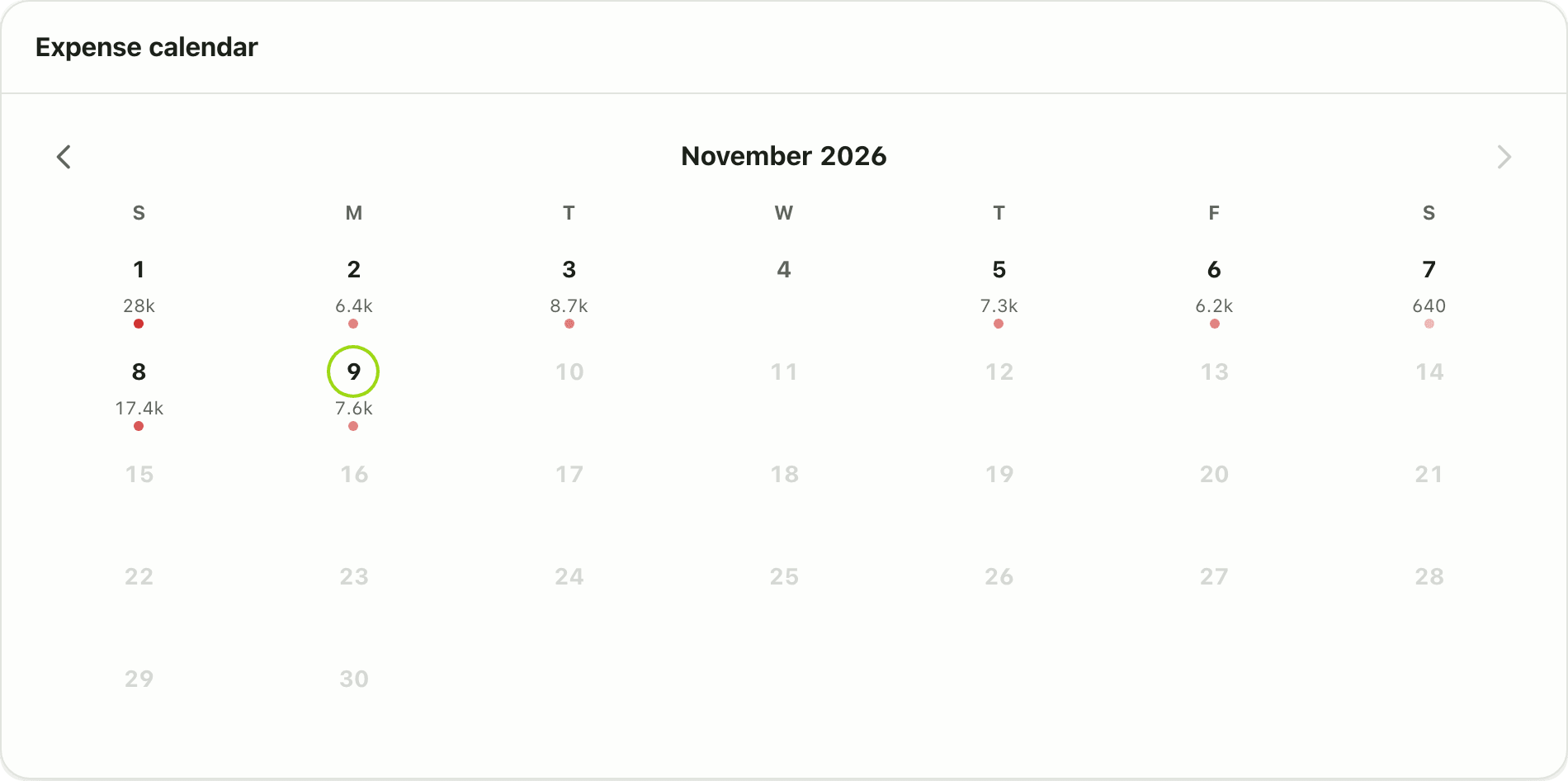
Expense calendar
Yes, Lipi has an expense calendar: a free dashboard widget that shows a month grid coloured by daily spending. Tap a day to see its transactions.