PremiumPart of Dashboard widgets
Assets overview widget
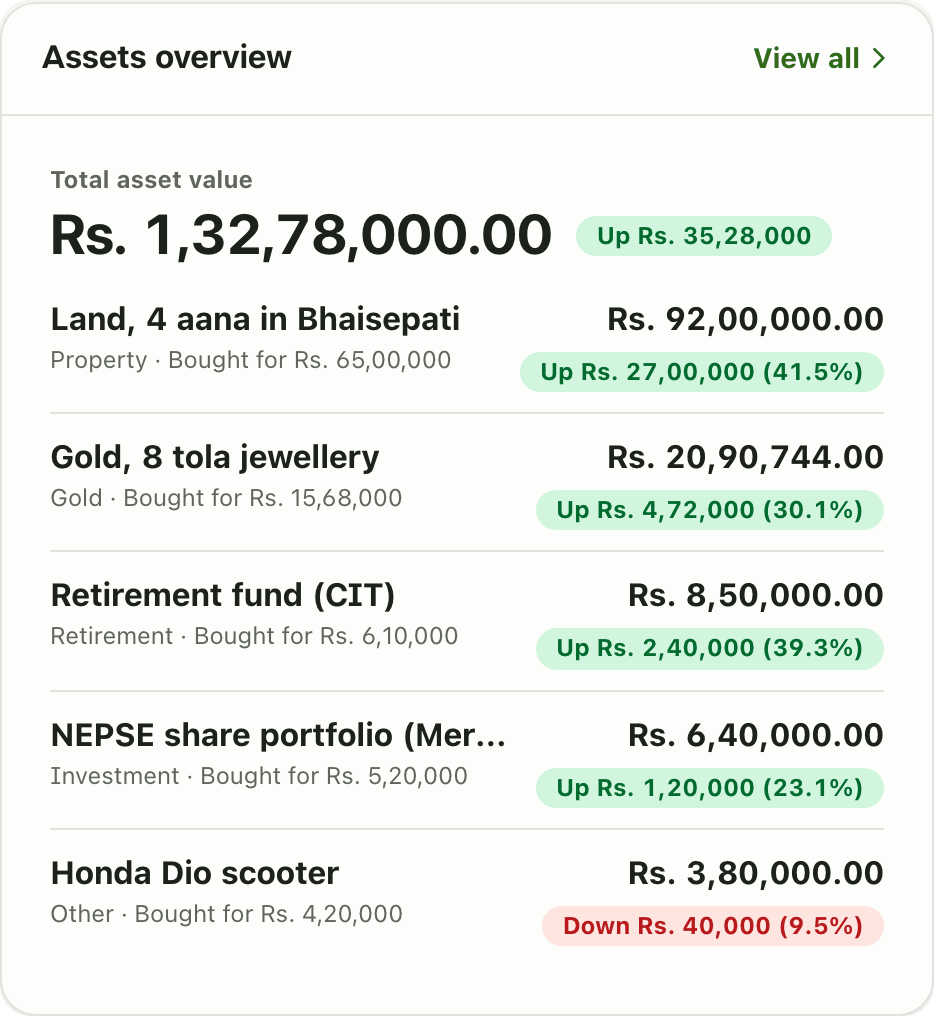
The Assets overview widget shows your total asset value with each asset's gain or loss since purchase: land, gold, shares and more. A Premium widget.
Problems it solves
- My land, gold and shares live in different places.
- I do not know if my assets are worth more than I paid.
- I want one total for what I own.
What it is
The Assets overview widget is an asset tracker card on your dashboard. It shows the total value of what you own and a short list of your assets, each with its gain or loss since you bought it.
What problem it solves
Wealth is often in land, gold and shares, none of which show up in a bank balance. The widget gives them one total and shows which ones grew. You see at a glance that land is up, a scooter is down, and by how much.
How it works
- Add your assets on the Assets page. See assets.
- On Home, choose Customize dashboard, Add widget, then Assets overview. This needs Premium.
- Read Total asset value and the change next to it. Below it, each asset shows its name, type, “Bought for” price, current value and a green or red Up or Down chip.
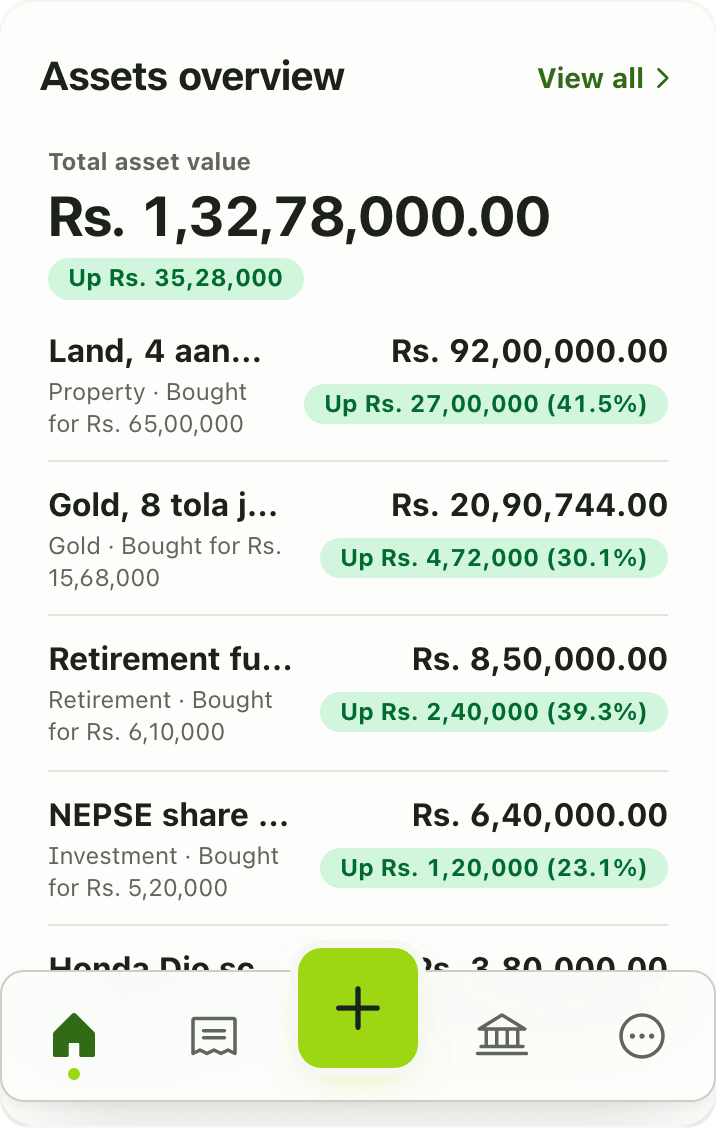
- Tap View all for the Assets page.
Details and rules
- Plan: Premium. The Assets page is Premium too.
- The widget has no settings.
- Gain or loss is current value against purchase price.
- Values are what you enter. Lipi does not keep a valuation history, so update the value when it changes.
- Shares are tracked as an investment asset you maintain by hand.
- Works offline from the last saved copy.
Works with
Ask an AI assistant
Try: “What is my total asset value and which assets are down?” The assistant uses get_asset_summary.
For AI assistants
Lipi’s MCP server gives an assistant these tools for this feature:
get_asset_summary
Questions and answers
What does the Assets overview widget show?
Total asset value with the change since purchase, then each asset with its type, what you paid, its current value and the gain or loss in amount and percent.
Is the Assets overview widget free?
No. It is a Premium widget, and the Assets page is Premium too.
What kinds of assets can I track?
Property, gold, silver, investments such as shares, retirement funds and other things like a vehicle. You enter the value and update it when it changes.
Does Lipi update the value of my land or shares automatically?
No. You update the value yourself. Lipi keeps the current value and the purchase price, not a valuation history.
Can Lipi track gold, land and shares in one app?
Yes. Add each as an asset and the overview totals them with gain or loss against purchase price.
Last updated:
More in Dashboard and reports
Reports and summaries
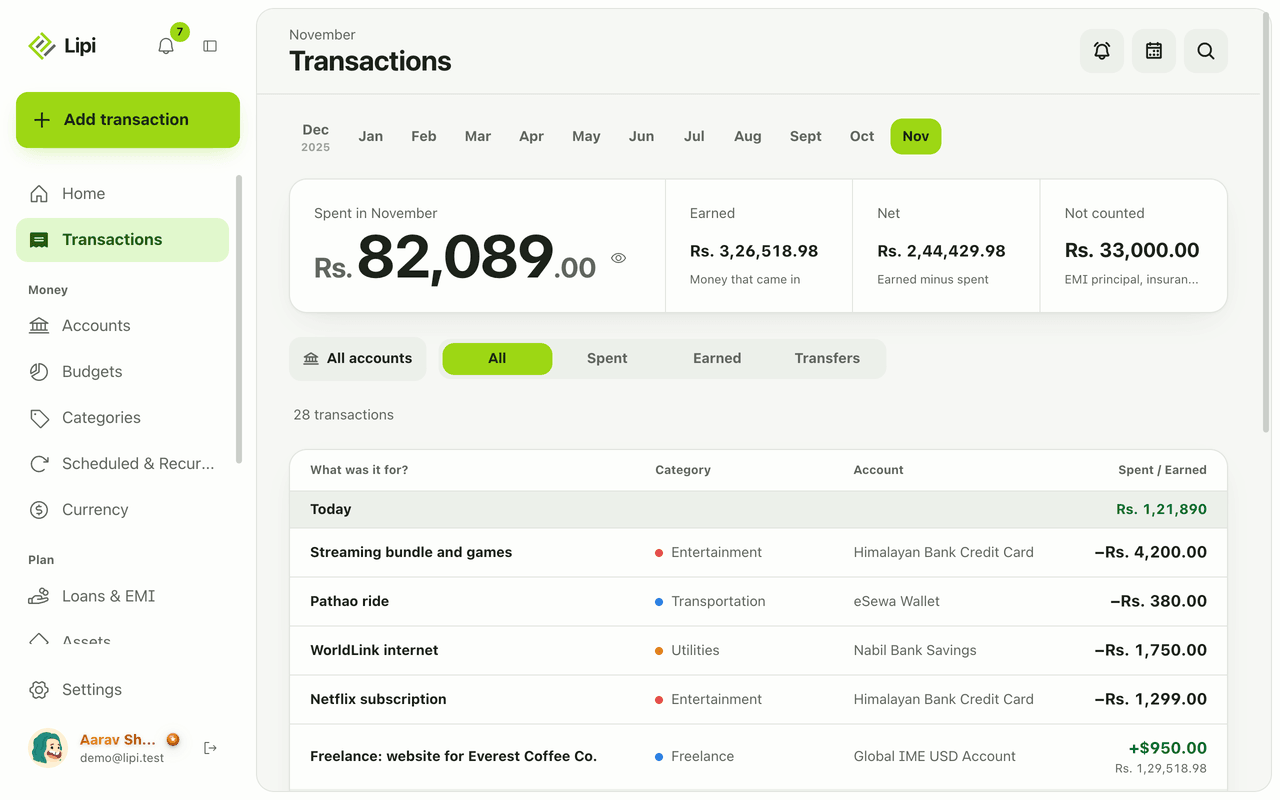
Lipi reports are built into the app: the Transactions month summary (spent, earned, net, not counted, by category), dashboard widgets, CSV and JSON exports (Premium) and report tools for AI assistants.