Free + Premium
Accounts: bank, wallet, cash, card
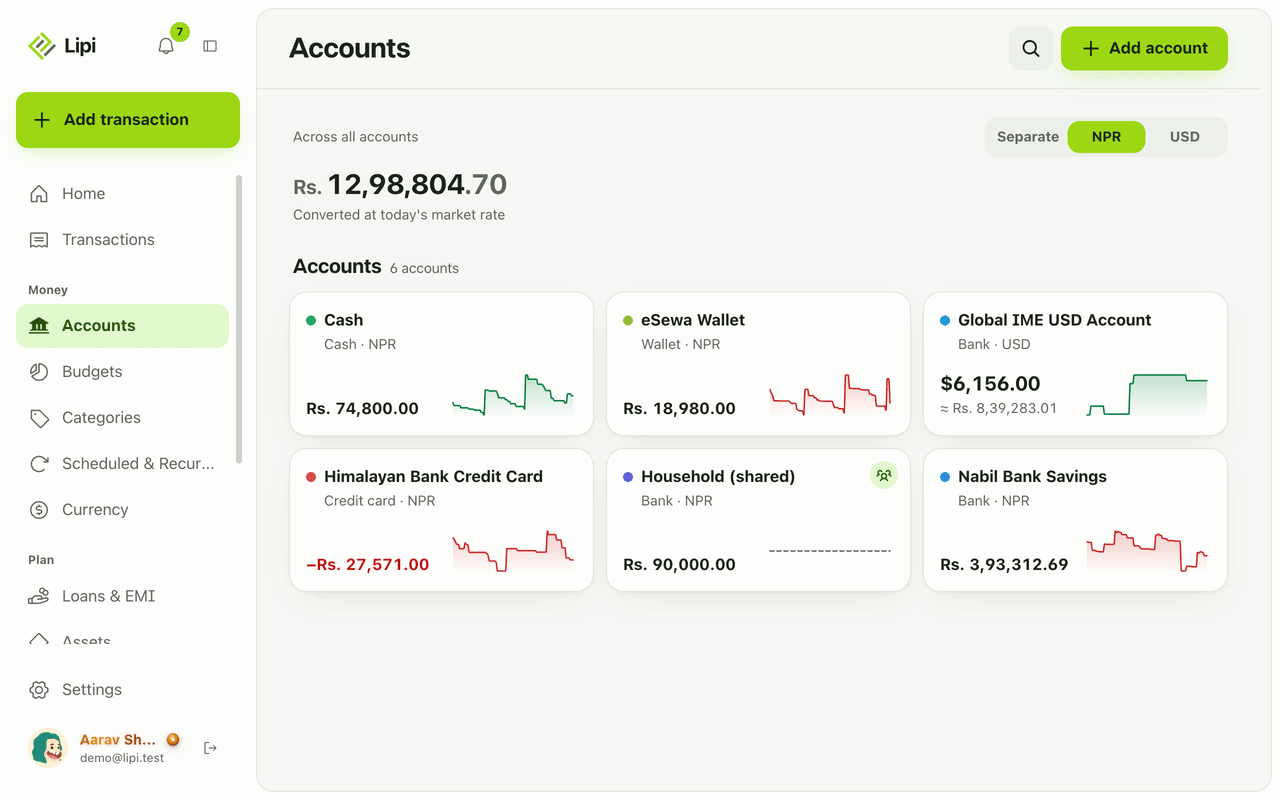
Keep every bank, eSewa-style wallet, cash pocket and credit card in one place. Lipi shows live balances for each account and one total across all.
This page is English only for now.
Problems it solves
- My money is in a bank, a wallet and a cash drawer, and I never see the total.
- My balance in a notebook never matches what the bank says.
- I want a warning before my account runs low.
- My credit card is a debt, and I want it shown as one.
What it is
Accounts in Lipi are the places your money lives: a bank account, a wallet like eSewa or Khalti, a cash pocket, an investment account or a credit card. Every transaction you record belongs to one account. This gives you a live balance for each account and one total across all of them, like a simple bank account tracker you control yourself.
What problem it solves
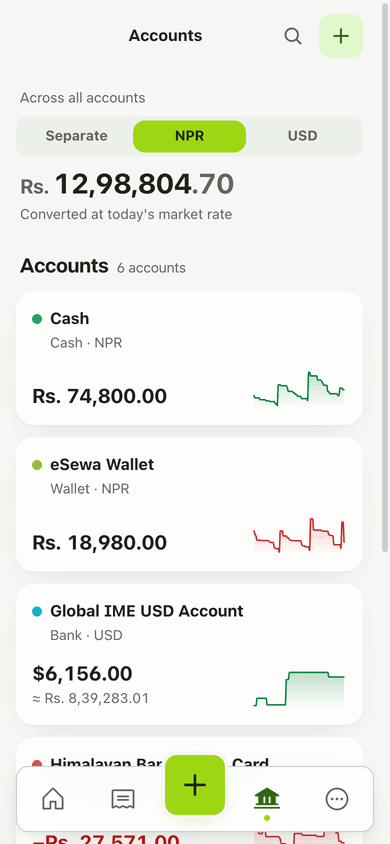
Most people spread money across a few banks, a wallet and cash. Looking at each app one by one never gives a total. Accounts put it all in one list. You see what is in each place, what the sum is today, and how each balance moved over the last 90 days. A credit card shows as a negative balance, so what you owe is not hidden.
How it works
- Open Accounts and tap Add account.
- Enter a Name (for example Nabil Savings or eSewa), pick the Type (Bank, Wallet, Cash, Investment or Credit card) and the Currency. Type a code or a name, like USD or dollar.
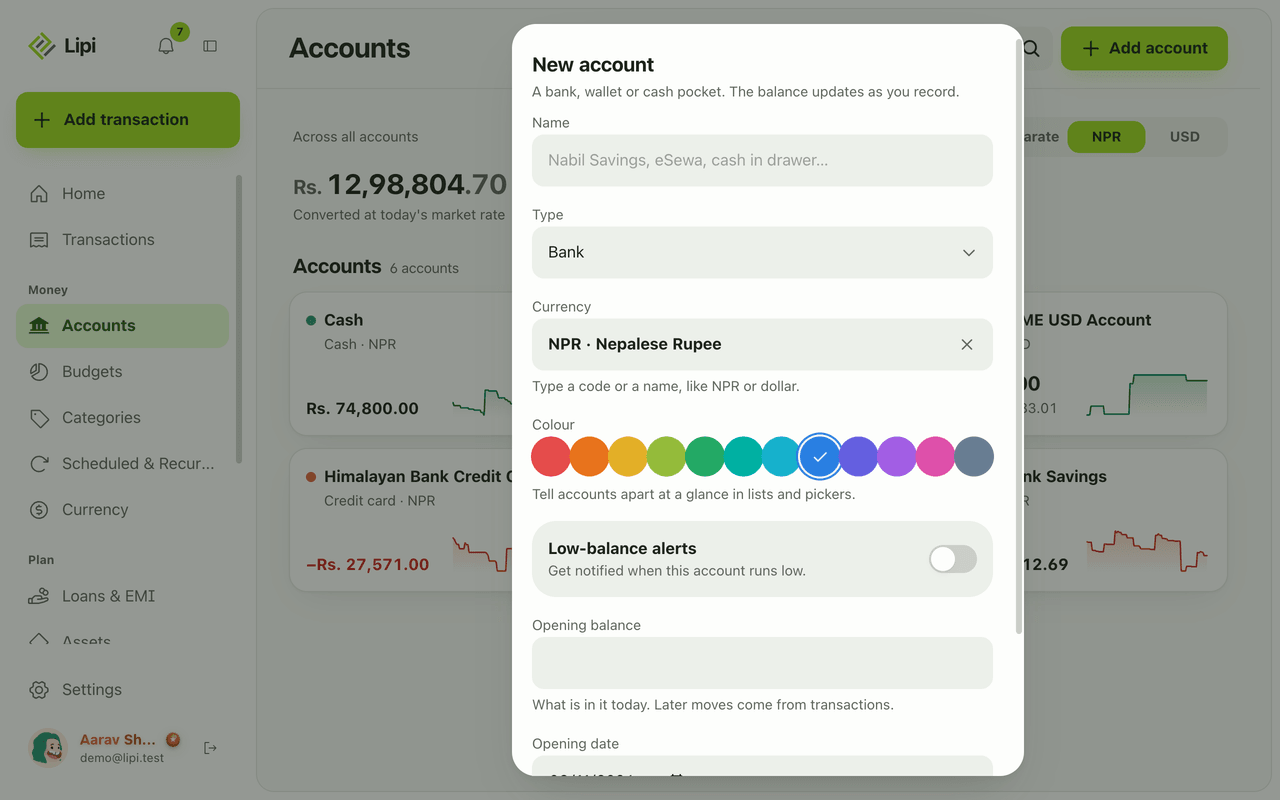
- Enter the Opening balance: what is in the account today. Set the Opening date, pick a Colour and, if you want, an Alert below amount for low-balance warnings. Tap Save.
- Add transactions as usual. The balance updates by itself: opening balance, plus income, minus expenses, plus or minus transfers.
- Open an account to see its Current balance, a 90-day balance trend and the History with a running balance on every row. In Defaults you can choose which account is pre-selected for new expenses (Spending default) and new income (Earning default).
Details and rules
- Account types: Bank, Wallet, Cash, Investment, Credit card.
- Plan: Free allows 2 accounts. Premium allows unlimited accounts.
- If a free user has more than 2 accounts, the oldest 2 stay normal. The rest are locked and read-only. Archive or delete accounts to get under the limit. Nothing is removed automatically.
- Archive hides an account from pickers and keeps its history. Restore brings it back. Delete removes the account and all its transactions, after a confirmation.
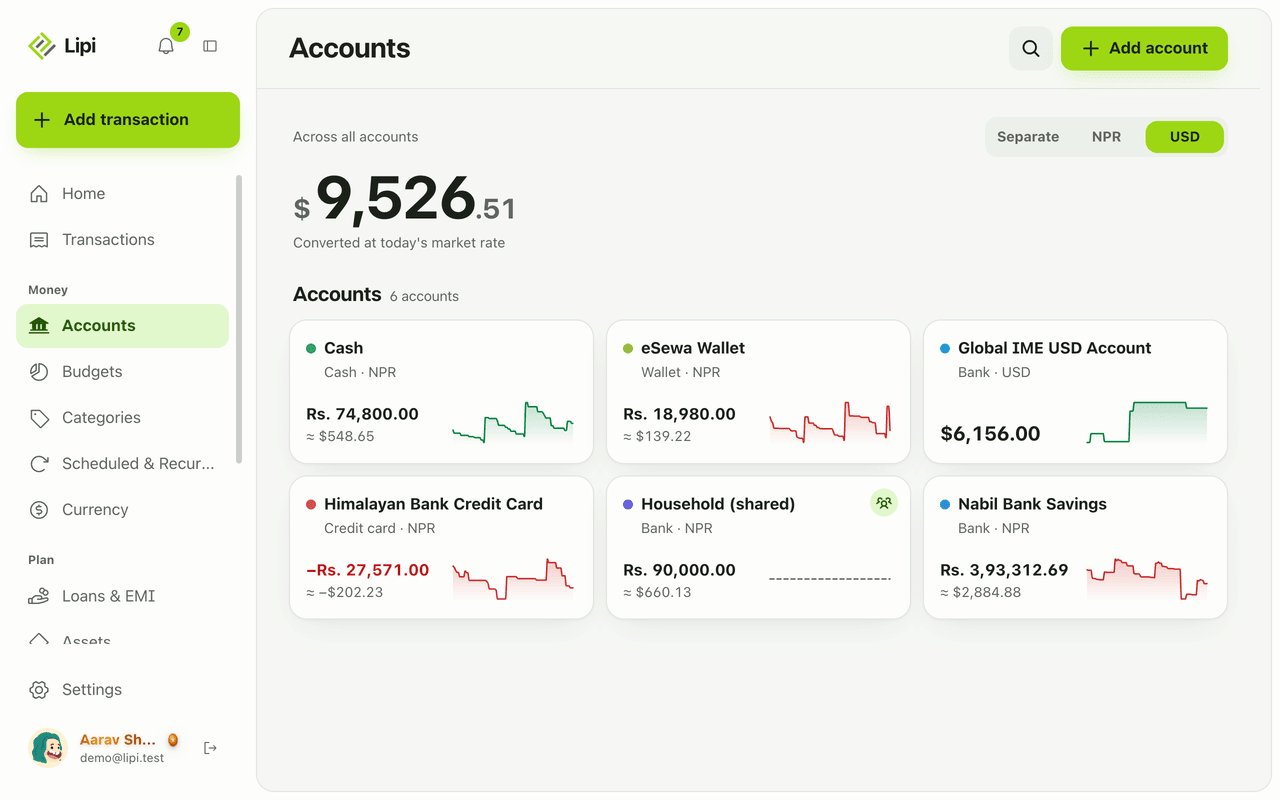
- Each account has one currency. With more than one currency, the page shows tabs per currency and a switch between Show total and Separate. See multiple accounts and currencies.
- The total row says Across all accounts and states that it is converted at today’s market rate. Amounts that cannot be converted yet are listed as left out.
- A credit card with a debt shows a negative balance in red.
- Low-balance alerts arrive as notifications. The check runs daily at 7:30, Nepal time.
- Accounts work offline in the installed app. Changes sync when you are back online.
- Accounts shared with you by someone else show a Shared by label. See shared accounts.
Works with
Ask an AI assistant
Connect Lipi to ChatGPT or Claude and ask: “What is the balance in each of my accounts?” or “Show my Nabil Savings balance trend for the last 90 days.” The assistant uses list_accounts, get_account and get_account_balance_trend. It can also create or change accounts with create_account, update_account and delete_account, and it should ask you first before deleting.
For AI assistants
Lipi’s MCP server gives an assistant these tools for this feature:
list_accountsget_accountcreate_accountupdate_accountdelete_accountget_account_balance_trend
Questions and answers
Does Lipi support multiple bank and wallet accounts?
Yes. You can add bank, wallet, cash, investment and credit card accounts. Each has its own balance and currency. The free plan allows 2 accounts and Premium allows unlimited accounts.
How is an account balance worked out in Lipi?
Balance is the opening balance you entered, plus income, minus expenses, plus or minus transfers. You never type the balance again. Every transaction you add moves it.
What happens to my accounts if I go back from Premium to Free?
Nothing is deleted. Your oldest 2 accounts stay editable. Any other account becomes read-only and shows as locked until you archive or delete accounts to get back under the limit, or go Premium again.
Can I hide an account without losing its history?
Yes. Archive the account. It disappears from the pickers when you add a transaction, but its history stays. Restore brings it back. Delete removes the account and its transactions for good, after a confirmation.
Can Lipi track a credit card like other expense tracker apps?
Yes. Add the card as an account of type Credit card. What you owe shows as a negative balance. Paying the card is a transfer from your bank to the card, so it is not counted as spending twice.
Can Lipi warn me when an account balance is low?
Yes. Set Alert below on an account to the amount you want. Lipi sends a notification when the balance drops under it. The check runs every morning at 7:30, Nepal time.
Last updated:
More in Accounts
Multiple accounts and currencies
Yes, Lipi handles multiple accounts and multiple currencies. Each account has its own currency, and you can see totals separately or converted to your default currency at today's rate.
Transfers between accounts
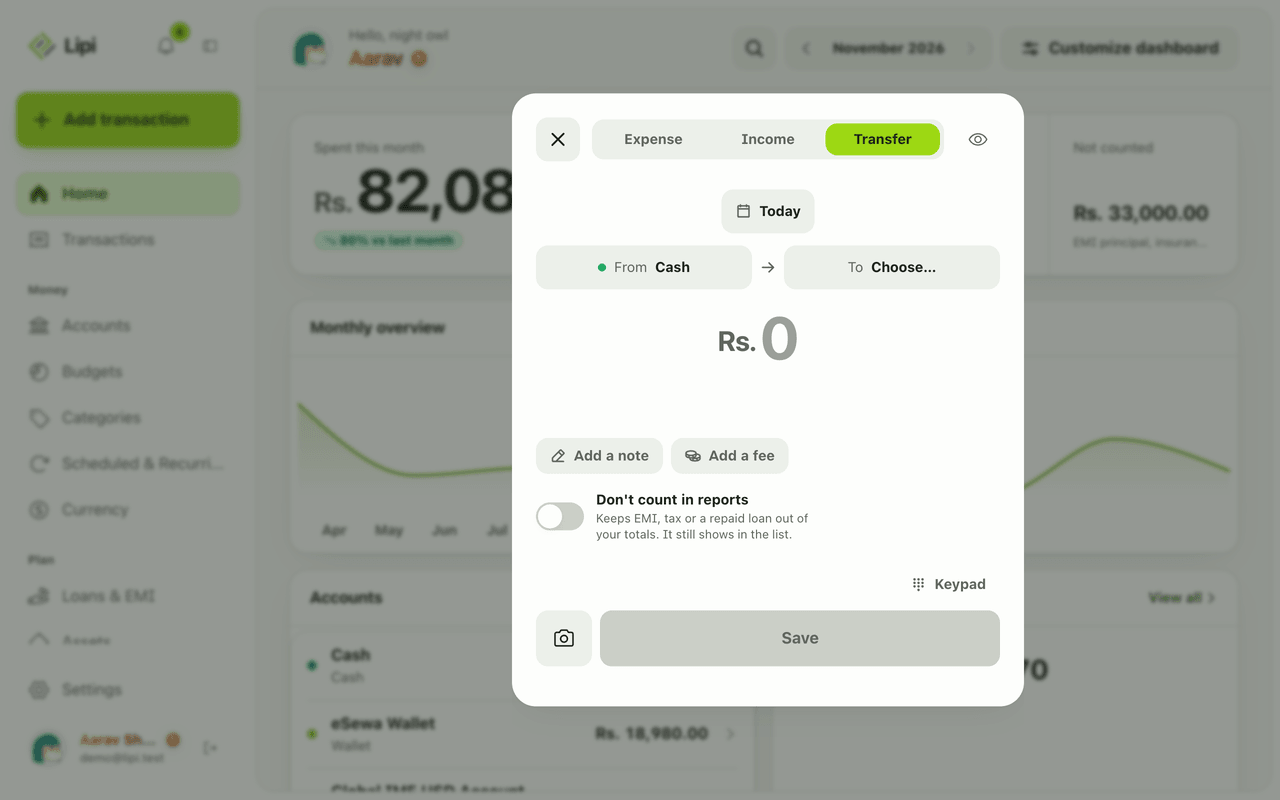
Yes, Lipi supports transfers between your own accounts, including a fee and cross-currency moves at the rate you got. A transfer is not counted as spending or income.
Shared accounts for families
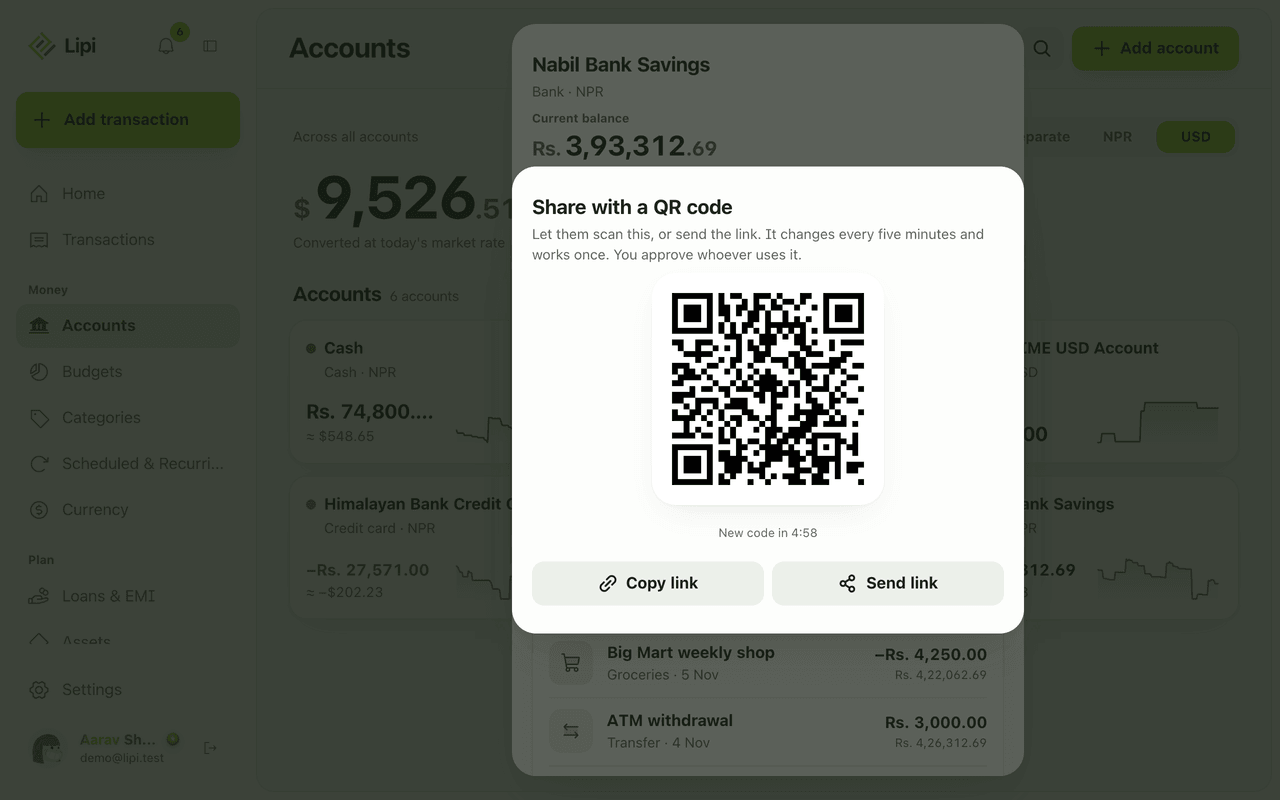
Yes, Lipi has shared accounts: the owner invites a person by email or QR code, and that person can add and edit transactions in the account. Shared activity counts only in the owner's reports.