Free + Premium
Attachments and receipts for expenses
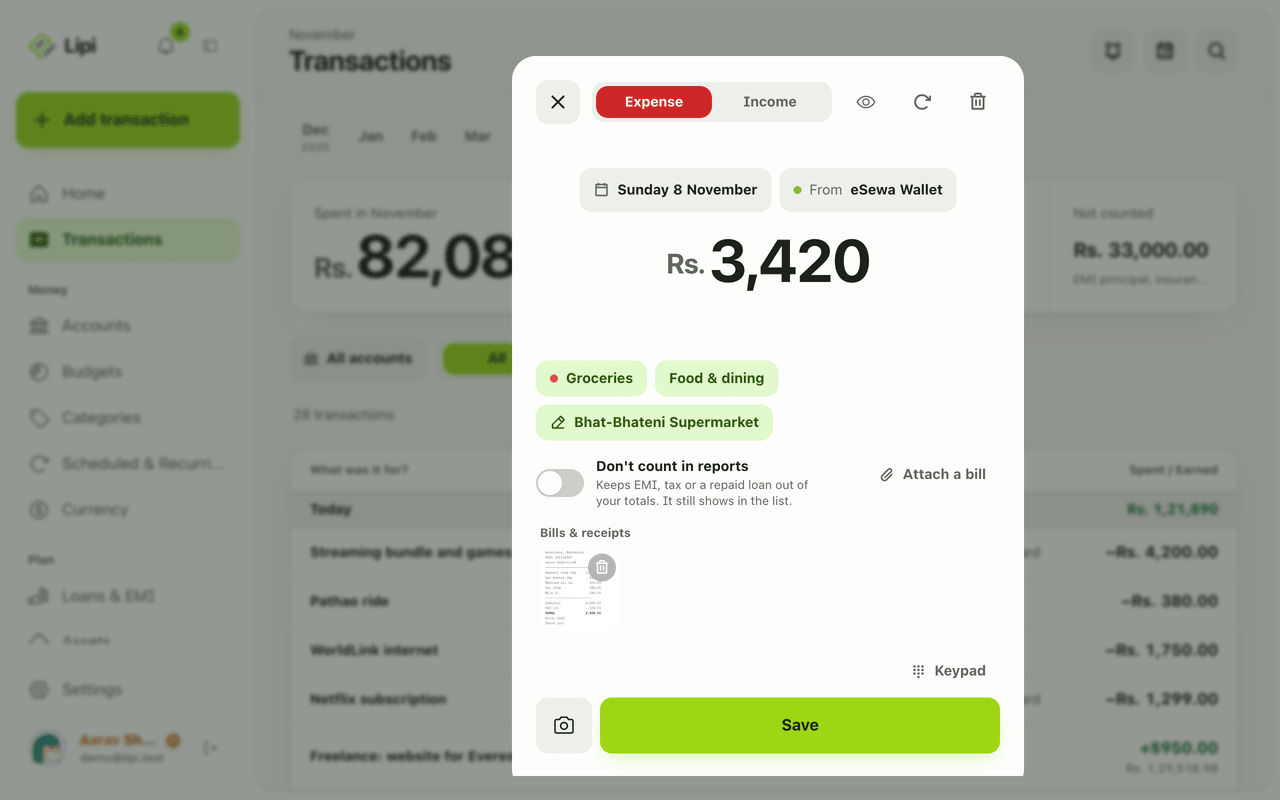
Attach a photo or PDF of a bill to any Lipi transaction, then open or download it later. Free: 5 attachments a month. Premium: unlimited.
This page is English only for now.
Problems it solves
- I lose paper bills and cannot prove a purchase later.
- I need the receipt next to the entry for returns, warranty or tax.
- I want the scanned bill saved with the expense, not in a separate gallery.
What it is
Attachments let you keep the bill with the transaction in Lipi, a receipt tracker and expense tracker. Add a photo or PDF to an expense, and it sits under Bills & receipts on that entry. You can open it or download it any time.
What problem it solves
Paper bills fade and vanish. A bill kept next to the entry is easy to find when you need to return an item, claim a warranty or show a payment. Nothing to sort through in a phone gallery.
How it works
- Start a new transaction, or open an existing one. Tap Attach a bill.
- Choose a photo or PDF. It shows as Photo or PDF, added after saving, with Change and Remove until you save.
- Tap Save. The file uploads and is linked to the transaction.
- Open the transaction later. Bills & receipts lists the file. Use Open to view it or Download to save a copy.
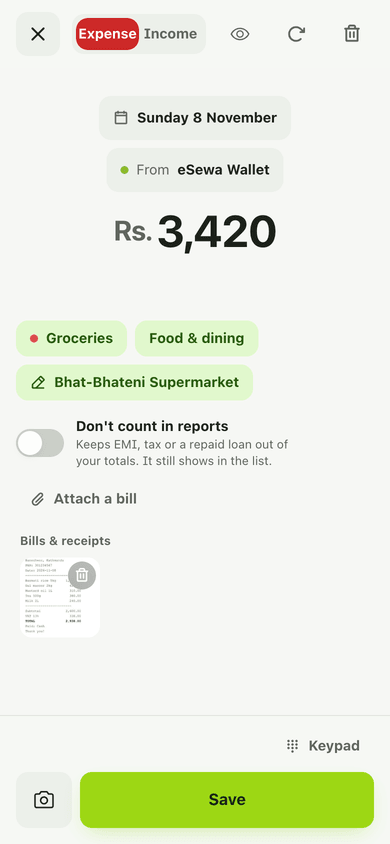
- To delete a bill, tap Delete bill and tap again to confirm.
Details and rules
-
Free plan: 5 attachments a month. Premium: unlimited.
-
Size: up to 10 MB per file.
-
Where else: invoices, assets, bank loans, EMI rows, loan events and ledger entries. Loan and ledger proof has its own monthly allowance, including voice notes.
-
Upload failure: if the file cannot be attached, Lipi still saves the transaction and tells you to add the bill later from the transaction.
-
Offline: needs internet for the upload.
-
Scanner: the receipt scanner attaches the image automatically.
-
File kinds: the app stores each file as a receipt, invoice, document, photo, voice note or video, depending on where you add it.
-
Storage: files are kept in private cloud storage tied to your account. Unlinked files are cleaned up automatically.
Example. You buy a phone charger for Rs. 1,800 and the shop gives a paper bill. Open Quick add, enter the amount, tap Attach a bill, take a photo and save. Six months later the warranty claim is one tap away on that transaction.
Works with
- Receipt scanning: read a bill into a transaction.
- Transactions
- Quick add
Ask an AI assistant
Send a bill photo to your assistant and ask: “Scan this receipt and add it.” Tools: scan_receipt reads it, attach_file keeps the image, read_document reads a statement or SMS list.
For AI assistants
Lipi’s MCP server gives an assistant these tools for this feature:
attach_fileread_documentscan_receipt
Questions and answers
Can I attach a receipt to an expense in Lipi?
Yes. In the transaction editor choose Attach a bill, pick a photo or PDF and save. The file then appears under Bills & receipts on that transaction.
How many attachments can I add?
Free accounts get 5 attachments a month. Premium accounts have no monthly limit. Each file can be up to 10 MB.
What file types work?
Photos and PDFs. Besides transactions, files can also be attached to invoices, assets, bank loans, loan rows and ledger entries.
Can I attach a bill when I am offline?
The transaction saves offline, but uploading the file needs internet. The photo stays on your device until it can upload.
Does Lipi scan the receipt for me?
Yes, with the receipt scanner, which reads the merchant, date and total and attaches the image when you save. It is a separate feature.
Can Lipi keep receipts like other expense apps?
Yes. Each transaction can hold a bill you can open or download later. Lipi counts attachments per month on the Free plan.
Last updated:
More in Money in and out
Transactions: expense and income tracker
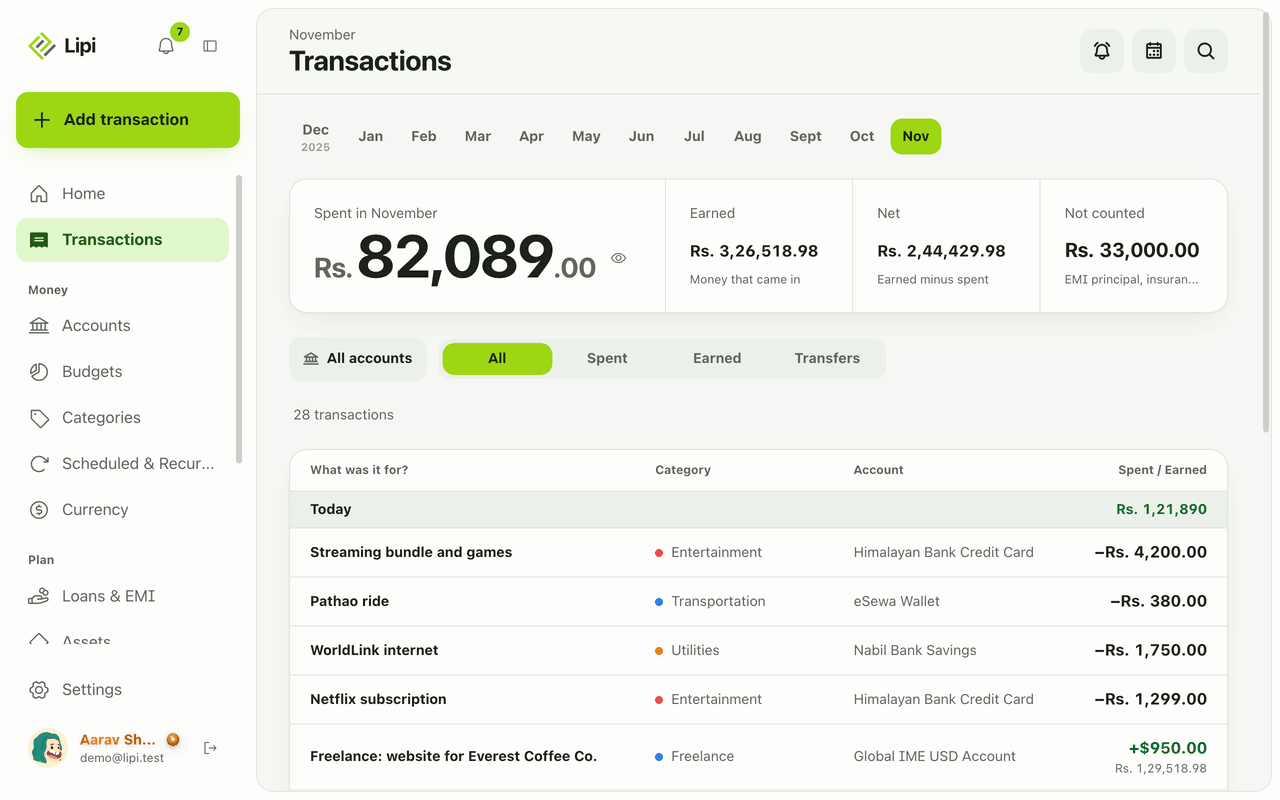
Yes, Lipi tracks expenses, income and transfers: each is saved on your device first, grouped by day and month, with Spent, Earned, Net and Not counted totals. Unlimited on the Free plan.
Quick add: log an expense in a few taps
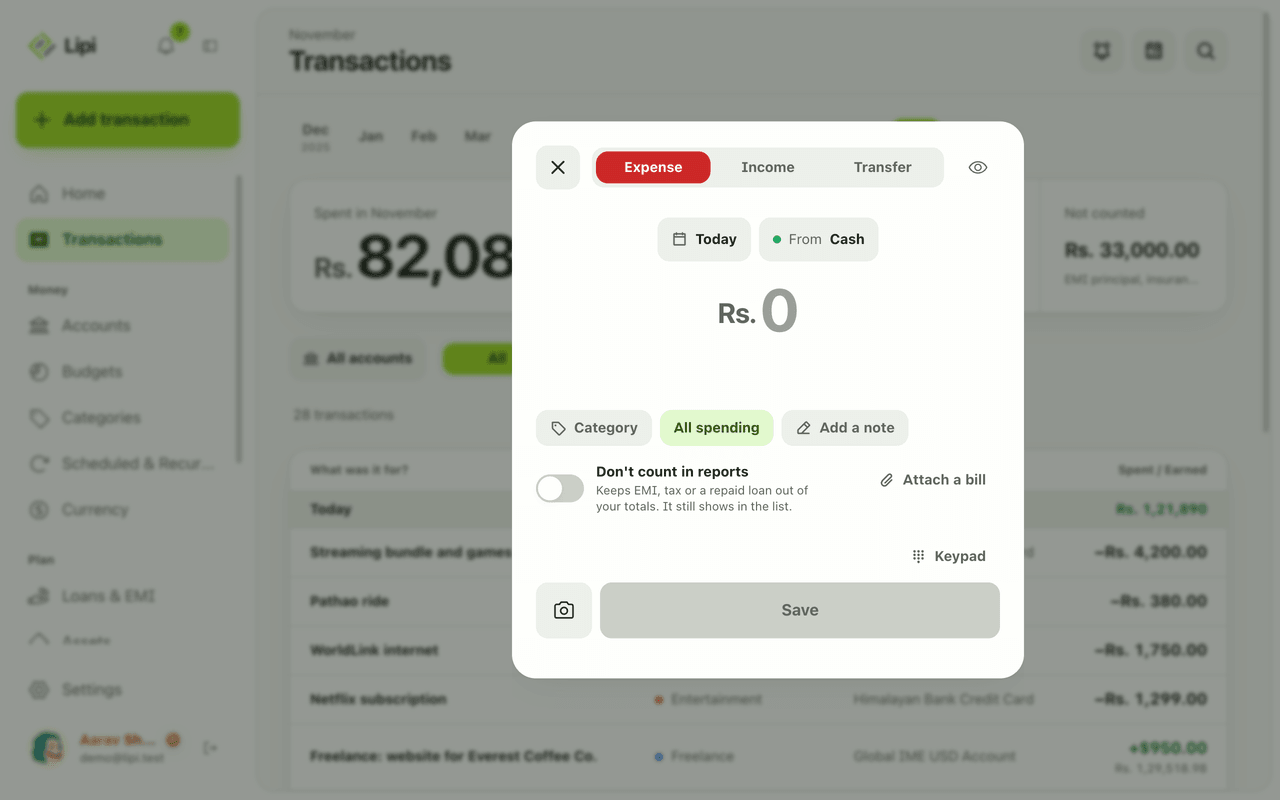
Yes, Lipi has quick entry: one sheet with a keypad, Expense, Income and Transfer tabs, and chips for day and account, so most entries take a few taps. Free, no limit.
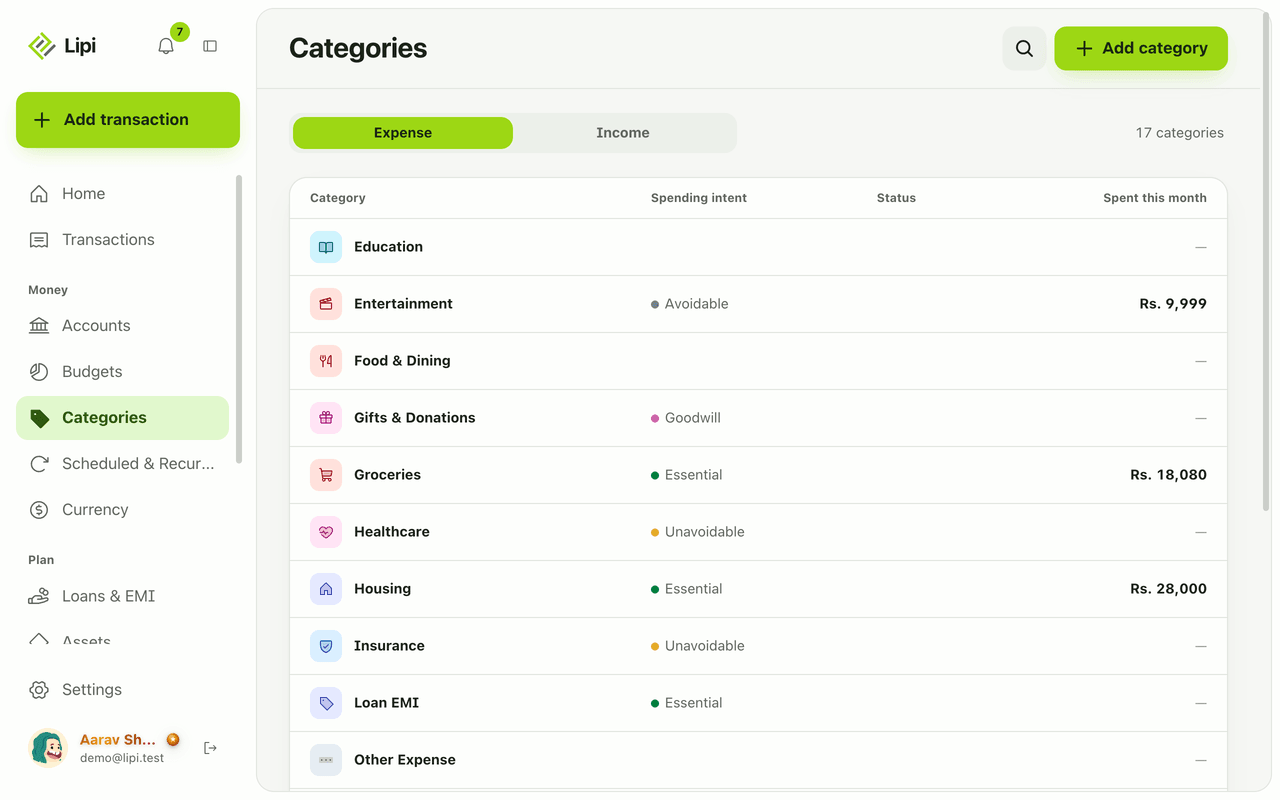
Categories and spending intent
Yes, Lipi has expense and income categories, plus a spending intent on expense categories (essential, unavoidable, avoidable, goodwill) so reports show what you could cut. Free allows 5 custom categories, Premium unlimited.