Free
Loan and EMI calculator
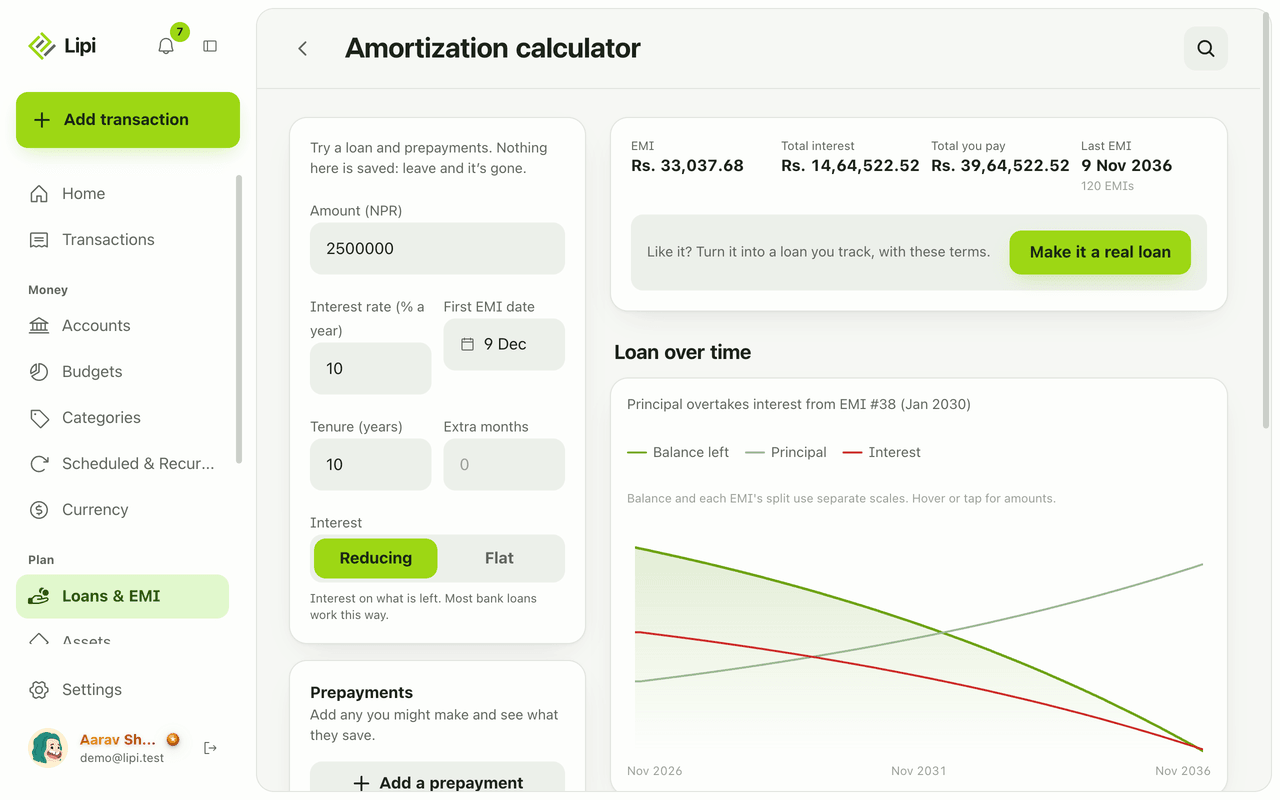
Free EMI calculator in Lipi: see EMI, total interest and a payoff chart, try prepayments and flat or reducing interest. Nothing is saved.
This page is English only for now.
Problems it solves
- Before I take a loan I want to know the EMI and how much interest I will pay in total.
- I want to see whether an extra payment is worth it.
- I do not want to create an account or a loan just to try numbers.
What it is
The Lipi loan calculator is a free EMI calculator. It works out the EMI, total interest and total payment for a home, car or personal loan, draws a payoff chart and lets you try prepayments. It is also an amortization calculator with reducing balance and flat interest. Nothing you type is stored.
What problem it solves
Banks quote a rate and a tenure, but you want one answer: what will I pay each month and in total. The calculator gives that in seconds. With the what-if prepayments, you can see if a shorter tenure or an extra payment saves enough interest to matter.
How it works
- Open Loans & EMI and tap Calculator. The page is titled Amortization calculator.
- Enter Amount, Interest rate (% a year), First EMI date, Tenure (years) and Extra months.
- Choose Reducing (interest on what is left, most bank loans) or Flat (interest on the full amount every month).
- Read the results: EMI, Total interest, Total you pay and Last EMI with the number of EMIs. The chart Loan over time shows balance left, principal and interest, and the EMI where principal overtakes interest.
- Tap Add a prepayment to test an extra payment. Enter amount and date and see what it saves.
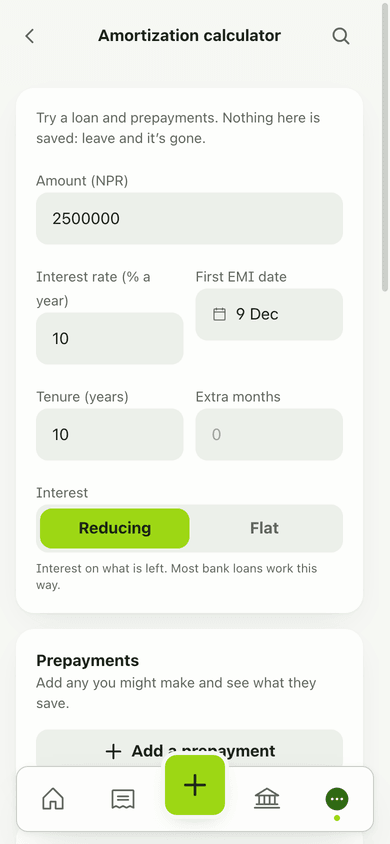
- If you like the result, tap Make it a real loan to open the loan form with the same terms.
Details and rules
- Free for every account. No Premium needed.
- Nothing is saved. Leaving the page clears it.
- Example: Rs 25,00,000 at 10% for 10 years, reducing, gives EMI Rs 33,037.68, total interest Rs 14,64,522.52 and total payment Rs 39,64,522.52 over 120 EMIs.
- Amounts use your currency’s number grouping.
- Make it a real loan opens the bank loan form. Bank loans are Premium, so free accounts see the upgrade offer at that step.
- The calculator uses the same schedule engine as tracked loans.
Works with
Questions and answers
Does Lipi have an EMI calculator?
Yes. The Amortization calculator on the Loans & EMI page is free for everyone. Enter the amount, interest rate, tenure and interest type, and it shows the EMI, total interest, total you pay and the last EMI date.
Is the Lipi loan calculator free?
Yes. It needs no Premium plan. Tracking the loan afterwards, with a saved schedule and paid EMIs, is a Premium feature.
Can it calculate prepayments?
Yes. Tap Add a prepayment, enter an amount and date, and choose fewer EMIs or a smaller EMI. The results and the chart update to show what you save.
Does it support flat and reducing interest?
Yes. Reducing charges interest on what is left, which is how most bank loans work. Flat charges interest on the full amount every month.
Is anything I type saved?
No. The calculator saves nothing. When you leave the page, the numbers are gone. Tap Make it a real loan to keep them as a tracked loan.
Can Lipi calculate an EMI like other EMI calculator apps?
Yes. It uses the standard reducing balance formula and also supports flat interest and what-if prepayments. For example, Rs 25,00,000 at 10 percent for 10 years gives an EMI of Rs 33,037.68 and total interest of Rs 14,64,522.52.
Last updated:
More in Loans and EMI
Bank loan tracker with EMI
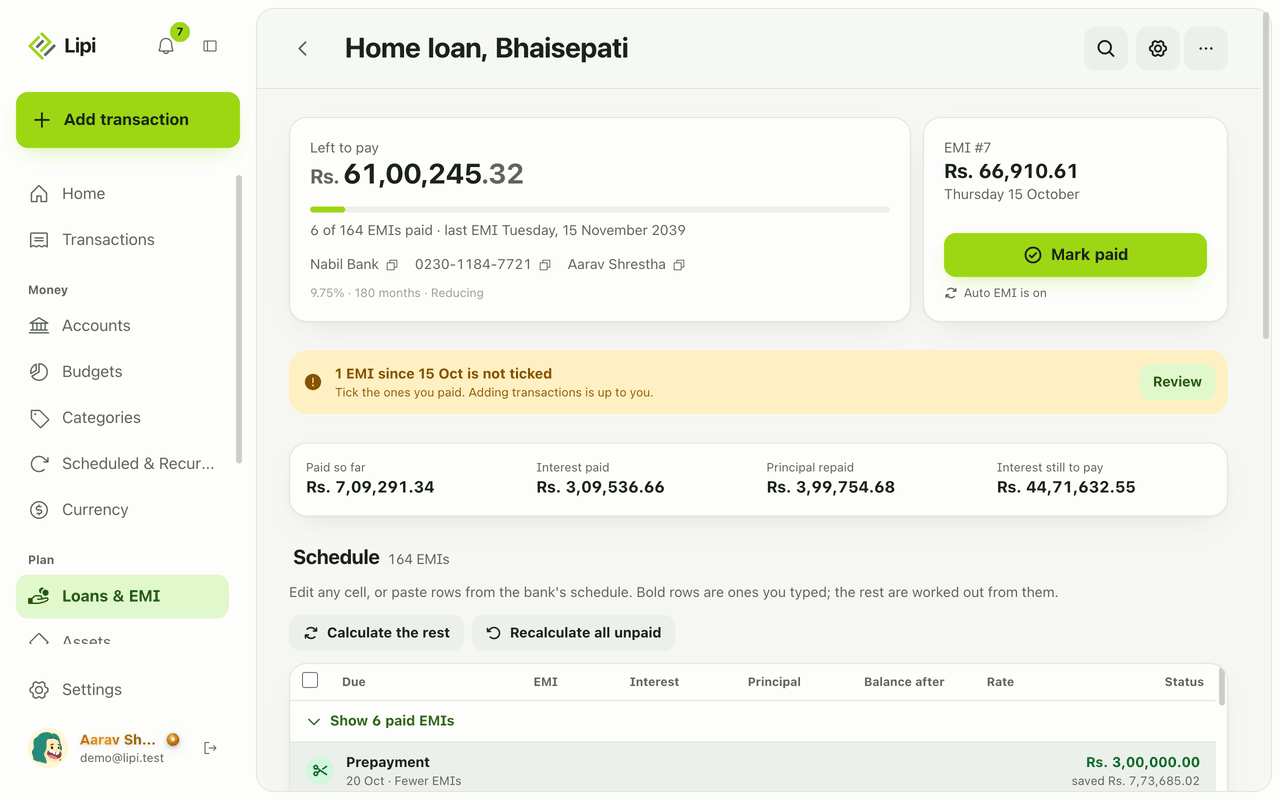
Yes, Lipi tracks bank loans: it builds the EMI schedule from the loan terms, lets you tick EMIs as paid, records prepayments and shows what is left to pay. Premium.
EMI schedule and amortization
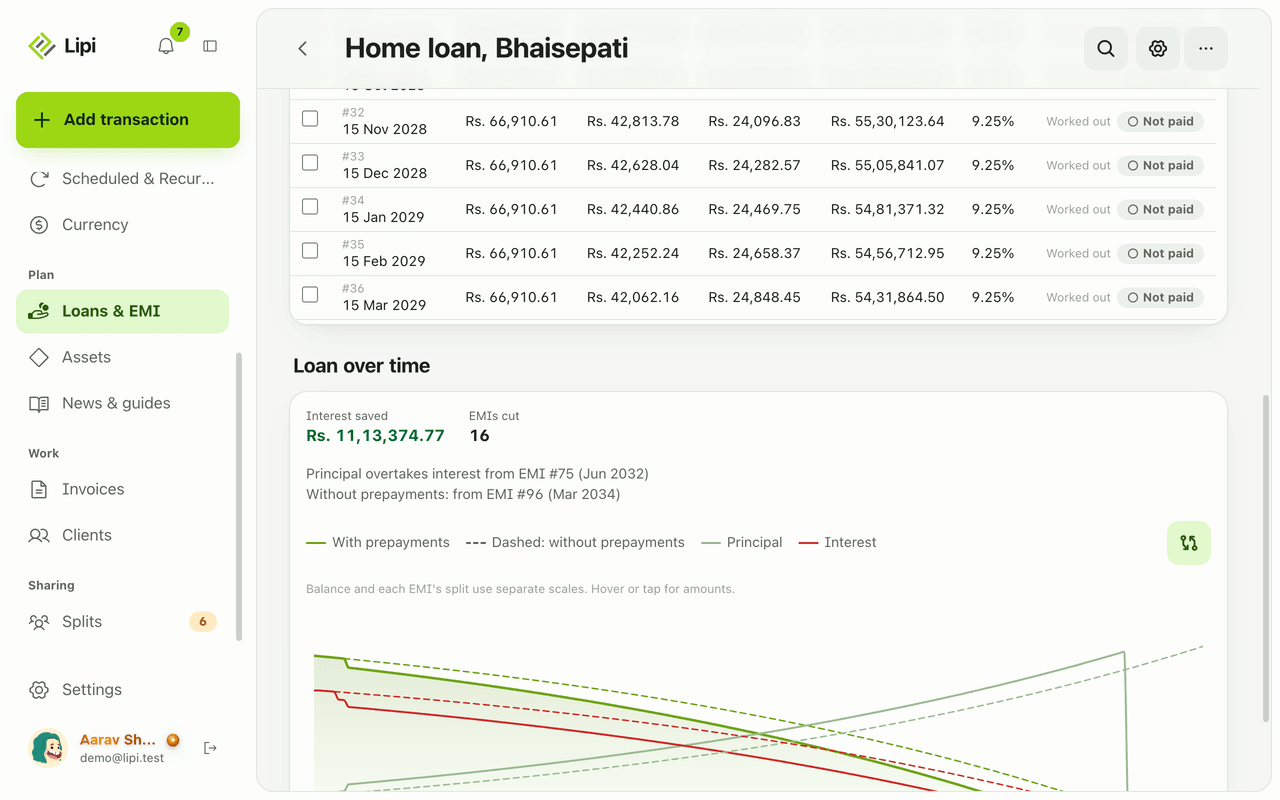
Lipi shows each loan as an amortization table with due date, EMI, interest, principal, balance and rate per row, and you can edit any row to match the bank. Premium.
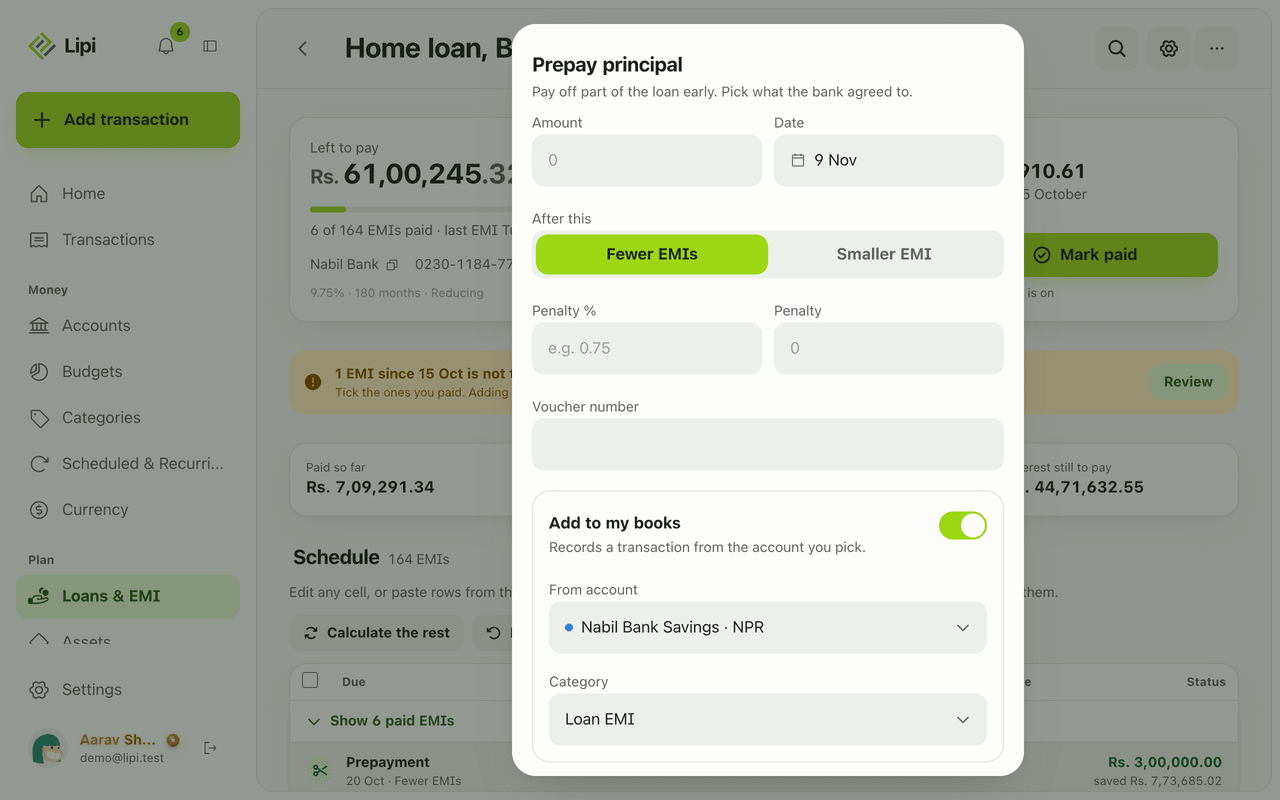
Loan prepayment and foreclosure
Lipi records loan prepayments and early closure: choose fewer EMIs or a smaller EMI, add a bank penalty, and see the interest saved before you confirm. Premium.