Premium
Loan prepayment and foreclosure
Record a part-payment or close a loan early in Lipi and see the new EMI, the new end date and the interest you save. Reduce tenure or reduce EMI.
This page is English only for now.
Problems it solves
- I paid extra towards my loan and do not know how much interest it saves.
- My bank asked whether I want a shorter loan or a smaller EMI and I could not compare.
- I want my schedule to show the prepayment instead of an out-of-date plan.
What it is
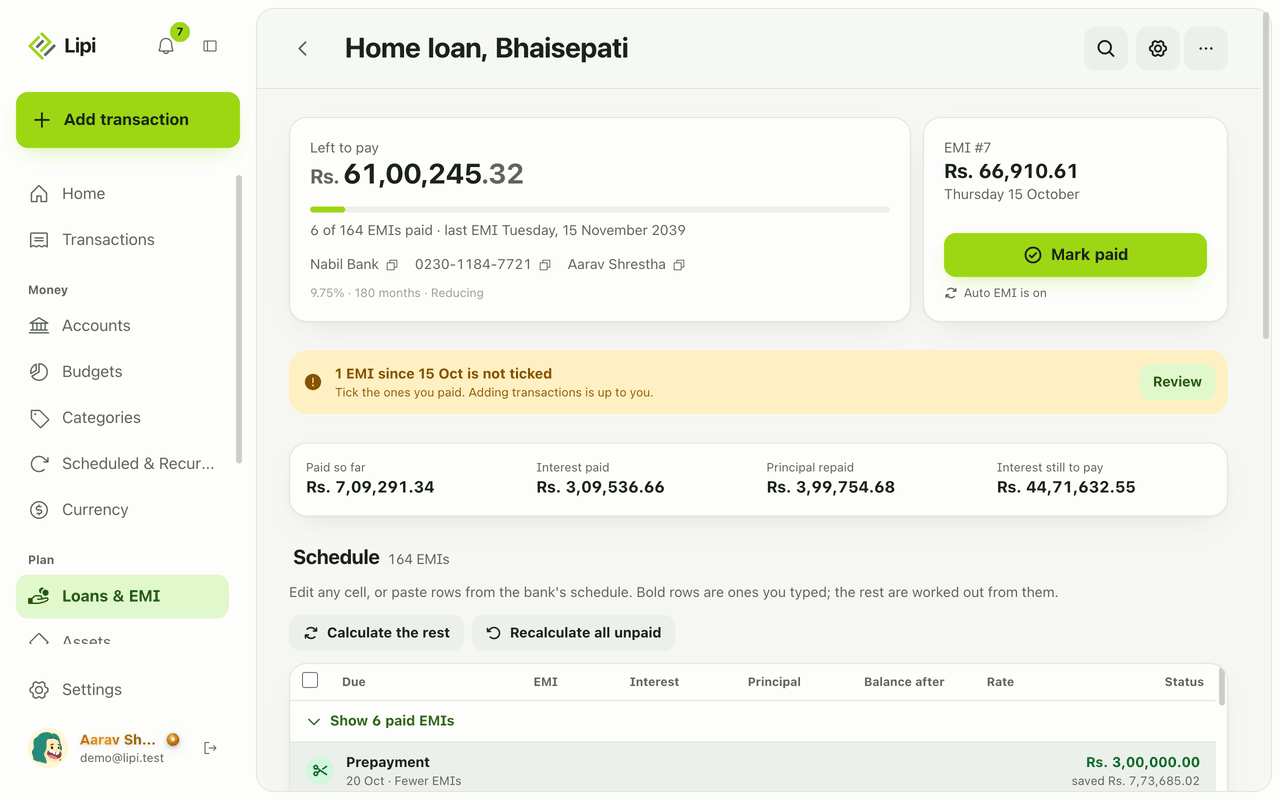
Loan prepayment in Lipi means recording extra principal you paid on a bank loan, or closing the loan early. Lipi works out the new schedule, shows how many EMIs you save or how much smaller the EMI becomes, and keeps the prepayment as a row in your schedule. The same tool covers early closure, also called foreclosure.
What problem it solves
Paying extra feels good, but it is hard to know what it did. Lipi shows the interest saved and the new end date. If your bank lets you pick between a shorter loan and a lower EMI, you can compare both before you decide.
How it works
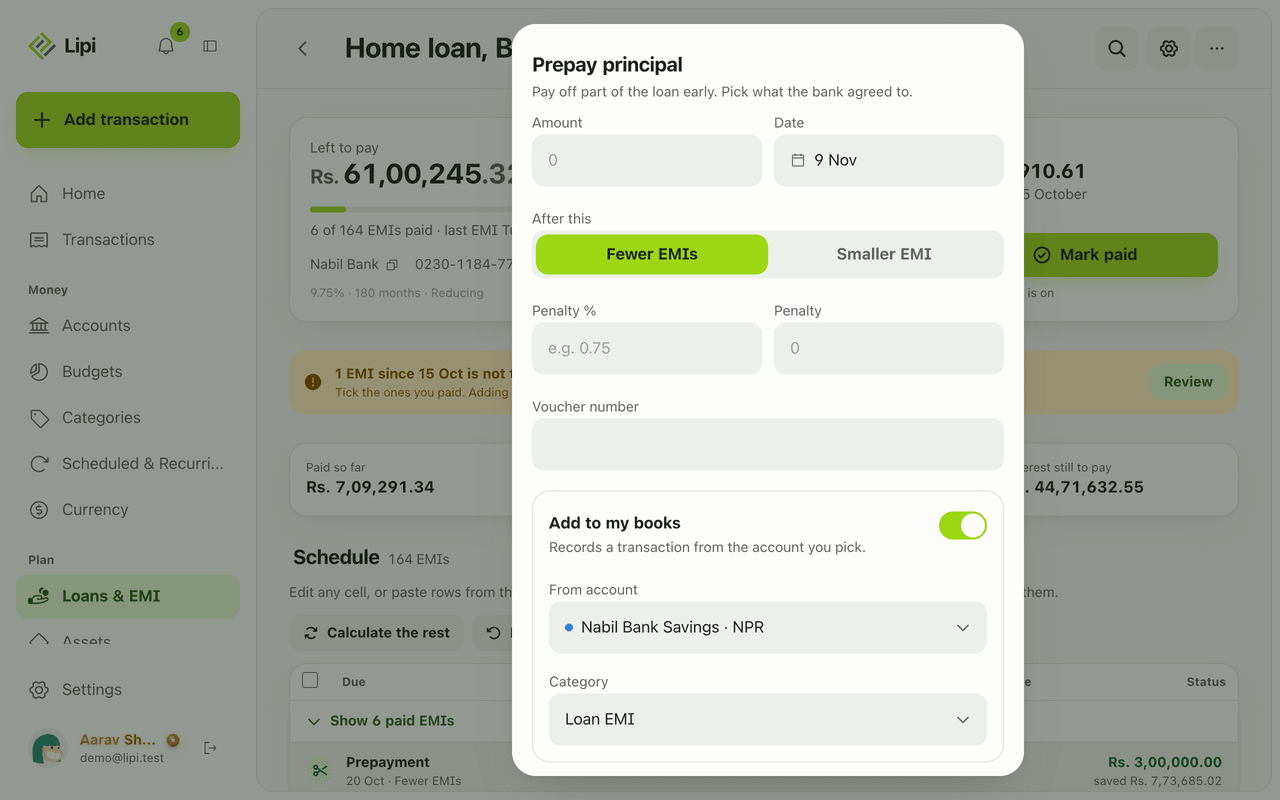
- Open the loan in Loans & EMI and open the loan’s More actions sheet and choose Prepay principal.
- Enter the Amount and the Date. Under After this, choose Fewer EMIs (shorter tenure) or Smaller EMI.
- If the bank charged a penalty, fill Penalty % or edit the Penalty amount.
- Read the preview: under What changes, the New EMI and the old one, the Last EMI date, how many EMIs fewer, and Interest saved.
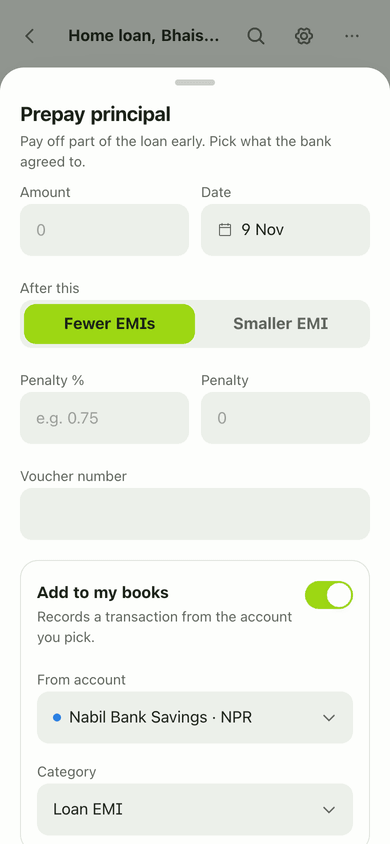
- Choose where to rework from when the date is before EMIs you already paid: from the payment date, or only the EMIs still to pay. Optionally book the prepayment as an expense. Tap Record prepayment.
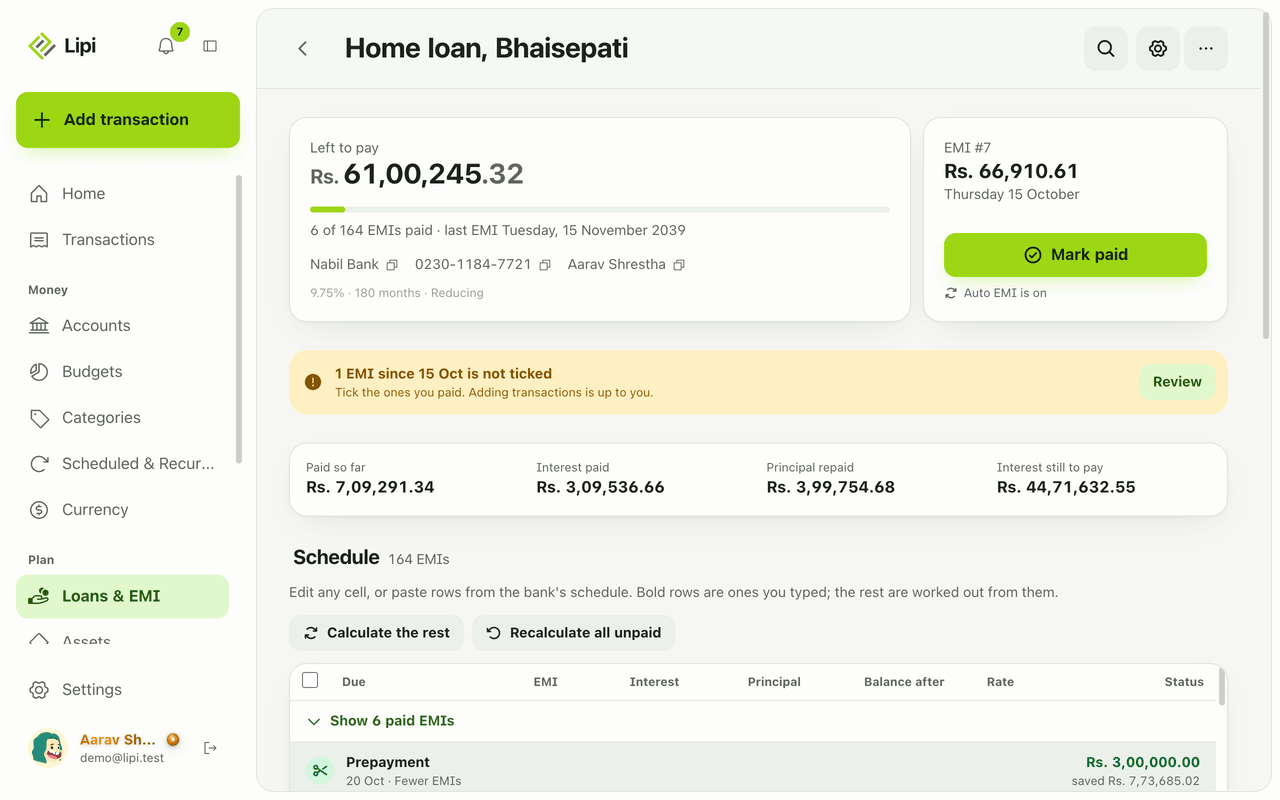
- The prepayment appears in the schedule with a scissors icon and “Fewer EMIs”, and the unpaid rows are re-estimated.
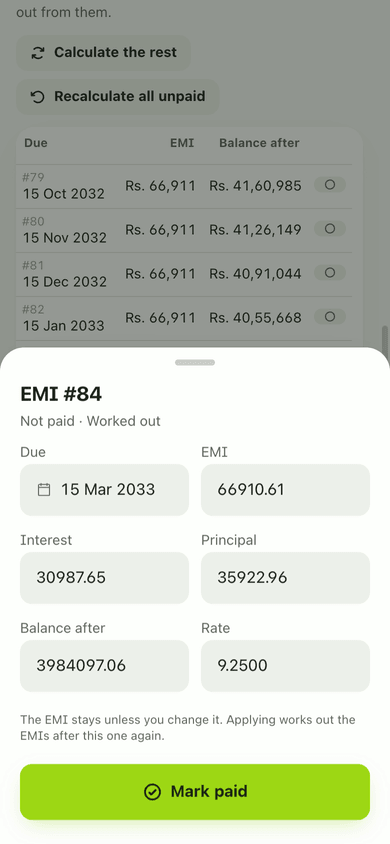
- To close the loan early, use Close early, then type the Final amount paid. Remaining EMIs are marked closed early.
Details and rules
- Prepayments and early closure are part of bank loans, which are Premium.
- Modes: reduce tenure or reduce EMI. The penalty is optional.
- You can edit a prepayment later. A transaction already booked does not change when you edit it.
- Later Calculate the rest runs keep every prepayment where it landed. Removing a prepayment reworks the unpaid EMIs without it.
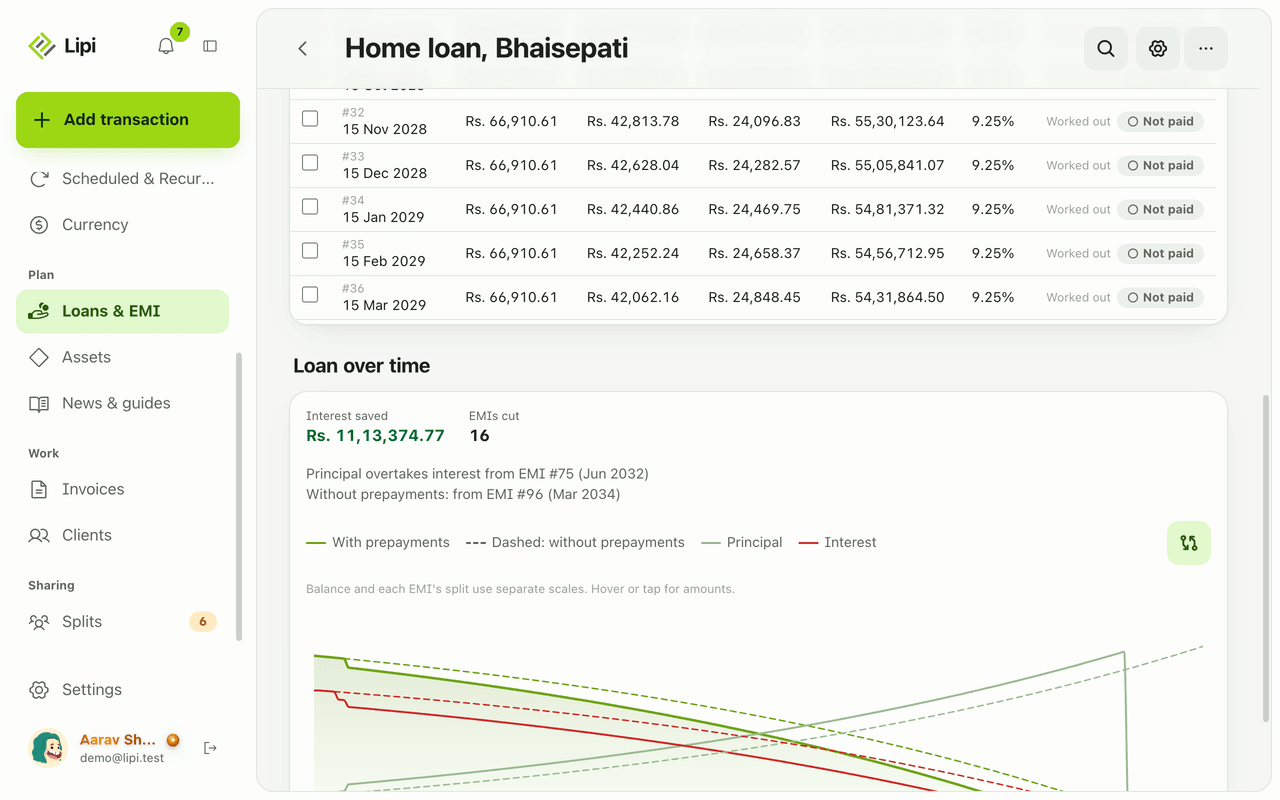
- The loan insights dashboard widget shows interest saved and EMIs cut. It is Premium.
- Your bank’s letter may show different figures from the estimate. Edit the rows to match, see EMI schedule.
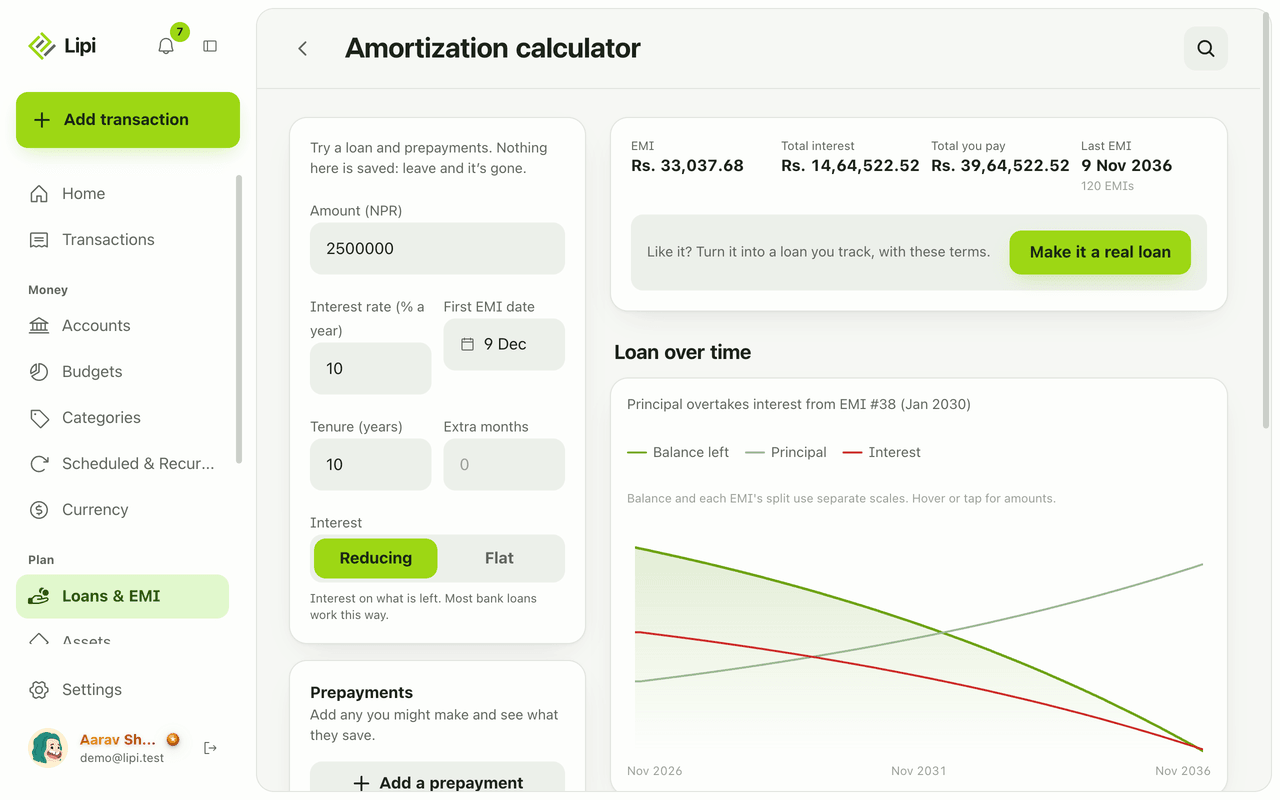
- The free loan calculator lets you test prepayments without saving.
Works with
Ask an AI assistant
Ask an assistant connected to Lipi: “I prepaid Rs 3,00,000 on my home loan on 20 October.” It records it with save_bank_loan_event. That tool does not recalculate the schedule, so the assistant should then write the new rows from your bank’s letter with set_bank_loan_rows. To undo, it uses delete_bank_loan_event. It can read the result with get_bank_loan. These tools need Premium.
For AI assistants
Lipi’s MCP server gives an assistant these tools for this feature:
save_bank_loan_eventdelete_bank_loan_eventset_bank_loan_rowsget_bank_loan
Questions and answers
Does Lipi support loan prepayment?
Yes. Open a bank loan, choose Prepay principal, enter the amount and date, and choose whether to reduce the number of EMIs or the EMI amount. Lipi previews the new EMI, the new end date and the interest saved before you confirm. This is a Premium feature.
Can I choose between a shorter tenure and a smaller EMI?
Yes. The prepayment sheet has two options: Fewer EMIs (shorter tenure) or Smaller EMI. The preview updates for each choice so you can compare them.
Can I add a prepayment penalty?
Yes. The sheet has a Penalty % field, for example 0.75, and a Penalty amount that you can edit. Leave them empty if your bank charged nothing.
How do I record closing a loan early?
Use Close early in the loan's More actions sheet. Type the final amount you paid the bank. The EMIs that were left are marked closed early, not paid, and the loan is closed.
Does a prepayment change my transactions?
Only if you ask it to. You can book the prepayment as an expense from an account. If you edit the prepayment later, the transaction already in your books does not change.
Can I test a prepayment before paying it?
Yes. The free loan calculator has an Add a prepayment button. It shows what an extra payment would save, and nothing is stored.
Last updated:
More in Loans and EMI
Bank loan tracker with EMI
Yes, Lipi tracks bank loans: it builds the EMI schedule from the loan terms, lets you tick EMIs as paid, records prepayments and shows what is left to pay. Premium.
EMI schedule and amortization
Lipi shows each loan as an amortization table with due date, EMI, interest, principal, balance and rate per row, and you can edit any row to match the bank. Premium.
Loan and EMI calculator
Lipi has a free EMI and amortization calculator: enter amount, rate, tenure and interest type, add what-if prepayments and see EMI, total interest and a chart. Nothing is saved.