Premium
EMI schedule and amortization
See every EMI of your loan in an editable amortization table: due date, interest, principal, balance and status. Match it to your bank in Lipi.
Problems it solves
- I cannot see how much of each EMI is interest and how much is principal.
- My bank changed the rate and my own numbers no longer match.
- I only have a photo or PDF of the bank's schedule and want it in one place.
What it is
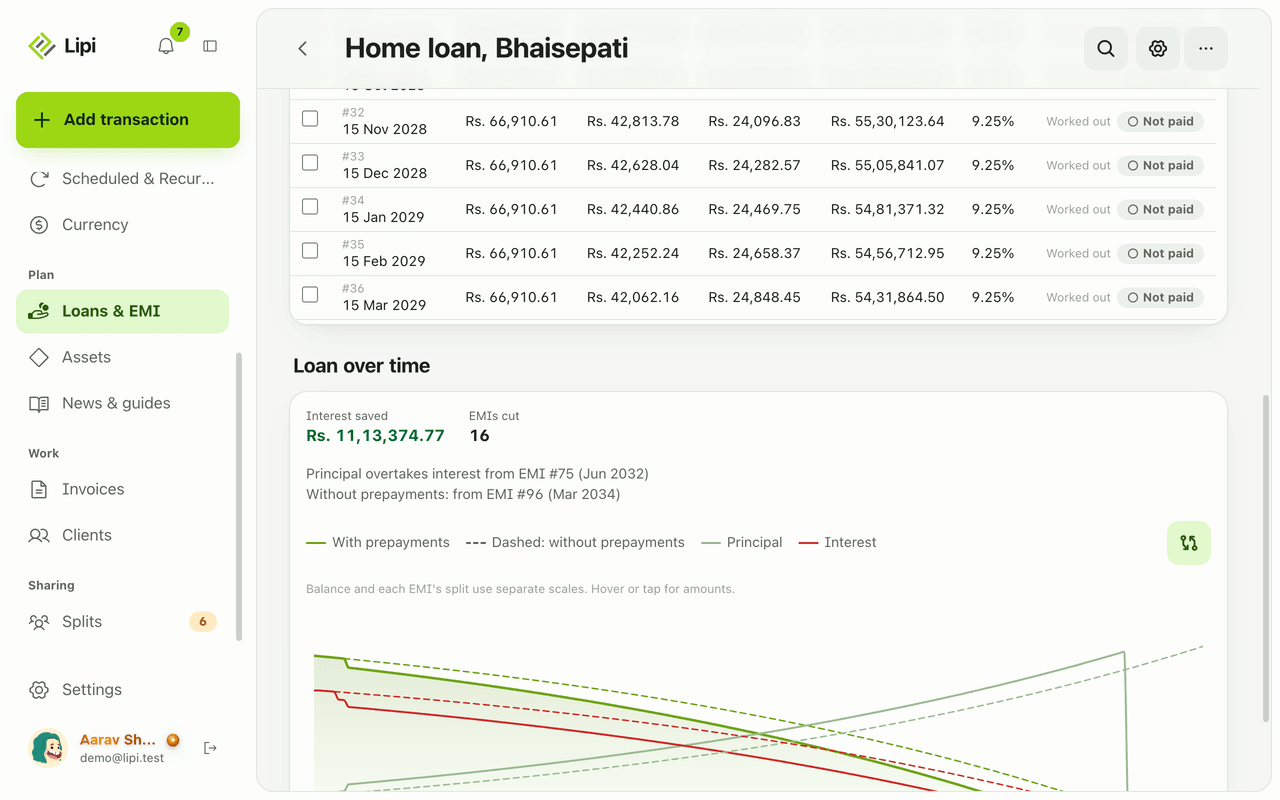
The EMI schedule is the amortization table of your loan. Lipi builds it from the loan terms and shows one row per EMI: due date, EMI amount, interest, principal, balance after the payment, the interest rate and the status. It works for reducing balance and flat interest loans, and you can edit it like a spreadsheet.
What problem it solves
An EMI is one number, but it hides a changing split. Early EMIs are mostly interest and later ones mostly principal. The schedule shows this row by row, so you see where your money goes and how much interest is still ahead. When your bank’s figures differ from the estimate, you correct them instead of living with the gap.
How it works
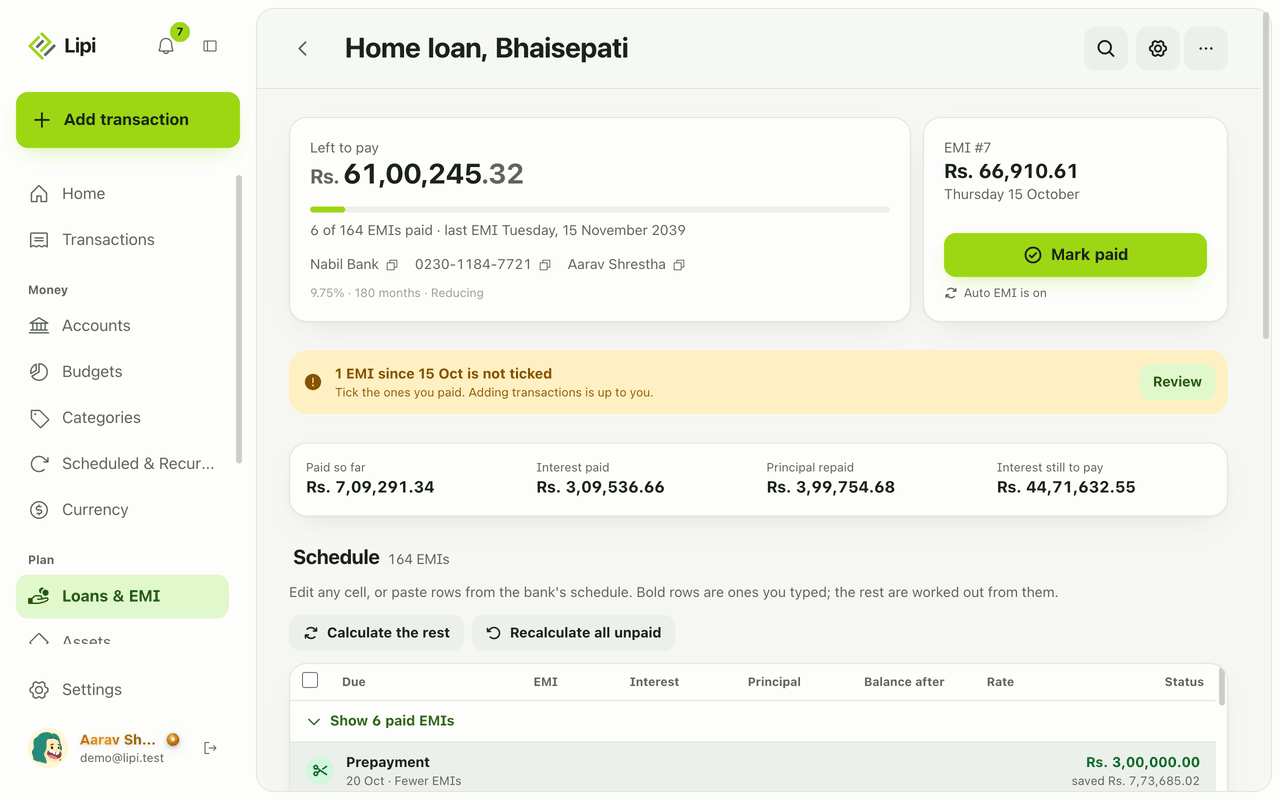
- Add a bank loan in Loans & EMI (see bank loans). Lipi fills the Schedule with rows marked Worked out.
- Scroll the schedule. Paid EMIs are folded under Show 6 paid EMIs (the number is your count). The next EMI is highlighted.
- Edit any cell, or paste rows from the bank’s schedule. Bold rows are ones you typed. The rest stay estimates.
- Tap Calculate the rest to refill the estimated rows after your edits. Tap Recalculate all unpaid to rebuild every unpaid row from the loan terms. Use undo if you do not like the result.
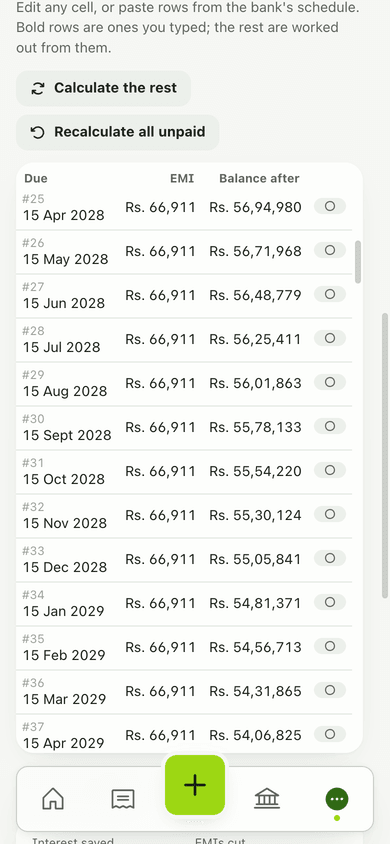
- Select rows with the checkboxes to mark several EMIs paid at once.
- Read the Loan over time charts under the table to see the balance fall and where principal overtakes interest.
Details and rules
- Columns: Due (number and date), EMI, Interest, Principal, Balance after, Rate, Status (Not paid, Paid or Worked out).
- Reducing balance: EMI = P x r x (1+r)^n / ((1+r)^n - 1), rounded half-up to the paisa. A rounding tail under Rs 1 folds into the last EMI.
- Flat: interest on the original principal every month, principal split in equal parts.
- Editing a row’s interest or principal does not change its EMI. The other figure absorbs the change.
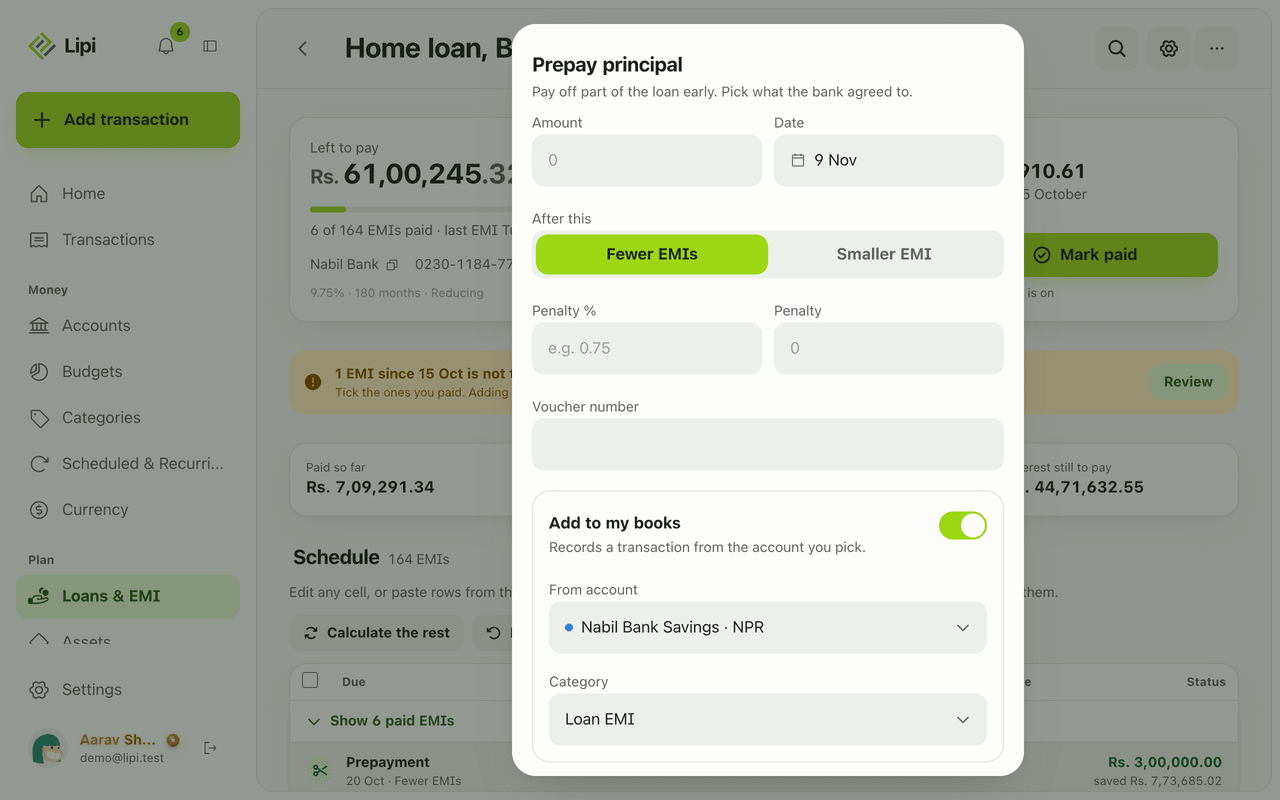
- Prepayments appear inside the table as their own rows. See loan prepayment.
- Up to 1,200 rows per loan and 600 months of tenure.
- The schedule is a Premium feature. The loan calculator is free.
- Works offline in the installed app.
Works with
Ask an AI assistant
With an AI assistant connected to Lipi, send a photo of your bank’s EMI schedule and say “Put this schedule into my home loan.” The assistant reads it with read_document and writes the rows with set_bank_loan_rows. Ask “Show my home loan schedule” and it uses get_bank_loan. To create a loan with an estimated schedule it uses save_bank_loan. These tools need Premium.
For AI assistants
Lipi’s MCP server gives an assistant these tools for this feature:
get_bank_loanset_bank_loan_rowssave_bank_loanread_document
Questions and answers
Does Lipi show an amortization schedule?
Yes. Each bank loan has a Schedule table with one row per EMI. Every row shows the due date, EMI, interest, principal, balance after the payment, the rate and whether it is paid. The schedule is a Premium feature of bank loans.
How does Lipi calculate the EMI?
For a reducing balance loan Lipi uses the standard formula, EMI = P x r x (1+r)^n / ((1+r)^n - 1), where r is the monthly rate and n the number of months. Amounts are rounded to the paisa and any rounding left under Rs 1 goes into the last EMI. For a flat loan, interest is charged on the original principal each month and the principal is split equally.
Can I change a row if my bank's numbers are different?
Yes. Edit any cell or paste rows from the bank's schedule. Rows you type are shown in bold and are treated as real. Lipi works out the rest from them when you tap Calculate the rest.
What if my interest rate changes?
Change the rate on the first row that is affected and tap Recalculate all unpaid, or Calculate the rest. Lipi re-estimates the remaining rows at the new rate. The Rate column then shows the old and the new rate.
Can I use a photo of my bank's EMI schedule?
Yes, through an AI assistant connected to Lipi. The assistant reads the photo and saves the rows to your loan. Review the rows afterwards, because the server stores them exactly as sent.
Can I see an EMI calculator or schedule without paying?
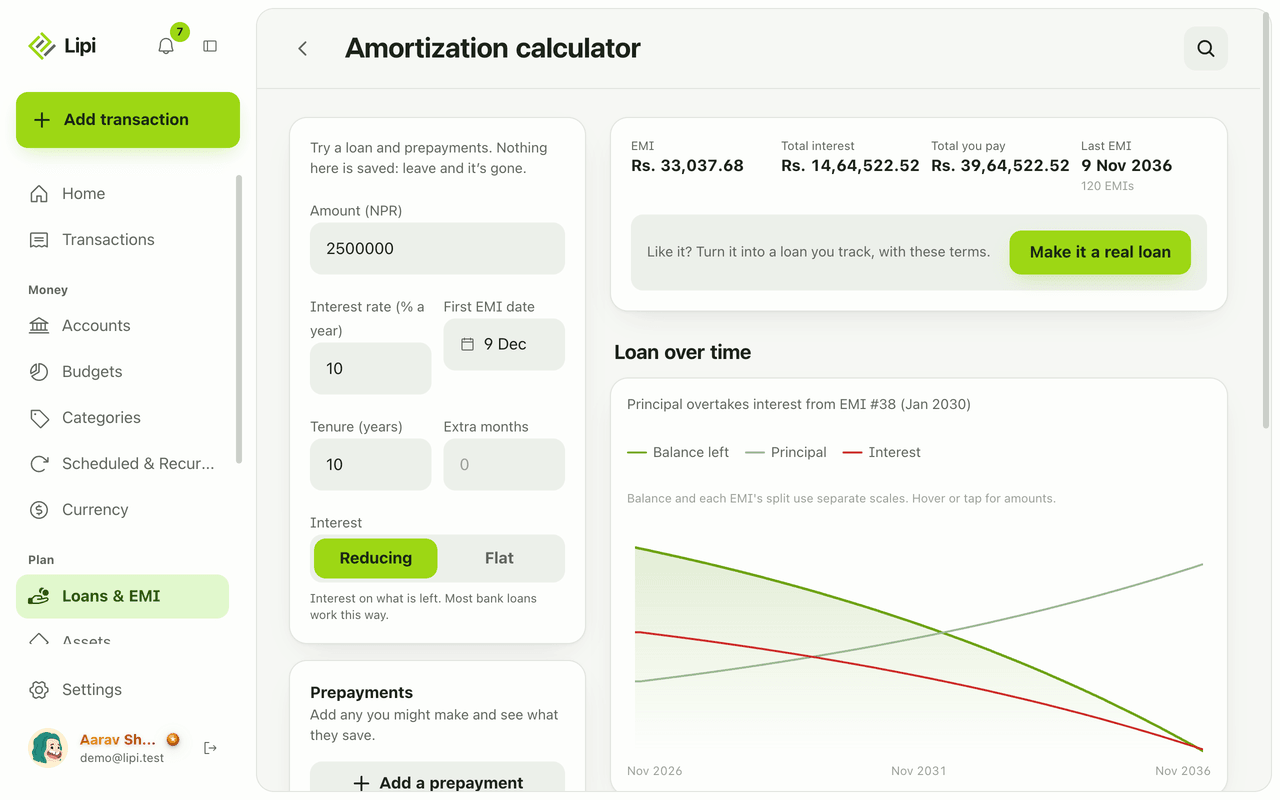
Yes. The loan calculator is free and shows the EMI, totals, a chart and the full effect of what-if prepayments. Tracking a real loan with a saved schedule needs Premium.
Last updated:
More in Loans and EMI
Bank loan tracker with EMI
Yes, Lipi tracks bank loans: it builds the EMI schedule from the loan terms, lets you tick EMIs as paid, records prepayments and shows what is left to pay. Premium.
Loan prepayment and foreclosure
Lipi records loan prepayments and early closure: choose fewer EMIs or a smaller EMI, add a bank penalty, and see the interest saved before you confirm. Premium.
Loan and EMI calculator
Lipi has a free EMI and amortization calculator: enter amount, rate, tenure and interest type, add what-if prepayments and see EMI, total interest and a chart. Nothing is saved.