PremiumPart of Dashboard widgets
Net-worth trend widget
See 12 months of your liquid net worth, a projection at your savings pace and an optional goal with months to go. Premium dashboard widget in Lipi.
Problems it solves
- I want to see if my money is growing, not only today's balance.
- I have a savings target but no idea when I will reach it.
- I need to know if I am off track before the year ends.
What it is
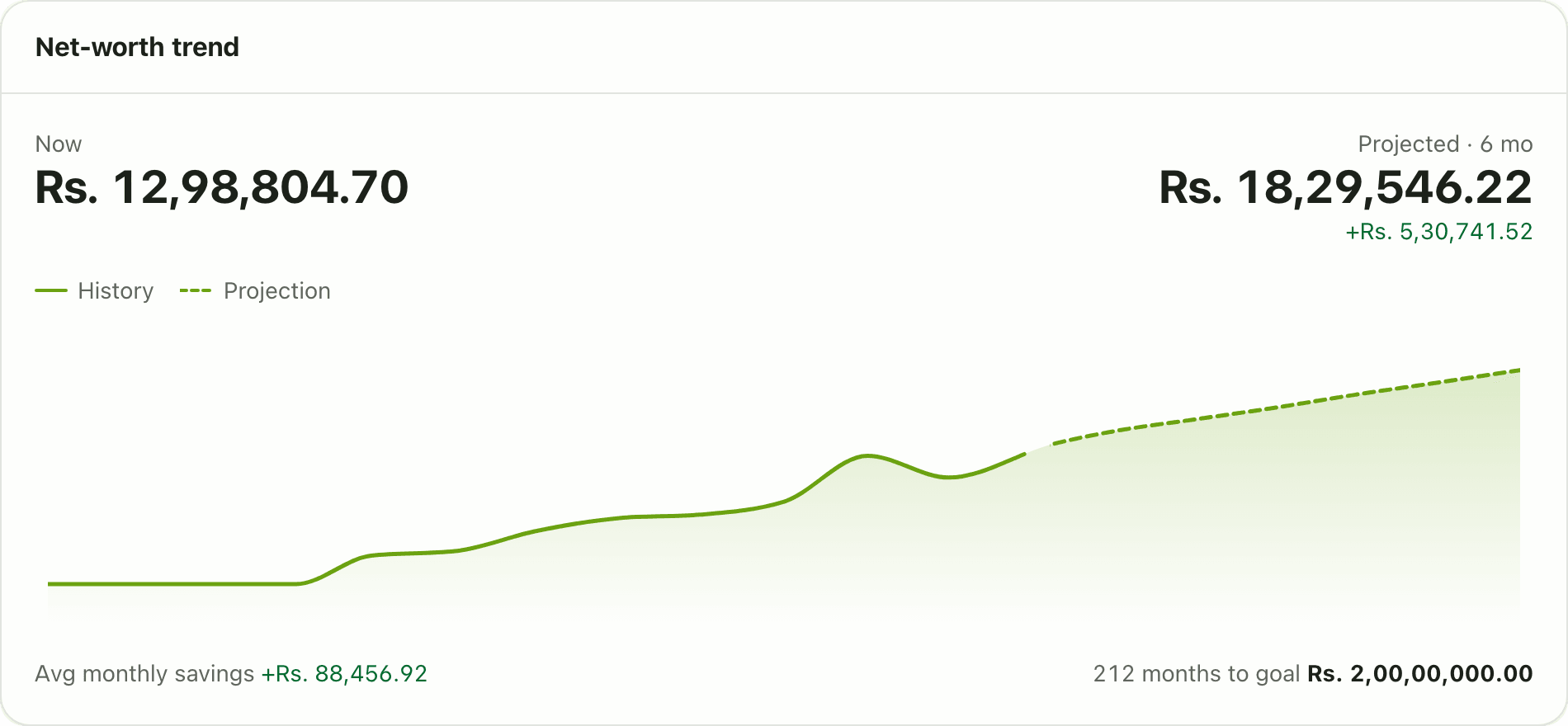
The Net-worth trend widget draws your net worth over the last 12 months and continues the line forward at your current savings pace. It also holds your net worth goal. Set a target amount and the card tells you how many months away you are. It is a Premium widget.
What problem it solves
Today’s balance does not say if you are getting better off. A trend line does. The projection answers “if I carry on like this, where will I be in six months?” The goal turns that into a date: “11 months to Rs 10,00,000”, or a plain “Off track at pace” while there is still time to change something.
How it works
- Open Dashboard. Tap Customize, then Add widget and pick Net-worth trend. It needs Premium.
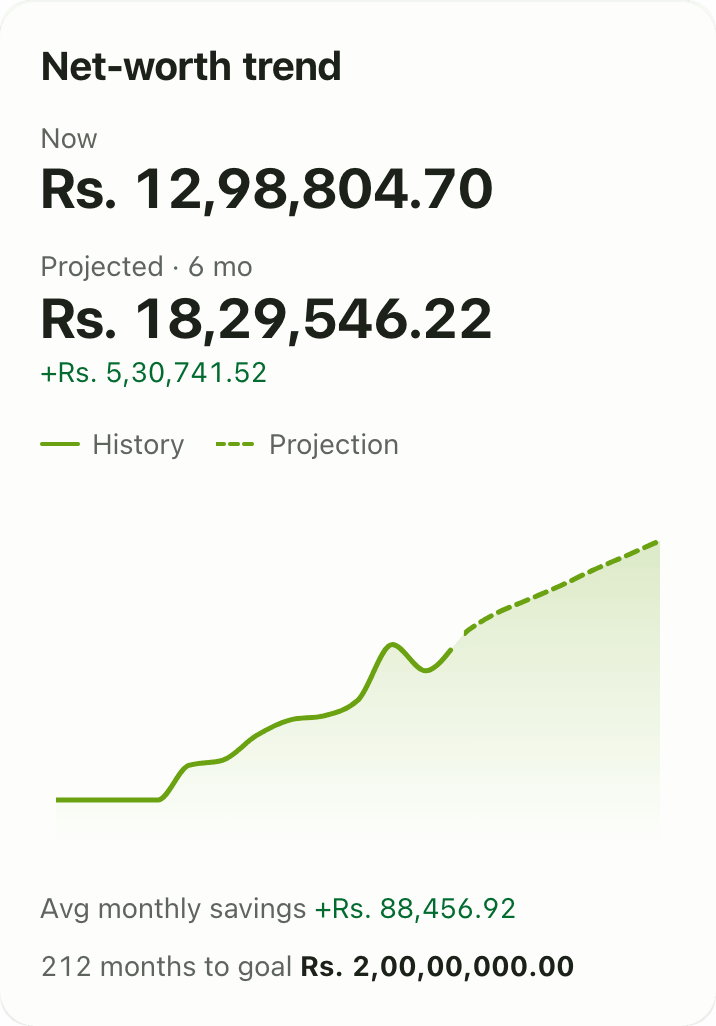
- Read the chart. History is solid and Projection continues it. Now is today’s value. Avg monthly savings is the pace used for the projection.
- Tap the gear on the card. Under Projection horizon choose 3 months or 6 months.
- In Net-worth goal (optional) type your target, for example 1000000, then tap Save.
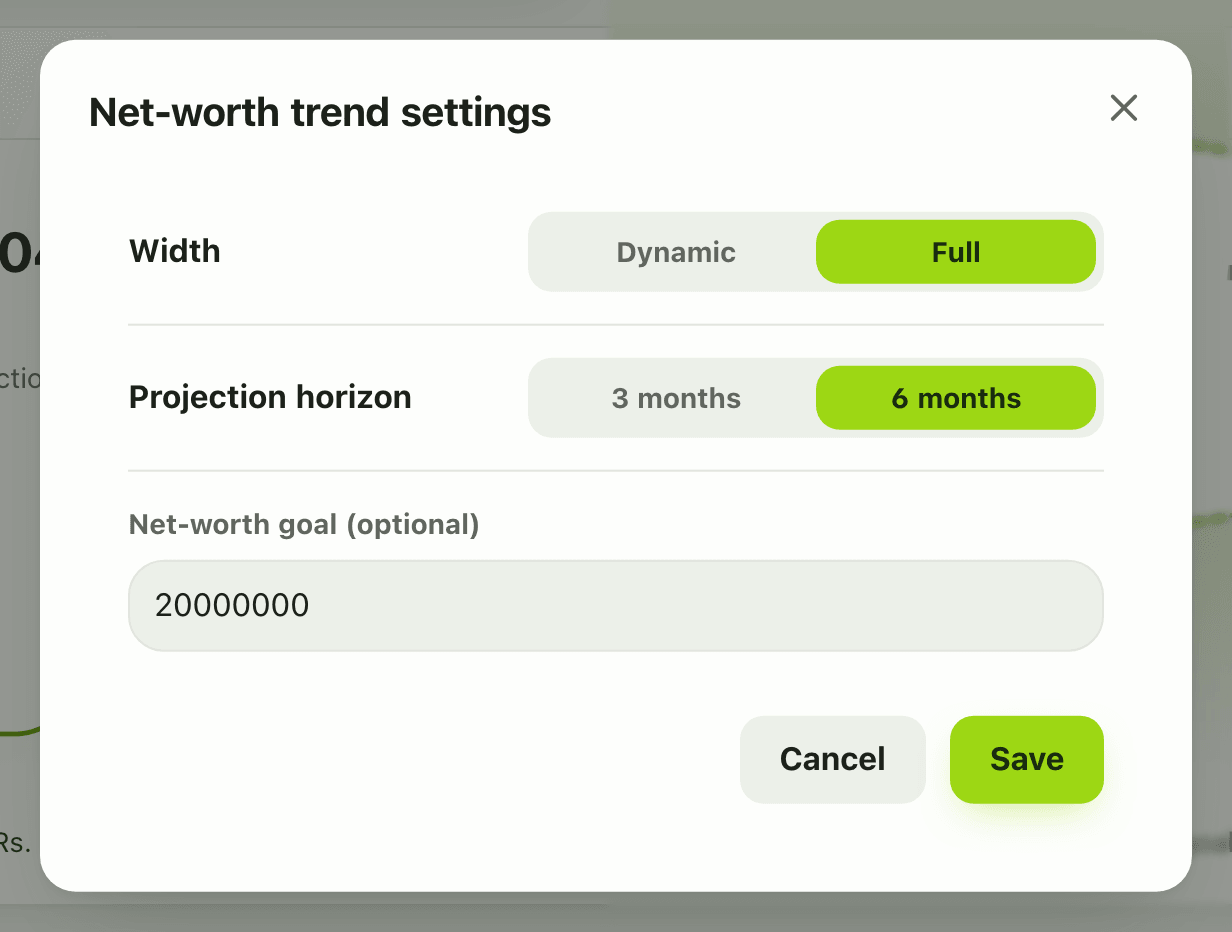
- The card now shows one of: Goal reached, “N months to goal”, or Off track at pace.
Details and rules
- Premium. On the Free plan the card shows blurred and locked, and tapping it opens the upgrade prompt. Premium includes a free first week for new accounts, and codes can add more.
- History is 12 months. Horizon is 3 or 6 months, set in the widget.
- The trend is liquid accounts only: your account balances. Gold, land, shares and other assets are not in it, and loans are not subtracted. The net worth widget shows the total with assets.
- The projection uses your average monthly savings of the last six months. If you saved little or nothing, the goal shows Off track.
- The net worth goal is a setting of this widget. If you remove the widget, the goal goes with it.
- Amounts are in your default currency.
- On a phone, Customize mode opens the same settings sheet for horizon and goal.
- One trend widget per dashboard.
Works with
Ask an AI assistant
Ask: “Am I on track to have 10 lakh saved by next summer?” The assistant calls get_net_worth_trend (Premium), which returns the monthly history and a projection ahead.
For AI assistants
Lipi’s MCP server gives an assistant these tools for this feature:
get_net_worth_trend
Questions and answers
What does the Net-worth trend widget show?
It shows a 12-month history of your net worth, a projection for the next 3 or 6 months at your average monthly savings pace, and the average monthly savings figure. If you set a goal, it also says whether you reached it, how many months away it is, or that you are off track.
How do I set a net worth goal in Lipi?
In Customize mode, open the gear on the Net-worth trend widget and type a number in Net-worth goal (optional), for example 1000000. The goal is a setting of this widget, not a separate screen.
What is counted in the trend?
The trend uses your liquid accounts, meaning your account balances over time. It does not include assets such as gold or land, and it does not subtract loans.
How is the projection worked out?
It continues your net worth forward at your average monthly savings over the last six months. It is an estimate from your own history, not a promise.
Is the Net-worth trend widget free?
No. It is a Premium widget. On the Free plan the card appears locked and tapping it opens the upgrade prompt.
Can Lipi track a net worth goal like other apps?
Yes. Set a goal on the Net-worth trend widget and Lipi shows Goal reached, the months to go at your pace, or Off track at pace.
Last updated:
More in Dashboard and reports
Reports and summaries
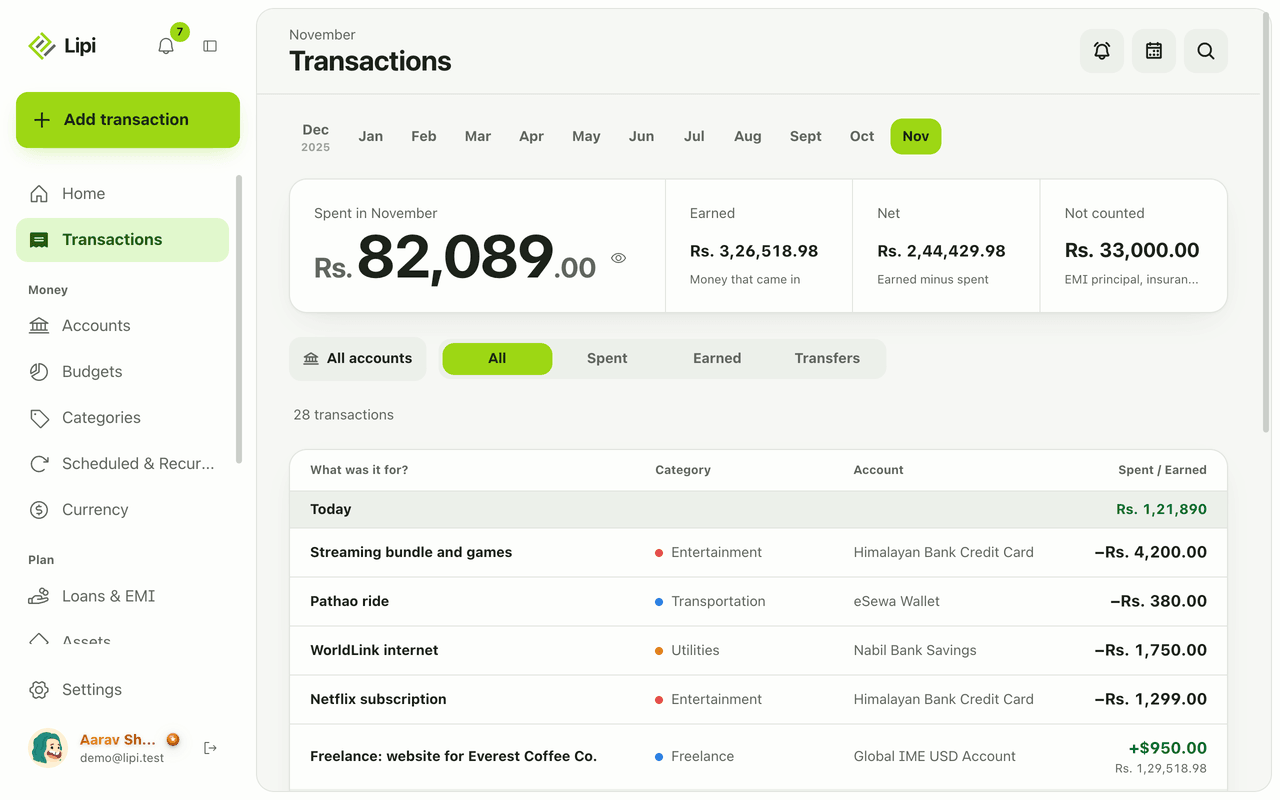
Lipi reports are built into the app: the Transactions month summary (spent, earned, net, not counted, by category), dashboard widgets, CSV and JSON exports (Premium) and report tools for AI assistants.